



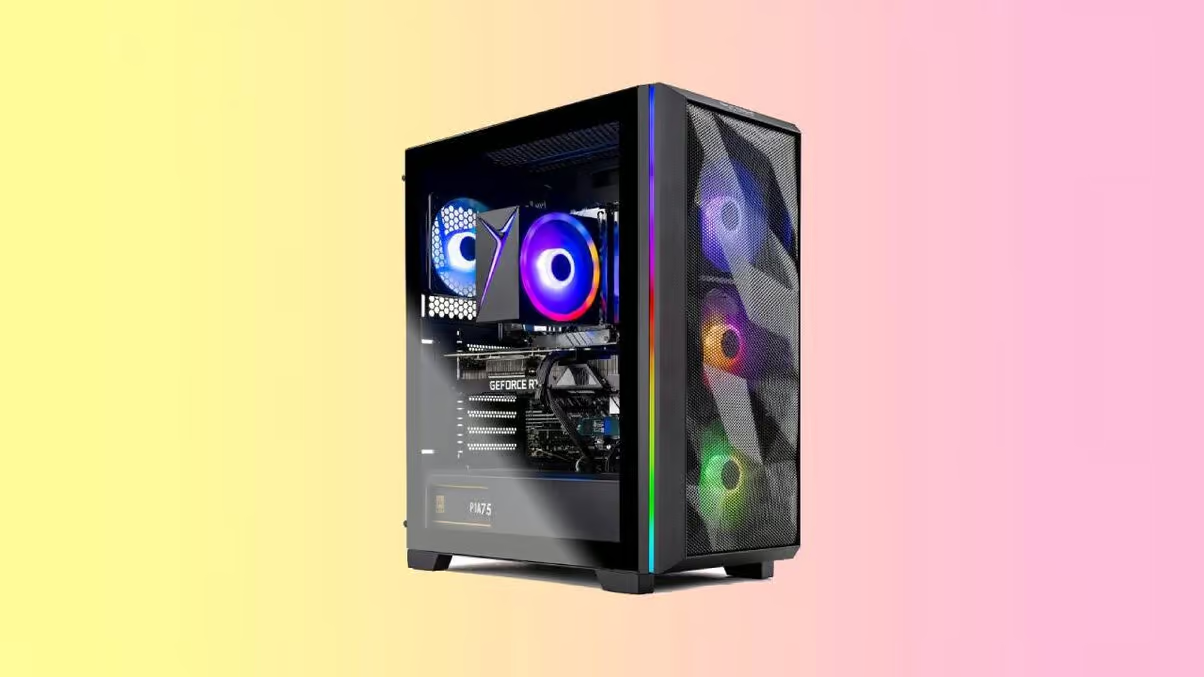
Skytech Gaming Chronos 3 Review: A Sleek Prebuilt Built for Smooth 1080p Gaming
The Skytech Gaming Chronos 3 strikes a compelling balance between raw gaming performance and eye-catching design. Built for players who want a system that performs as good as it looks, this prebuilt delivers smooth gameplay across modern titles while maintaining a clean, premium aesthetic.
Pros
- Beautiful build quality
- Excellent PC case
- Extremely powerful
- Clean cable management
- GPU slaps
- Good cooling
Cons
- PSU might need upgrading in the future
About the Skytech Gaming Chronos 3: Is Chronos any good?
The Skytech Gaming Chronos 3 represents the next evolution in Skytech’s Chronos lineup, refining what worked in earlier models while pushing performance and design a step further. It’s clearly aimed at gamers who want a modern, visually striking desktop without sacrificing the horsepower needed for today’s demanding titles.
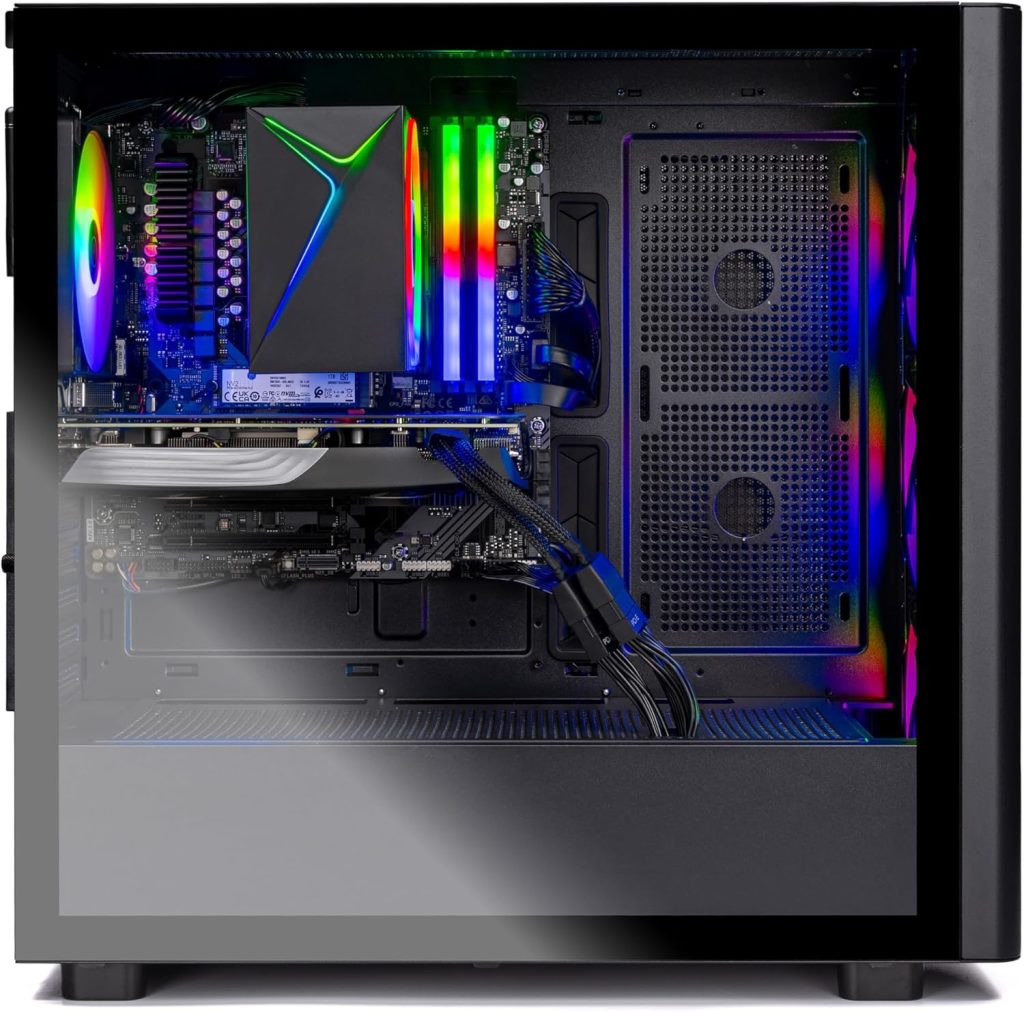
At first glance, the system leans heavily into gaming aesthetics, with its tempered glass panel and RGB-lit front intake fans giving it a bold, high-end presence. But beyond appearances, it’s built to deliver consistent, high-frame-rate gaming backed by well-matched components. Compared to alternatives like the Skytech Gaming Azure 3, Skytech King 95 and the iBUYPOWER Y40 Pro, the Chronos 3 positions itself as a more design-forward option that still holds its ground in performance. We’ve done a thorough breakdown of some of the best Nvidia RTX 5060 gaming deskops such as this Skytech Chronos 3 here.
In real-world use, it proves more than capable. Whether you’re diving into fast-paced shooters or expansive open-world games, the system runs smoothly and reliably. However, its value ultimately depends on the specific configuration and price point you choose—some builds offer exceptional performance for the money, while others edge closer to enthusiast-level pricing.
Let’s break it all down.
Skytech Gaming Chronos 3 Specs
| Processor | AMD Ryzen 7 5700 3.7GHz |
| RAM | 16GB DDR4 RAM 3200 |
| Storage | 1TB NVMe SSD |
| Graphics Card | Nvidia Geforce RTX 5060 |
| Size | 18.7 x 9.06 x 18 inches |
| PSU | 650W Gold PSU |
Design: A Glass Showcase
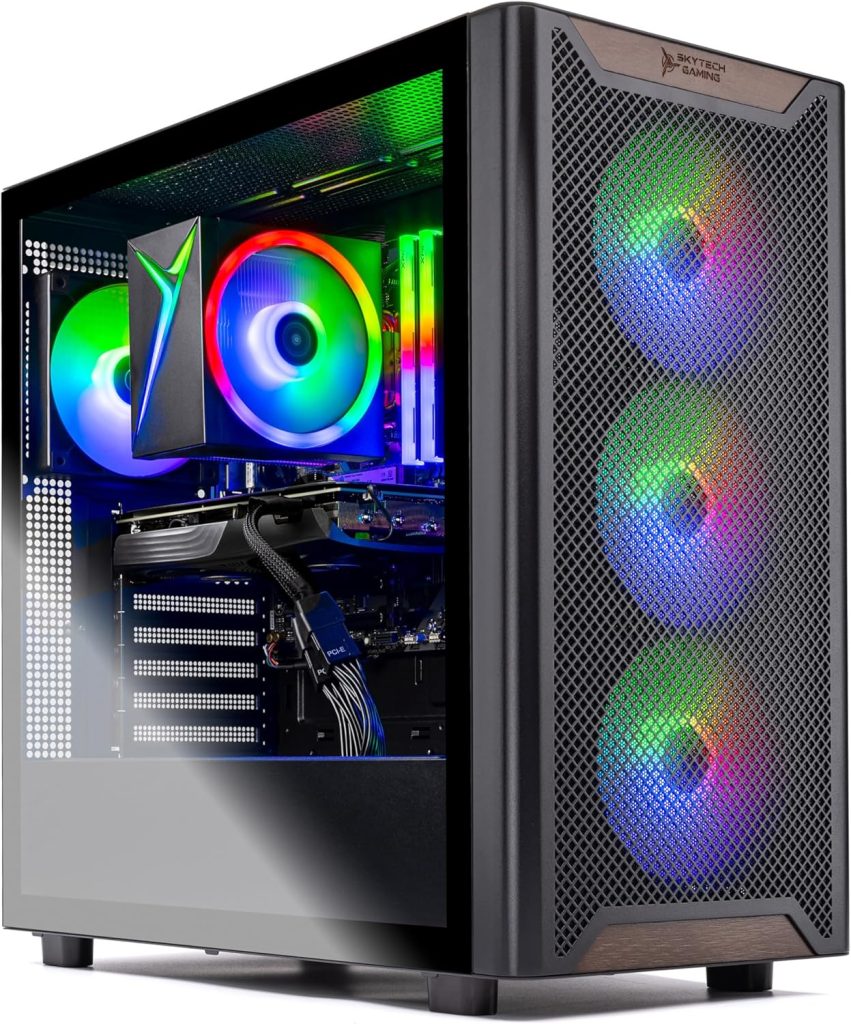
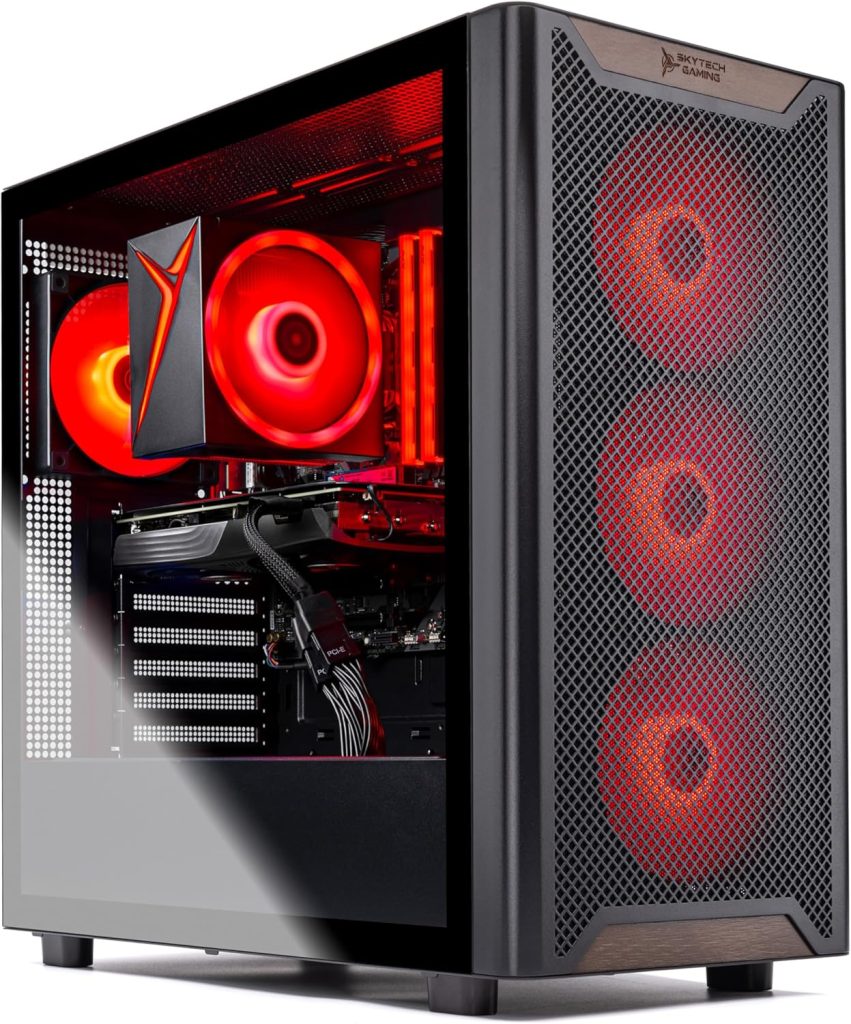
For gamers who lean toward bold, expressive setups, the Skytech Gaming Chronos 3 delivers exactly that kind of visual punch. Its tempered glass side panel puts the internal components on full display, enhanced by vibrant RGB lighting from the cooling fans that gives the entire system a lively, high-performance feel. Up front, a metallic mesh grille not only improves airflow but adds a slightly industrial edge, tying in nicely with the sculpted top section where the branding is subtly integrated.
That said, the Chronos doesn’t drastically reinvent Skytech’s design language. It sticks close to what has worked in previous iterations, refining rather than reimagining. Still, that’s not necessarily a downside—especially if you prefer something more striking than the understated, minimalist approach seen in many mainstream gaming desktops. The Chronos embraces its gaming identity unapologetically, and it works.
In terms of size, it sits comfortably within standard mid-tower territory at 18.7 x 9.06 x 18 inches. That puts it in close competition with systems like the iBUYPOWER Y40 Pro (17.28 x 9.44 x 18.58 inches), which is slightly more compact but similarly styled, and the Skytech King 95 (18.7 x 11.8 x 17.4 inches), which is wider and leans more toward airflow-focused builds. Compared to the Skytech Gaming Azure 3 (17.2 x 9.1 x 17.8 inches), the Chronos is just a bit taller and longer, but not enough to make a significant difference in desk placement.
Overall, the Chronos 3 strikes a solid balance—it’s flashy without feeling excessive, familiar without being boring, and spacious enough to house powerful components while still fitting neatly into most gaming setups.
Ports & Connectivity
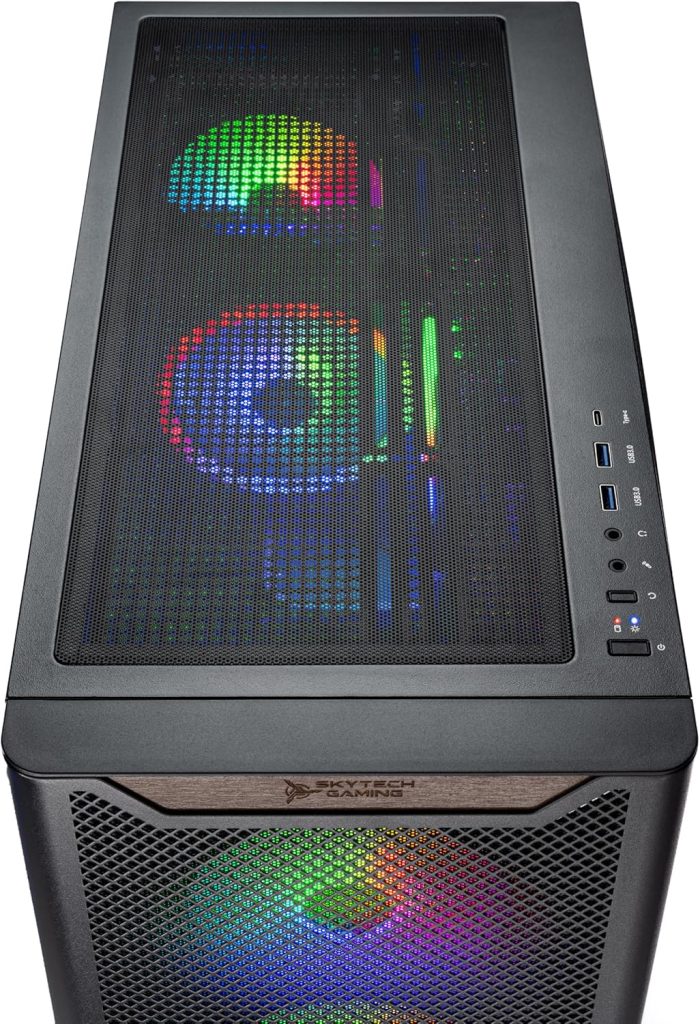
The Skytech Chronos 3 comes equipped with a solid mix of modern and legacy connectivity options to cover both gaming and everyday use. For display output, you’re getting 1 x HDMI and 1 x DisplayPort as standard, though additional outputs can vary depending on the exact GPU configuration.
Around the chassis, you’ll find a healthy selection of USB ports, including USB 2.0, USB 3.0, and USB 3.2 Gen1. That gives you enough flexibility for peripherals, external drives, and accessories without constantly swapping cables. It’s a practical setup that should meet most gamers’ needs straight out of the box.
At the rear, display connectivity is primarily handled by the installed Nvidia GeForce RTX 5060, which typically includes 3 DisplayPorts and a single HDMI output. This allows for multi-monitor setups, high refresh rate displays, and modern gaming resolutions without any bottlenecks.
Skytech also includes a bundled gaming mouse and keyboard, which is a nice touch for beginners or anyone setting up a fresh system. While they won’t rival premium peripherals, they’re more usable for getting started right away.
For wireless connectivity, the system features 802.11ac Wi-Fi, offering stable and reasonably fast internet performance for online gaming, streaming, and downloads. While not the latest Wi-Fi standard available, it still provides reliable connectivity for most home networks without requiring an immediate upgrade.
Performance
With its updated hardware, the Chronos 3 proves it’s more than just a good-looking machine—it’s built to deliver serious, modern gaming performance. At the heart of this configuration is the AMD Ryzen 7 5700, an 8-core processor clocked at 3.7GHz that brings strong multi-core performance and improved efficiency over older Ryzen generations. Paired with 16GB of DDR4 RAM running at 3200MHz, the system handles demanding games, multitasking, and background processes with ease.
This combination isn’t just great for gaming—it’s also well-suited for content creators and power users. Whether you’re streaming gameplay, editing videos, or running multiple applications at once, the Chronos 3 keeps things smooth and responsive. The CPU’s multi-threaded strength ensures you won’t feel bogged down when pushing the system beyond just gaming.
Storage is handled by a fast 1TB NVMe SSD, which significantly improves load times across the board. Games boot quickly, file transfers are snappy, and the overall system feels fast and responsive in day-to-day use. It also provides plenty of room for a solid library of modern titles without immediately needing an upgrade. Altogether, this configuration gives the Chronos 3 a well-rounded performance profile—powerful enough for modern games, yet versatile enough for productivity and creative workloads.
Gaming Performance
When it comes to real-world gaming, the Chronos 3 backed by the Nvidia GeForce RTX 5060 proves itself as a highly capable 1080p performer with surprising headroom in several modern titles.
At Full HD, this system consistently delivers smooth, high-refresh-rate gameplay. In Delta Force, the RTX 5060 pushes an impressive 138 FPS at 1080p, giving competitive players the fluidity they need. Esports titles are where this GPU really shines—Counter-Strike 2 runs effortlessly on medium settings, maintaining strong and stable frame rates that easily take advantage of high refresh monitors.
For more demanding AAA games, performance remains solid with a few caveats. Cyberpunk 2077 averages around 100 FPS at 1080p, offering a smooth and visually rich experience, while Call of Duty: Black Ops 6 holds steady at roughly 75 FPS, which is more than playable for a fast-paced shooter. Warhammer 40,000: Space Marine 2 also performs admirably, hitting around 100 FPS at 1080p, showing the GPU’s ability to balance visuals and performance effectively.
However, heavier and less optimized titles begin to expose the card’s limitations. In Stalker 2, the RTX 5060 manages about 47 FPS at 1080p—playable, but not ideal without tweaking settings. Pushing up to 1440p is where things take a sharp turn. The 8GB VRAM buffer becomes a serious constraint in demanding games, with performance dropping dramatically—in extreme cases, down to unplayable levels. This makes it clear that while the Chronos 3 is excellent for 1080p gaming, it’s not designed for consistent high-end 1440p performance in the most demanding titles.
Overall, the gaming experience here is best described as fast, smooth, and highly reliable at 1080p. If that’s your target resolution, this system delivers excellent value and performance.
Conclusion: Is Skytech Chronos gaming PC good?
The Skytech Gaming Chronos 3 is, without much doubt, a very good prebuilt gaming PC—but with a clear target audience. It shines brightest as a high-performance 1080p gaming machine that also handles productivity, streaming, and multitasking with ease. Thanks to its strong CPU-GPU pairing, fast SSD storage, and clean build quality, it delivers a smooth, responsive experience in most modern games and everyday workloads.
What makes it stand out is the balance it strikes. You’re getting a system that looks premium, runs cool, and performs consistently well without needing immediate upgrades. Many Chronos 3 configurations are capable of running modern titles at high settings and even pushing into 1440p territory depending on the GPU tier and gaming title, making it a flexible option for gamers who want both performance and visual appeal.
However, it’s not perfect. The included PSU in some configurations may feel a bit limiting for long-term upgrades, and lower-tier GPU variants (like RTX 5060 models) are clearly optimized for 1080p rather than demanding 1440p gaming. That means your experience can vary significantly depending on the exact configuration and price you choose.
So Is Skytech Chronos gaming PC good? Yes—the Chronos 3 is a solid, well-rounded gaming PC. If you’re aiming for smooth 1080p gameplay, clean aesthetics, and a hassle-free prebuilt experience, it’s an excellent choice. But if your goal is ultra settings at 1440p or higher, you’ll want to step up to a higher-end configuration or consider alternatives with more GPU headroom.


