



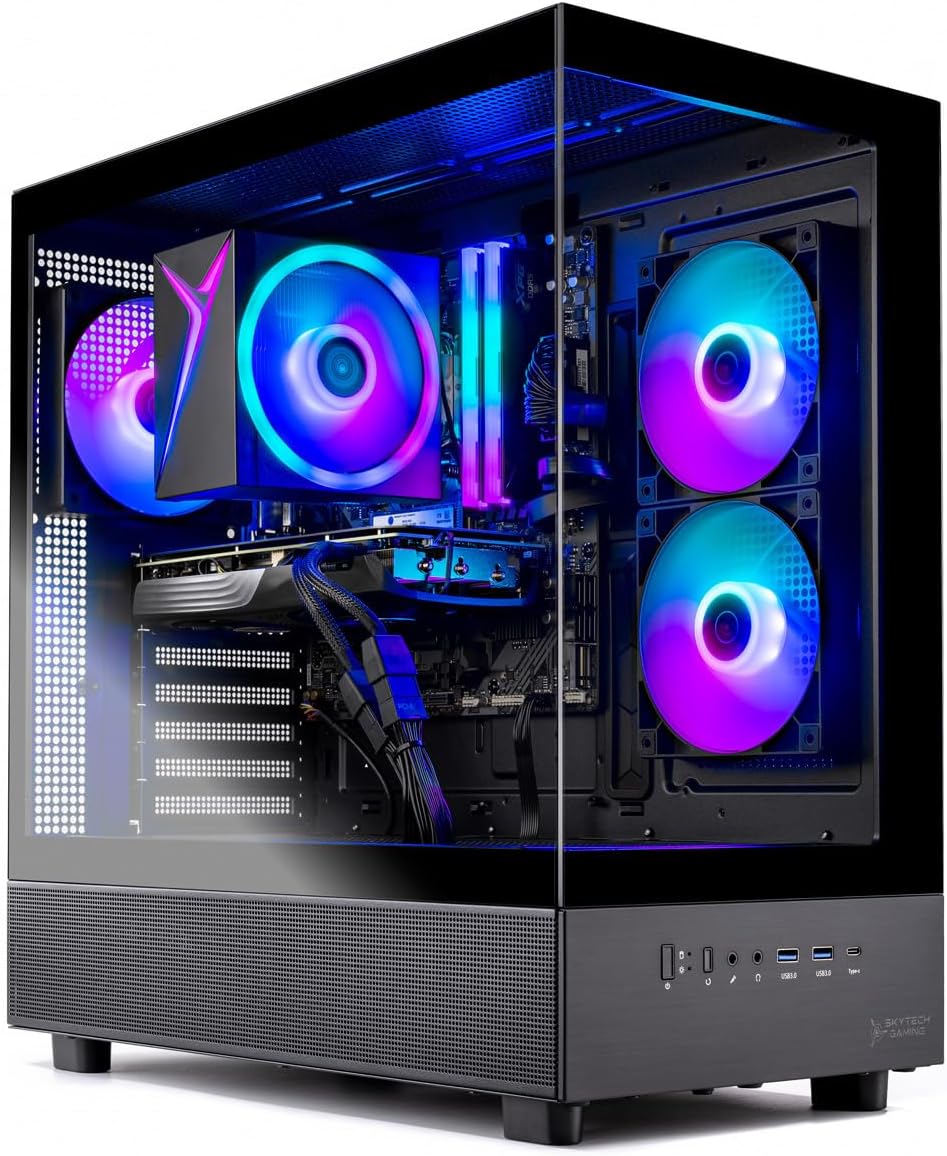
Skytech Gaming Azure 3 Review: Affordable Gaming PC for 1080p & 1440p Performance
Pros
- Simple, clean
- Fast performance
- Runs cool and quiet
- Decent price tag
Cons
- 650W PSU might need upgrade in the future
About the Skytech Gaming Azure 3
The Skytech Gaming Azure 3 isn’t the kind of name that screams “must-have gaming PC”—but once you look past that, there’s a lot to like here. This is a straightforward, well-specced prebuilt that focuses more on performance and value than flashy marketing. The unit we’re looking at pairs an AMD Ryzen 7 processor with an Nvidia GeForce RTX 50-series GPU, a combo that’s more than capable of handling today’s games at 1080p and 1440p without much trouble.
It’s not trying to reinvent the wheel, and that’s part of its appeal. You get a clean, modern tower, strong out-of-the-box performance, and cooling that holds up well during longer sessions. Like most systems in this range, there are a few small compromises, but nothing that takes away from the overall experience. It feels like a practical choice for gamers who just want something reliable that performs well without overspending.
It’s not perfect, though. Our unit comes with a 650W power supply, which doesn’t leave much headroom if you’re planning future GPU upgrades. Still, for what it offers today, the Azure 3 stands out as a well-rounded, value-driven gaming desktop. Check out some of the very best Nvidia RTX 5060 gaming desktops from our Editor’s Choice list.
Skytech Gaming Azure 3 Specs
| Processor |
3.7GHz AMD Ryzen 7 5700 |
| RAM |
32GB DDR4 RAM 3200 |
| Storage | 1TB M.2 NVMe SSD |
| Graphics Card | Nvidia Geforce RTX 5060 |
| Size | 17.2 x 9.1 x 17.8 inches |
| Weight | 13.79 pounds |
Design: Living in a Glass House
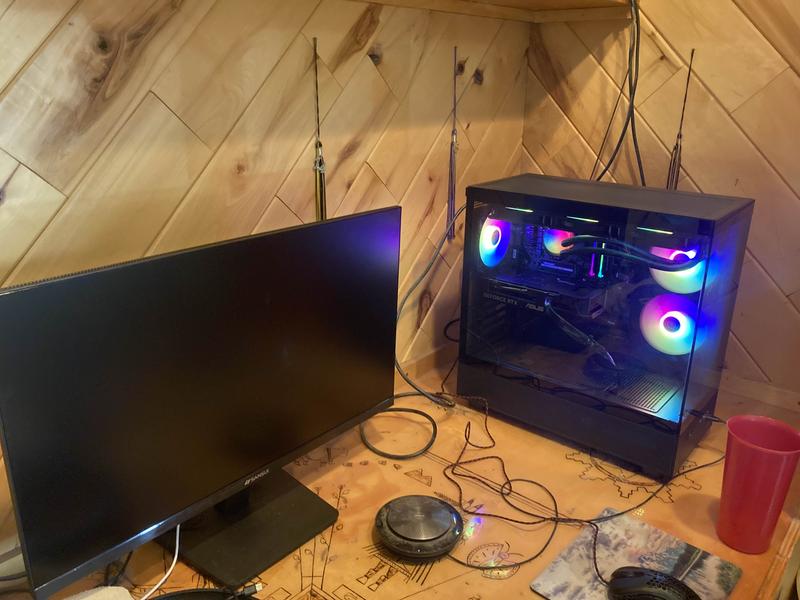
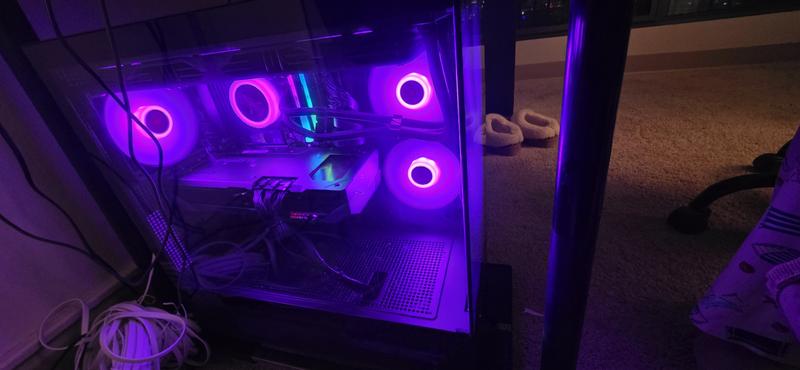
The Skytech Gaming Azure 3 goes for a clean, modern look rather than anything overly aggressive, and it works. The boxy chassis feels sturdy and purposeful, while the overall design leans into that popular “fish-tank” aesthetic. Large tempered glass panels dominate the front and side, giving you a clear view into the system, while ventilated sections keep airflow moving without breaking the visual appeal.
When the RGB lighting kicks in, the whole setup comes alive. Instead of something over-the-top, it feels more like a subtle showcase of the components inside—almost like having your own display case on your desk. And if the default lighting isn’t your style, you can easily tweak the colors and effects using the controls on the top panel.
In terms of size, the Azure 3 is on the larger side at 17.2 x 9.1 x 17.8 inches (13.79 pounds) so you’ll want to plan your desk space accordingly. The extra room isn’t wasted, though—it makes working inside the case much easier if you ever decide to upgrade or clean components. That added space also helps with airflow, which contributes to the system’s overall thermal performance. The CyberPowerPC Gamer Xtreme GXiVR8080A41, newly redesigned to be a more conventional size, is 23.23 x 22.09 x 13.43 inches, slightly bigger. To access the system’s internal components, you need to remove the transparent side panel that’s held in place by thumbscrews, and you’re done.
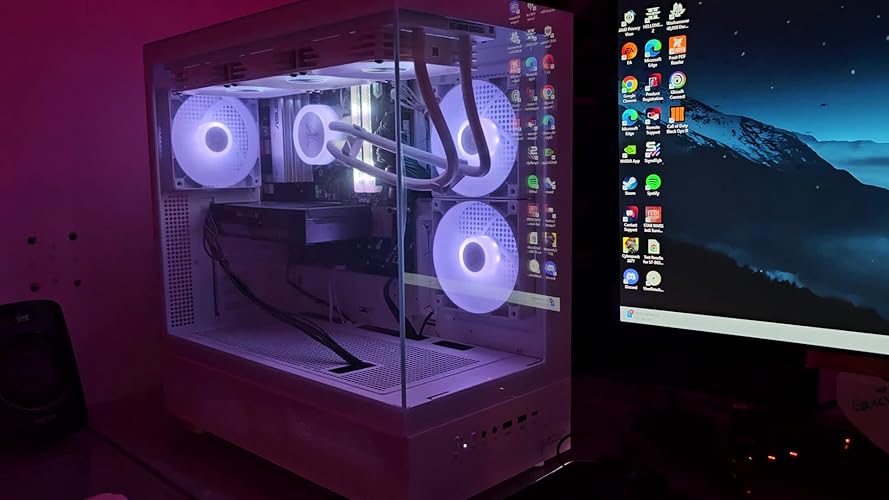
Inside, things are just as tidy as you’d hope. The interior is spacious, with neatly routed cables that keep everything looking clean and unobstructed. If you don’t mind all that glass, it’s a great way to show off the hardware—and with the quietly spinning LED fans, it’s a setup that looks good without constantly drawing attention to itself.
Ports
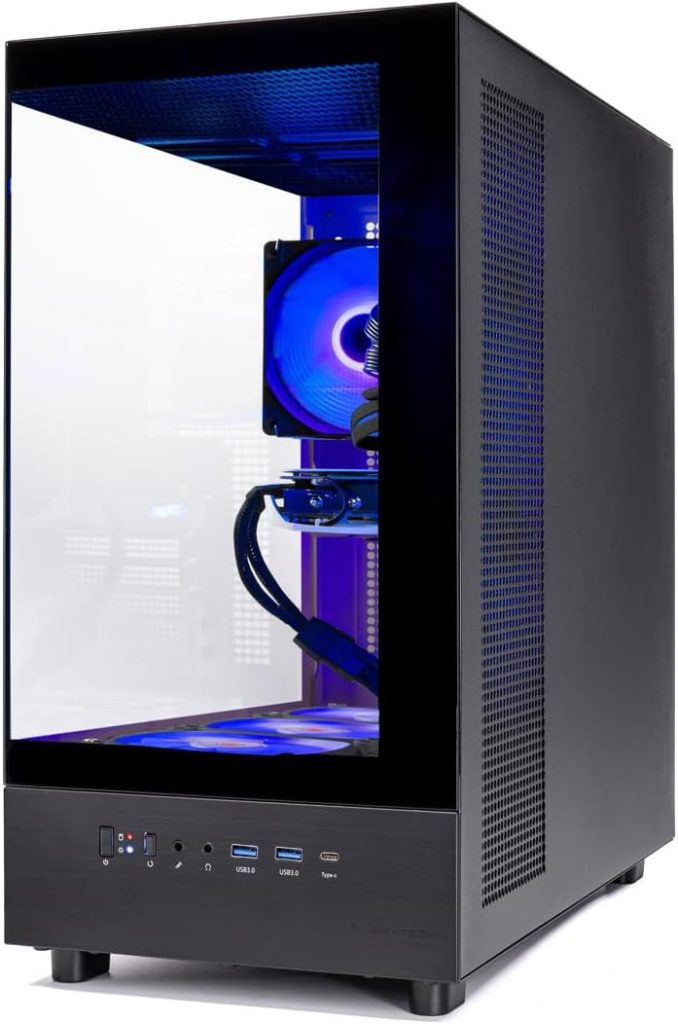
The Skytech Gaming Azure 3 keeps its front I/O simple but accessible, with a slightly unconventional layout. Along a slim vertical strip near the lower side, you’ll find the power button, status LED, a USB 3.0 port, a USB-C port, and a combo audio jack. It may take a moment to get used to, but it ends up being quite convenient—especially if the tower is within arm’s reach on your desk.
Around the back, you’ll find a more traditional spread of connectivity. There are multiple USB ports (six in total), along with standard audio jacks for more permanent peripherals. The graphics card handles display output, offering both DisplayPort and HDMI connections, which makes running a multi-monitor setup straightforward whether you’re gaming or working.
On the power side, our unit comes with a 650W PSU. It’s perfectly adequate for the current configuration, but it doesn’t leave a ton of room for future upgrades—especially if you’re considering a more power-hungry GPU down the line. If upgrading is part of your long-term plan, this is one area you may need to revisit.
For wireless connectivity, the system supports 802.11ac Wi-Fi. It’s not the latest standard, but it’s still fast and reliable enough for online gaming, streaming, and general use. Unless you’re specifically chasing Wi-Fi 6 or newer, most users won’t feel limited here.
Performance
Our Skytech Gaming Azure 3 is powered by a 3.7GHz AMD Ryzen 7 5700 processor, an 8-core chip that handles multitasking with ease. Whether you’re gaming, streaming, or juggling multiple apps, it keeps things running smoothly without feeling stretched. It’s not the newest CPU on the market, but it still delivers reliable, consistent performance for most mainstream workloads.
Storage comes in the form of a 1TB NVMe SSD, which is a solid starting point for most users. It gives you enough room for a healthy game library, applications, and files, and the best part is how easily it can be expanded—bumping up to 2TB or more is straightforward if you need extra space down the line. The SSD also makes a noticeable difference in day-to-day use, with fast boot times, quick game loads, and an overall snappy system feel.
It also works well as a productivity machine, thanks to the Ryzen 7 5700’s strong multi-core performance. Everyday tasks like browsing, office work, and multitasking are handled with ease, while light to moderate creative workloads such as photo editing and basic video editing are also within reach. It can handle heavier creative projects too, but for sustained professional-level editing or studio workflows, more specialized systems may be a better fit.
The fast NVMe SSD further enhances productivity, allowing large files to transfer in just a few minutes and keeping everything feeling responsive. RAM and storage are also upgradeable, giving you room to expand as your needs grow—whether that’s more game storage, larger media libraries, or heavier creative projects. If you need a gaming PC that doubles as a capable work machine but with a more office-focused, professional aesthetic, systems like the Alienware Aurora R16 may be worth considering.
Tying it all together, the Skytech Azure 3 feels like a well-balanced system built for versatility. With 32GB of RAM, a capable CPU, fast SSD storage, and a strong GPU, it’s solidly packed for mainstream gaming, productivity, and content creation without feeling overcomplicated or overengineered.
Now, let’s see how it performs where it really counts—gaming.
Gaming Performance
The Nvidia GeForce RTX 5060 is a strong, competitive GPU built with 1080p high-refresh gaming in mind, while still handling light 1440p play comfortably. It’s designed to push modern titles at high settings, with ray tracing support and AI-driven features like DLSS and Frame Generation helping boost performance when needed.
In demanding titles like Cyberpunk 2077, the Azure 3 shows its capability well. At 4K with ray tracing enabled and DLSS Frame Generation turned on, the system delivers a smooth experience, averaging around 78–89 fps indoors and climbing into the low 90s outdoors. Gameplay remains fluid throughout, with no noticeable stutters or performance dips, which is impressive for this level of hardware.
At 1080p, the system really flexes its muscles. Even in Cyberpunk 2077’s Ultra RT settings, it consistently pushes past 60 fps on both average and minimum frame rates without relying on DLSS. Moving up to 1440p, performance remains stable and playable—something many midrange systems struggle to maintain in such a demanding title.
With DLSS enabled, performance improves even further, with the system exceeding 100 fps at 1080p Ultra settings and averaging around 70+ fps at 1440p. These are excellent results that make high-quality, high-frame-rate gaming very achievable on this machine.
This level of performance isn’t limited to just one title either. In other demanding games like Total War: Warhammer 3, the Azure 3 maintains smooth and consistent performance, staying above 60 fps at 1440p with ease. Overall, it delivers strong, reliable gaming performance that matches its value-focused positioning, making it a capable choice for both 1080p and 1440p gamers.
Conclusion: Is Skytech Azure 3 good?
The Skytech Gaming Azure 3 comes together as a well-rounded, no-nonsense gaming desktop that delivers exactly what most gamers are looking for: strong performance, clean design, and reliable day-to-day usability without an inflated price tag. It doesn’t try to chase gimmicks or over-the-top features—instead, it focuses on getting the fundamentals right, and that’s where it succeeds.
Across gaming, productivity, and general use, the system feels consistently fast and responsive. The Ryzen 7 5700 and RTX 5060 combination handles modern AAA titles with ease at 1080p and 1440p, while DLSS support helps push frame rates even higher when needed. Add in 32GB of RAM and a fast NVMe SSD, and you get a machine that feels smooth whether you’re loading games, multitasking, or handling creative work.
Of course, it’s not without small compromises—most notably the 650W power supply, which limits how far you can push future upgrades. But that’s a fair trade-off for a system that already delivers this level of out-of-the-box performance and value. For most users, it strikes the right balance between power and practicality.
At the end of the day, the Skytech Gaming Azure 3 is exactly what a modern prebuilt gaming PC should be: fast, dependable, and ready to play right away. If you want a system that handles today’s games comfortably, doubles as a capable work machine, and doesn’t overcomplicate the experience, this is an easy recommendation.


