



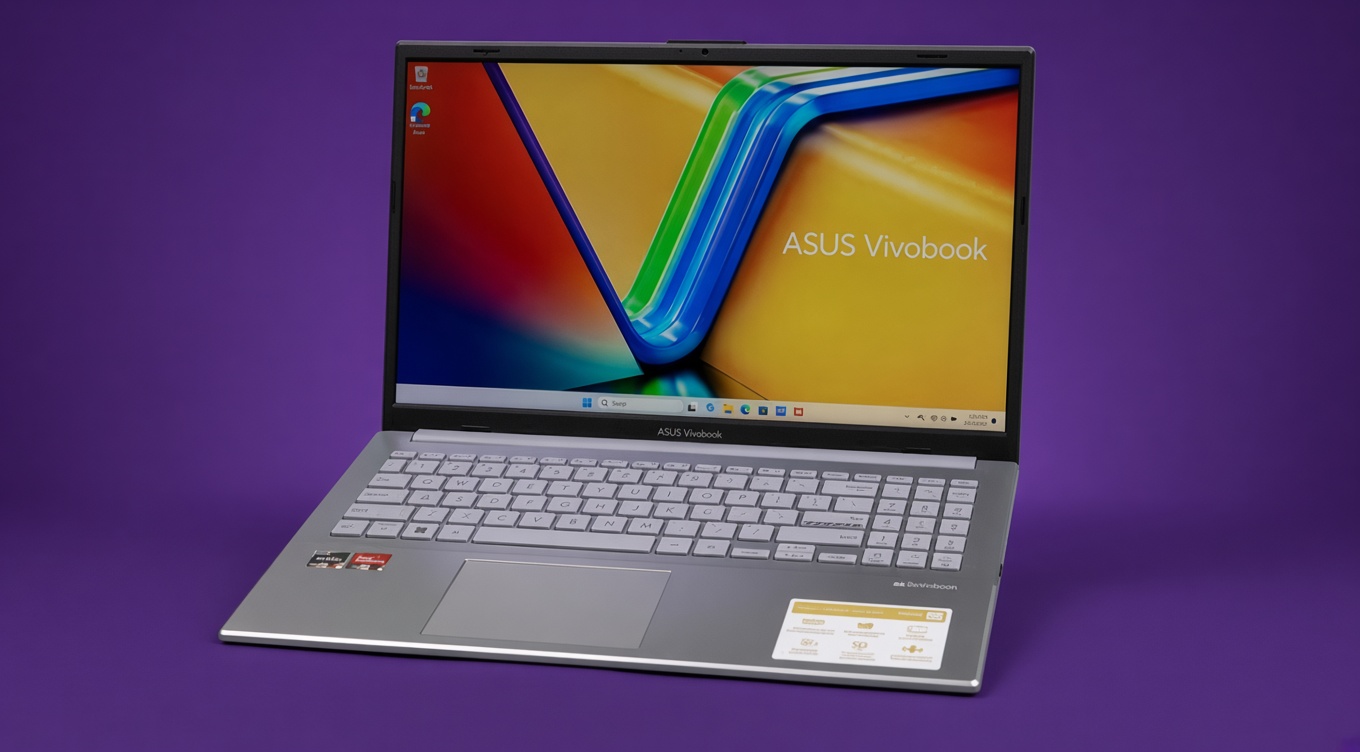
Asus VivoBook Go (E1504FA-AS54) Review
While the Asus Vivobook Go (E1504FA-AS54) offers excellent affordability, some of its limitations may encourage buyers to stretch their budget for a more capable laptop.
Pros
- Excellent value for the price
- Lightweight and portable design
- Good battery life
- Comfortable keyboard
- Ryzen 5 processor handles everyday tasks easily
- 512GB SSD storage included
- Full HD display
- Windows 11 Home included
Cons
- Display brightness is only average
- Not suitable for serious gaming
- Limited color accuracy for creators
- Plastic chassis feels budget-oriented
- No keyboard backlighting on some configurations
- Supports Wi-Fi 5, not Wi-Fi 6, 6E, or 7
Asus VivoBook Go (E1504FA-AS54) Specs
| Component | Specification |
|---|---|
| Processor | AMD Ryzen 5 7520U |
| Graphics | AMD Radeon 610M |
| RAM | 8GB LPDDR5 |
| Storage | 512GB PCIe SSD |
| Display | 15.6-inch FHD (1920 x 1080) |
| Operating System | Windows 11 Home |
| Weight | 3.59 lbs (1.63 kg) |
| Battery | 42Wh |
Finding a good laptop under $600 has become surprisingly difficult. Many budget systems either cut too many corners, ship with limited storage, or rely on underpowered processors that struggle once you open multiple browser tabs. At the same time, Chromebooks continue to attract students and casual users thanks to their affordability and simplicity.
The Asus VivoBook Go (E1504FA-AS54) enters this crowded market as a practical middle ground. It offers a modern AMD Ryzen 5 processor, 8GB of LPDDR5 memory, a 512GB SSD, and a full Windows 11 experience at a price that often falls below $500. For buyers who need something more capable than a Chromebook but don’t want to spend MacBook money, the VivoBook Go makes a compelling first impression.
The biggest challenge comes from surprisingly strong competition. Budget buyers can now choose from Chromebooks, affordable Windows laptops, and even entry-level Apple alternatives such as the MacBook Neo, which frequently sells around $589.99. The question is whether Asus has done enough to make the VivoBook Go the better everyday laptop for most users.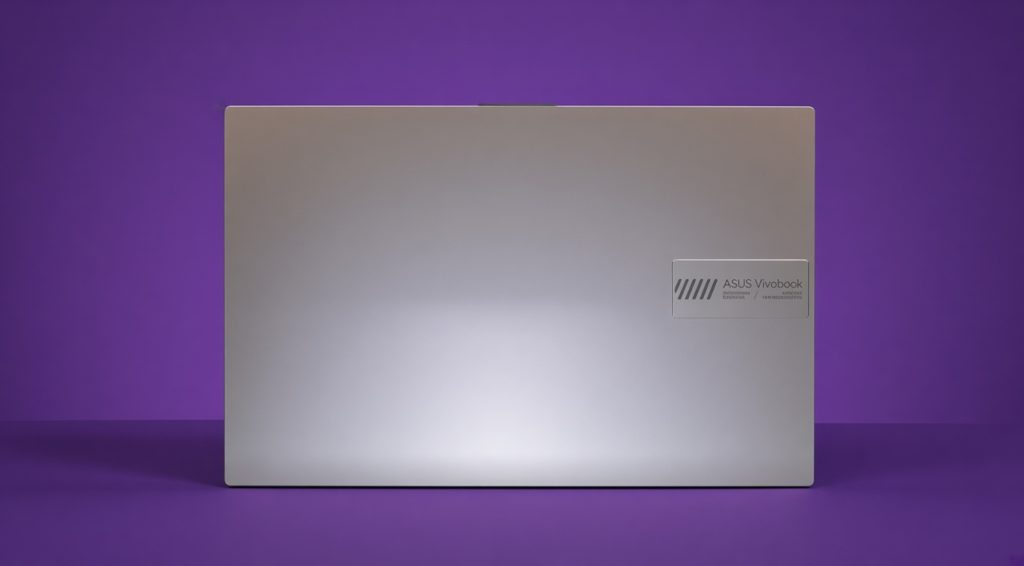
Design: Budget But Classy
The Asus VivoBook Go doesn’t look like a typical bargain-bin laptop. Its silver finish gives it a cleaner, more premium appearance than many budget competitors, while the overall design remains simple and professional enough for school, office work, or everyday use. Although the chassis is primarily plastic, it feels sturdier than its price suggests, with minimal flex across most of the body. The lid exhibits some movement when pressure is applied, but nothing unusual for a laptop in this category.
Portability is another strength. Weighing roughly 3.6 pounds, the VivoBook Go is easy to carry in a backpack and compact enough for commuting students and remote workers. While the display bezels are somewhat thicker than modern premium laptops, the overall footprint remains practical and travel-friendly. Buyers looking for a lightweight Windows machine will likely appreciate the balance between screen size and portability.
Display and Audio
The 15.6-inch Full HD display is one of the laptop’s key selling points. The 1920 x 1080 resolution provides noticeably sharper text and images than older budget laptops that still rely on lower-resolution panels. Whether you’re browsing the web, streaming videos, or working on documents, the screen delivers a comfortable viewing experience for everyday use.
However, the display is also one of the system’s biggest compromises. Brightness levels are fairly low, and color reproduction is limited compared to more expensive laptops. This isn’t a machine aimed at photographers, video editors, or designers who require accurate colors. For students, office users, and casual media consumption, the display remains perfectly usable, but buyers should keep expectations realistic.
Audio performance follows a similar pattern. The speakers are adequate for YouTube videos, video calls, and streaming content, but they lack depth and bass. Dialogue remains clear enough for meetings and movies, though headphones or external speakers will provide a noticeably better listening experience.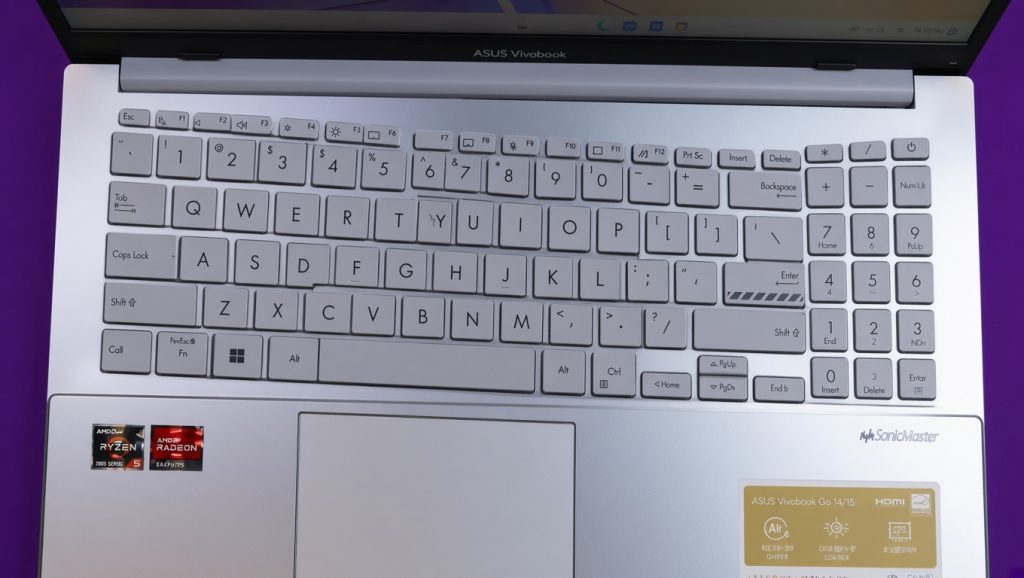
Keyboard, Touchpad, and Webcam
The VivoBook Go offers a spacious keyboard layout that makes typing comfortable for long periods. Students writing essays, office workers managing emails, and remote employees spending hours in documents should find the typing experience easy to adapt to. The keys provide decent travel and tactile feedback, though some users may wish Asus had included keyboard backlighting across all configurations.
The touchpad performs better than expected for a budget laptop. Gesture support is responsive, navigation feels accurate, and everyday tasks such as scrolling, multitasking, and web browsing are handled without issue. While premium glass touchpads remain smoother, the VivoBook Go’s implementation gets the basics right.
The webcam is functional rather than impressive. Image quality is sufficient for Zoom meetings, online classes, and Microsoft Teams calls, but users who frequently attend professional video conferences may eventually want an external webcam for better image quality
Ports and Connectivity
Asus provides a surprisingly useful selection of ports considering the laptop’s budget price. The VivoBook Go includes two USB Type-A ports, one USB Type-C port, HDMI output, and a 3.5mm audio jack, giving users enough flexibility for external displays, storage devices, and everyday accessories without immediately reaching for a USB hub.
There are a few limitations worth mentioning. One of the USB-A ports still uses the older USB 2.0 standard, and the HDMI connection is limited to HDMI 1.4, which can restrict 4K output performance. Wireless connectivity is also less modern than some newer competitors, relying on Wi-Fi 5 instead of Wi-Fi 6 or Wi-Fi 6E. These aren’t deal-breakers for most buyers, but they are reminders that the VivoBook Go is designed to hit an aggressive price point.
Performance
The AMD Ryzen 5 7520U is the heart of the VivoBook Go, and it’s largely responsible for making this laptop feel faster than many competitors in the same price range.
For everyday workloads, performance is excellent. Web browsing, Office applications, video streaming, online learning, email, and multitasking all run smoothly. The combination of LPDDR5 memory and a fast SSD helps Windows feel responsive during daily use.
This is not a workstation laptop, however. Users working with large video projects, professional 3D applications, or heavy content creation workloads will eventually hit its limits.
Still, for the target audience—which includes students, families, remote workers, and general home users—the VivoBook Go provides more than enough performance.
The AMD Ryzen 5 7520U isn’t designed to compete with high-performance gaming or creator laptops, but it delivers enough power for the workloads most budget buyers actually perform. Everyday tasks such as web browsing, Microsoft Office, video streaming, online learning, and light multitasking feel responsive thanks to the combination of the Ryzen processor, LPDDR5 memory, and fast SSD storage.
Where the system begins to show its limits is under heavier workloads. Content creation, professional editing software, large spreadsheets, and demanding multitasking sessions can quickly push the hardware beyond its comfort zone. Fortunately, those aren’t the workloads Asus is targeting. For students, home users, Chromebook upgraders, and anyone seeking an affordable Windows laptop, the VivoBook Go delivers the performance most buyers need without significantly increasing the price.
Gaming Performance
Gaming is not the primary purpose of the VivoBook Go.
The integrated Radeon 610M graphics can handle lighter esports titles, older games, indie games, and cloud gaming services. Games such as Minecraft, Roblox, League of Legends, and Valorant can run at reduced settings.
However, buyers expecting AAA gaming performance should look elsewhere. Compared to dedicated gaming systems like the Acer Nitro V, the VivoBook Go simply isn’t designed for demanding modern games.
Battery Life
Battery life is one of the VivoBook Go’s strongest selling points.
The efficient Ryzen processor helps the system deliver enough endurance for a full day of classes, office work, web browsing, or media consumption. Most users should comfortably get through a typical workday without constantly searching for a charger.
Compared to many budget gaming laptops, the VivoBook Go runs cooler, quieter, and more efficiently, making it a better everyday companion for productivity-focused users.
Asus VivoBook Go (E1504FA-AS54) vs Acer Nitro V
The Asus VivoBook Go (E1504FA-AS54) targets an entirely different audience despite occasionally appearing in the same shopping searches.
The Acer Nitro V offers a Core i7 processor, RTX 4050 graphics, a 165Hz display, and genuine gaming performance, making it one of the strongest gaming laptops under $1,000. It also features a larger high-refresh display, better gaming capability, and more connectivity options.
The VivoBook Go focuses instead on affordability, portability, battery life, and everyday productivity. For students, office users, and casual home users, spending significantly less on the Asus often makes more sense than paying extra for gaming hardware that may never be used.
Choose the Acer Nitro V if gaming is a priority.
Choose the Asus VivoBook Go if you want an affordable Windows laptop for school, work, streaming, and general everyday computing.
Asus VivoBook Go vs MacBook Neo
The MacBook Neo is a more serious budget alternative than most entry-level laptops. It combines Apple’s A18 Pro chip, a 13-inch 500-nit Liquid Retina display, and up to 16 hours of claimed video-streaming battery life in a compact design.
The VivoBook Go takes a more practical approach. Its 15.6-inch Full HD screen gives you more workspace, while Windows 11 provides broader compatibility with business, educational, and legacy software. Depending on the configuration, it can also offer 16GB of RAM and 512GB or 1TB of SSD storage, giving it an advantage for buyers who prioritize capacity and multitasking.
- VivoBook Go advantages: Larger 15.6-inch display, Windows 11, broader software compatibility, and higher RAM/storage options.
- MacBook Neo advantages: More premium build, excellent battery efficiency, sharper 13-inch display, and Apple’s ecosystem.
- Choose the VivoBook Go if: You want a straightforward Windows laptop for school, office work, browsing, and everyday tasks without paying for Apple’s ecosystem.
- Choose the MacBook Neo if: You already use Apple devices or prioritize portability, battery life, and premium design.
For most budget-conscious Windows users, the VivoBook Go makes the more practical choice. But if you’re already invested in Apple’s ecosystem and can justify the higher price, the MacBook Neo is a compelling step up in design and efficiency.
Conclusion
The Asus VivoBook Go (E1504FA-AS54) succeeds because it understands exactly what its audience needs. Instead of chasing gaming benchmarks or premium features, Asus focuses on delivering a balanced everyday laptop at an affordable price.
The Ryzen 5 processor, fast SSD, lightweight design, and solid battery life create an experience that feels noticeably better than many budget laptops. While the display and graphics capabilities have obvious limitations, those compromises are reasonable given the price.
For students, home users, and professionals seeking a dependable Windows laptop without spending a fortune, the VivoBook Go stands out as one of the better values in the budget category. It may not replace a gaming laptop or a premium MacBook, but for most buyers looking for an affordable daily driver, it gets the fundamentals right.


