



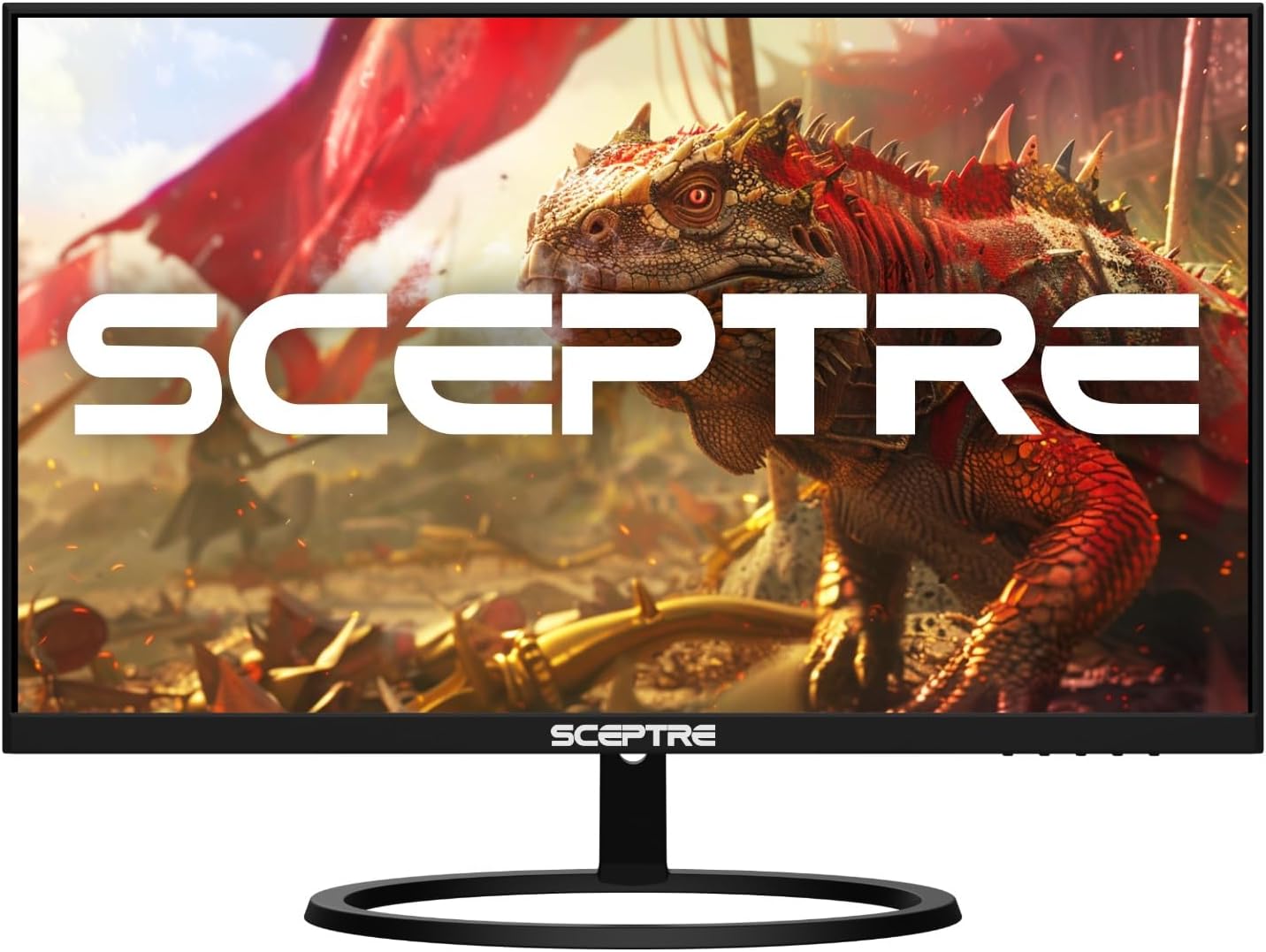
Sceptre E275W-QPT Review
The Sceptre E275W-QPT proves that a productivity monitor does not need to be expensive to be effective
Pros
- Sharp 2560 x 1440 QHD resolution
- Large 27-inch IPS panel
- Excellent value for productivity users
- 99% sRGB color coverage
- Thin, edgeless design
Cons
- Stand only offers tilt adjustment
- No USB-C connectivity
- No USB hub functionality
- Speakers are adequate but not impressive
- Brightness is average compared to premium office monitors
Over the past few years, Sceptre has quietly evolved from a budget monitor brand into one of the best value-oriented display manufacturers on the market. While the company is best known for affordable gaming monitors, ultrawides, and high-refresh-rate displays, it has also expanded its productivity lineup with several surprisingly capable QHD monitors.
The Sceptre E275W-QPT sits near the top of that productivity-focused lineup. It combines a 27-inch IPS panel, a sharp 1440p resolution, accurate color reproduction, and modern connectivity at a price that is often significantly lower than competing business monitors. While it lacks some premium office features such as USB-C docking or advanced ergonomics, it delivers what most professionals actually need: a large, sharp, comfortable display for everyday work.
For users who spend their day in spreadsheets, web browsers, documents, email, and multitasking applications, the E275W-QPT strikes an excellent balance between performance, screen real estate, and affordability. That’s why it earns our recommendation as the Best Overall Productivity Monitor in Sceptre’s lineup. Overall, the Sceptre E275W-QPT stands out by offering QHD resolution and a larger IPS panel without requiring a premium budget. Looking for a different screen size, resolution, or feature set?
See our roundup of the best Sceptre monitors for work and productivity to compare the top productivity-focused models currently available.
Sceptre E275W-QPT Specs
| Specification | Details |
|---|---|
| Screen Size | 27-inch |
| Resolution | 2560 × 1440 (QHD) |
| Panel Type | IPS |
| Refresh Rate | 75Hz |
| Response Time | 5ms |
| Adaptive Sync | Yes |
| Color Coverage | 99% sRGB |
| Brightness | 300 nits |
| Contrast Ratio | 3,000:1 |
| Ports | 2× HDMI, 1× DisplayPort |
| Speakers | Dual 2W Built-in |
| VESA Mount | 100 × 100mm |
| Ergonomics | Tilt Only |
| Warranty | 1-Year Limited Warranty |
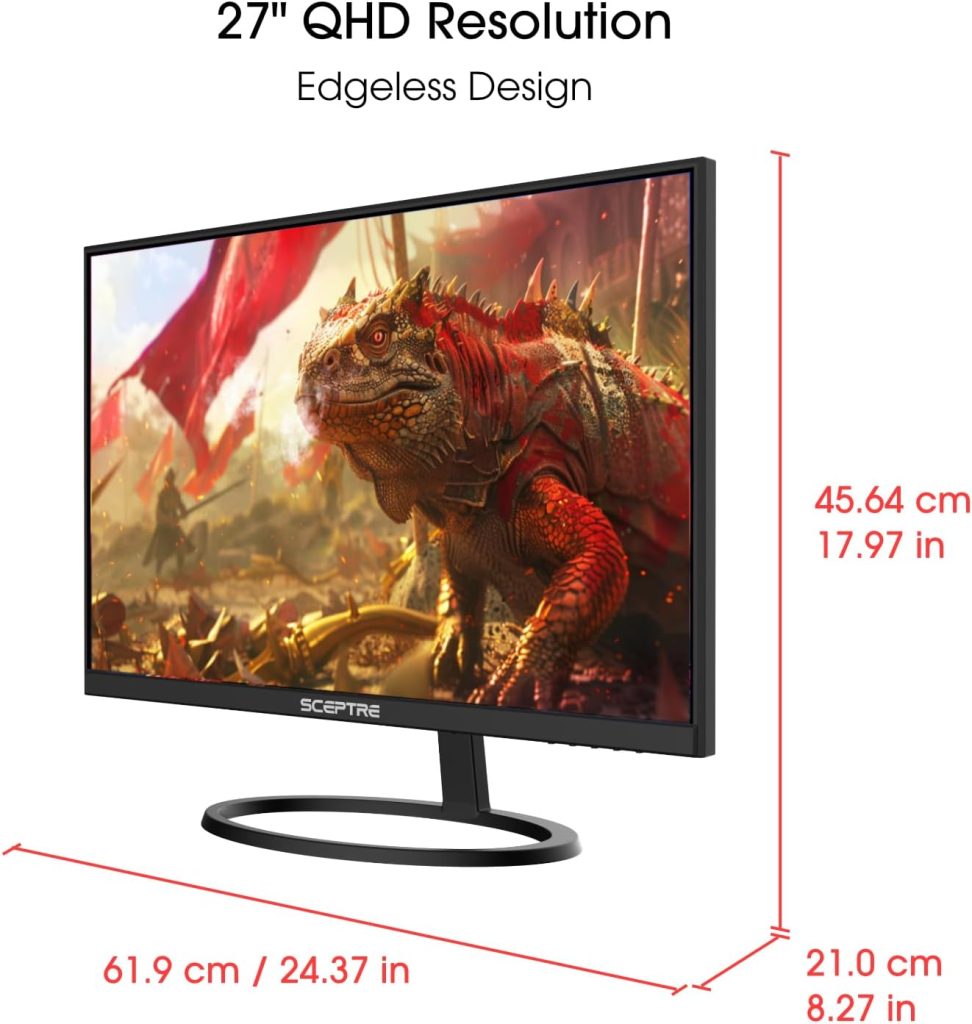 Design and Ports
The Sceptre E275W-QPT adopts a clean, professional design that looks equally comfortable in a home office or corporate workspace. The slim bezels make the monitor appear more modern than its price suggests while also making it a strong candidate for dual-monitor setups. The matte anti-glare coating helps reduce reflections throughout the workday, especially in brightly lit environments.
Build quality is respectable for a monitor in this price range. The stand is sturdy enough for normal office use, although adjustments are limited to tilt only. Users looking for height adjustment, swivel, or pivot functionality will need to rely on a VESA monitor arm.
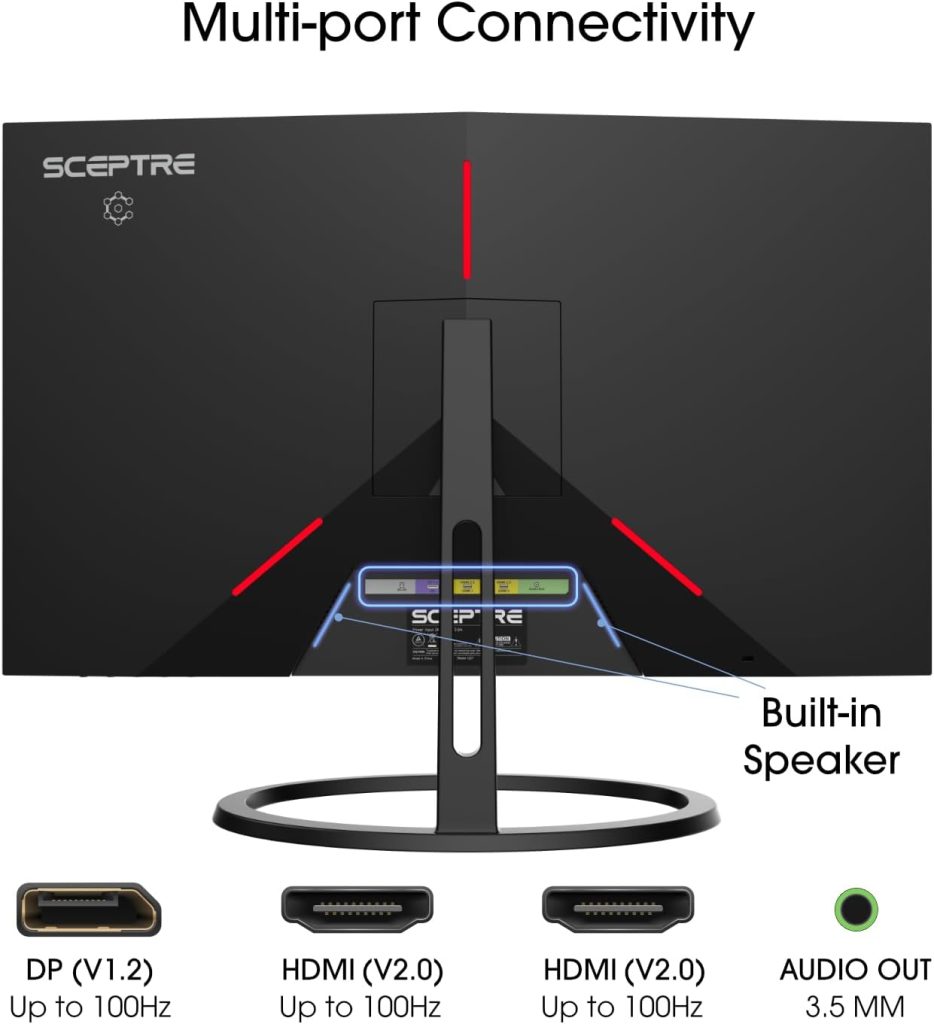
Connectivity is straightforward but practical. You get two HDMI ports, one DisplayPort connection, and a 3.5mm audio output. This is enough for connecting multiple computers, laptops, or consoles simultaneously. However, unlike newer office monitors such as the BenQ GW2486TC, there is no USB-C connectivity, no power delivery, and no integrated USB hub. The BenQ also includes extensive ergonomic adjustments, daisy-chaining support, and additional productivity features that the Sceptre simply does not offer.
Still, for users who simply need a large monitor connected to a desktop PC or docking station, the Sceptre’s port selection remains more than adequate.
Sceptre E275W-QPT Review: Performance
Productivity is where the E275W-QPT truly shines.
The jump from 1080p to 1440p makes a significant difference on a 27-inch display. Text appears sharper, spreadsheets display more information, and multitasking becomes noticeably easier. Compared to a standard Full HD office monitor, users can comfortably keep multiple windows open side by side without feeling cramped.
The IPS panel delivers excellent viewing angles and surprisingly good color accuracy for a budget-oriented productivity monitor. With 99% sRGB coverage, colors look vibrant enough for light photo editing, content creation, and design work. While creative professionals may still prefer factory-calibrated displays, most office users will find the image quality more than satisfactory.
The 75Hz refresh rate is another welcome bonus. While this monitor is not designed for competitive gaming, scrolling through documents, websites, and spreadsheets feels smoother than on traditional 60Hz office monitors. Eye comfort features such as Blue Light Shift and anti-flicker technology also help reduce fatigue during long work sessions.
Brightness reaches 300 nits, which is sufficient for most indoor environments. Combined with the anti-glare coating, visibility remains good throughout the day. The integrated speakers are functional for meetings, videos, and casual media consumption, although dedicated speakers or headphones will provide better audio quality.
Overall, the E275W-QPT delivers exactly what productivity users need: a sharp image, comfortable viewing experience, and plenty of screen space without unnecessary extras driving up the price.
How It Compares to other Premium Monitors
The BenQ GW2486TC is one of the most highly regarded budget office monitors on the market and earned PCMag’s Editors’ Choice recommendation thanks to its excellent ergonomics, USB-C connectivity, built-in speakers, and feature-rich productivity design.
However, the Sceptre E275W-QPT approaches productivity from a different angle.
| Feature | Sceptre E275W-QPT | BenQ GW2486TC |
|---|---|---|
| Screen Size | 27-inch | 23.8-inch |
| Resolution | 2560 x 1440 | 1920 x 1080 |
| Panel Type | IPS | IPS |
| Refresh Rate | 75Hz | 100Hz |
| USB-C | No | Yes |
| USB Hub | No | Yes |
| Ergonomics | Tilt Only | Height, Pivot, Swivel, Tilt |
| Color Coverage | 99% sRGB | 99% sRGB |
| Productivity Space | Excellent | Good |
| Best For | Multitasking & Workspace | Connectivity & Office Features |
The BenQ wins on features. Its USB-C connectivity, 65W power delivery, USB hub, advanced ergonomic stand, daisy-chain support, and eye-care technologies make it one of the most complete office monitors available.
The Sceptre wins on screen real estate and resolution. Its larger 27-inch panel and QHD resolution provide substantially more workspace than the BenQ’s 24-inch 1080p display. For users who primarily care about productivity, document work, spreadsheets, and multitasking, the additional pixels often matter more than USB-C connectivity.
If your laptop workflow depends on USB-C docking and advanced ergonomics, choose the BenQ. If you want maximum screen space and sharpness for the money, the Sceptre E275W-QPT is the better value.
Final Thougths
The Sceptre E275W-QPT proves that a productivity monitor does not need to be expensive to be effective. Its combination of a 27-inch IPS panel, QHD resolution, strong color performance, and practical connectivity makes it one of the best budget productivity displays currently available.
While it lacks premium business-monitor features such as USB-C docking, a USB hub, and a fully adjustable stand, those omissions are easier to forgive when you consider the excellent image quality and workspace offered at its price point.
For students, remote workers, office professionals, and anyone seeking a sharp and spacious monitor for everyday productivity, the Sceptre E275W-QPT remains one of the smartest purchases in Sceptre’s lineup and easily earns our award for Best Overall Productivity Monitor.
If you’re exploring other options from the brand, check out our guide to the best Sceptre monitors for work and productivity, where we compare the top models for multitasking, office work, content creation, and home-office setups.


