




Best Sceptre Monitors for Productivity and Work
Gaming isn’t the only area where Sceptre offers strong value. The company also has several monitors that work exceptionally well for office productivity, remote work, programming, spreadsheets, content consumption, and multitasking. While many premium productivity monitors from Dell, LG, and Samsung can cost several hundred dollars, Sceptre often delivers similar screen sizes and resolutions at much more affordable prices.
When choosing a monitor for work, factors such as screen size, resolution, panel quality, and workspace are often more important than refresh rate. A higher-resolution display allows you to see more information on screen at once, while larger monitors and ultrawides can dramatically improve multitasking. Whether you’re a student, remote worker, programmer, accountant, or content creator, there’s a Sceptre monitor that fits your workflow. We’ve broken down some of the best Sceptre gaming monitors and sceptre monitor review if you want to review the brand.
Best Sceptre Monitors for Productivity by Use Case
| Use Case | Recommended Monitor |
|---|---|
| Best Overall Productivity Monitor | Sceptre (E275W-QPT) 27″ 2K 75Hz |
| Best Budget Productivity Monitor | Sceptre (E275W-FP100T) 27″ IPS 1080P 100Hz |
| Best 4K Productivity Monitor | |
| Best Large Workspace Monitor | |
| Best Productivity & Multitasking Monitor |
Sceptre (C415B-UUS360) 40″ Ultrawide 5K2K |
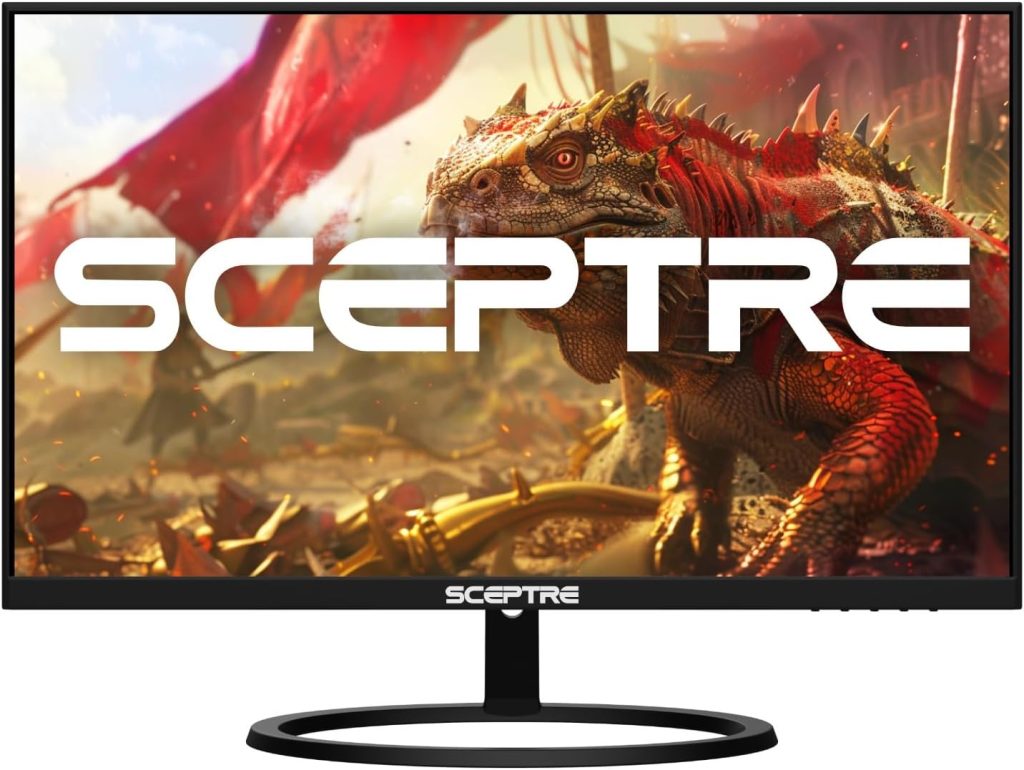
1. Sceptre (E275W-QPT) 27″ 2K 75Hz — Best Overall Productivity Monitor
For most users, the Sceptre (E275W-QPT) 27-inch 2K 75Hz monitor strikes the perfect balance between price, screen size, and productivity. The 2560 × 1440 resolution provides significantly more workspace than a standard 1080p display, allowing you to keep multiple windows open side-by-side without feeling cramped. Whether you’re working with spreadsheets, web browsers, documents, or project management software, the additional screen real estate makes daily tasks noticeably more efficient.
The 27-inch size is widely considered the sweet spot for productivity. It is large enough to comfortably display multiple applications simultaneously while still fitting on most desks. Text appears sharper than on similarly sized 1080p monitors, making long reading and writing sessions easier on the eyes.
Another advantage is versatility. Unlike many office-focused monitors, this display can easily transition from work during the day to casual gaming or streaming in the evening. For buyers seeking one monitor that does everything well, this is the safest recommendation in the entire Sceptre lineup.
Best For
- Office work
- Remote work
- Programming
- Spreadsheets
- Students
- Everyday productivity
Read the full Sceptre (E275W-QPT) monitor Review
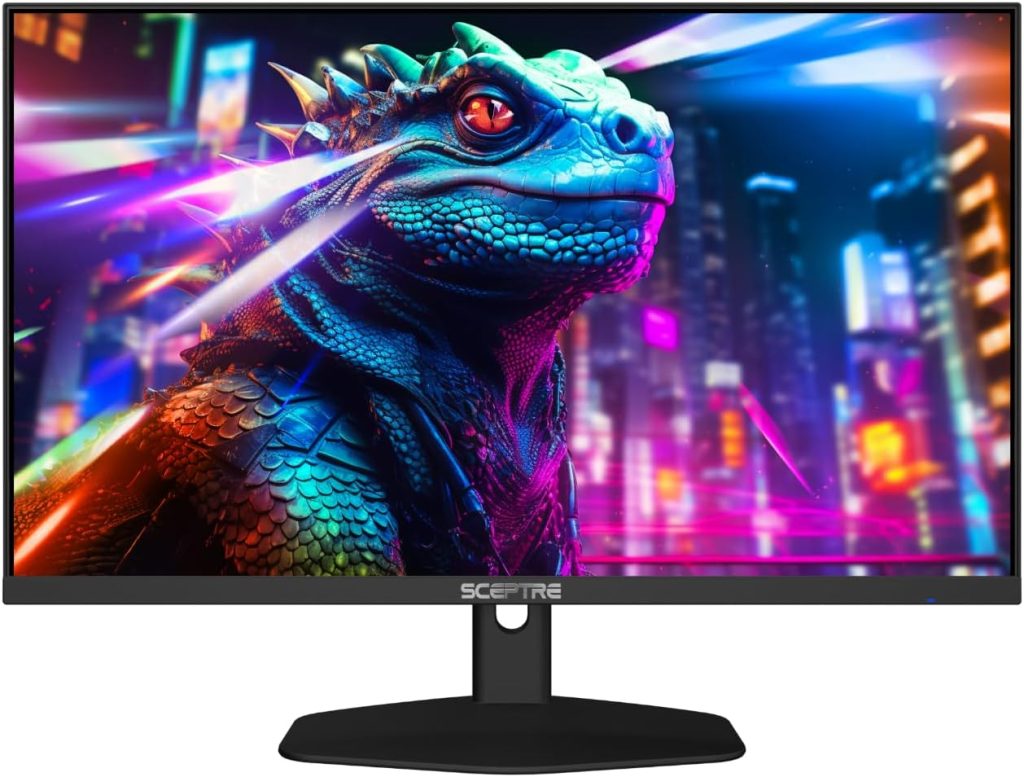
2. Sceptre (E275W-FP100T) 27″ IPS 1080P 100Hz — Best Budget Productivity Monitor
Not everyone needs a higher-resolution monitor to get work done. If you’re looking for an affordable display that handles everyday productivity tasks well, the Sceptre (E275W-FP100T) monitor is one of the best values available. The large 27-inch screen provides plenty of room for documents, emails, web browsing, and video conferencing without stretching your budget.
The IPS panel is one of its biggest strengths. Compared to many budget VA or TN displays, IPS technology delivers better color consistency and wider viewing angles. This makes the monitor particularly useful for shared workspaces, presentations, and remote work setups where you may not always be sitting directly in front of the screen.
The 100Hz refresh rate is also a nice bonus. While it won’t directly improve productivity, it does make scrolling, window movement, and everyday desktop navigation feel smoother than traditional 60Hz office monitors. For students, home offices, and casual users, it’s an easy recommendation.
Best For
- Budget office setups
- Home offices
- Students
- Video conferencing
- General computer use
- Everyday productivity
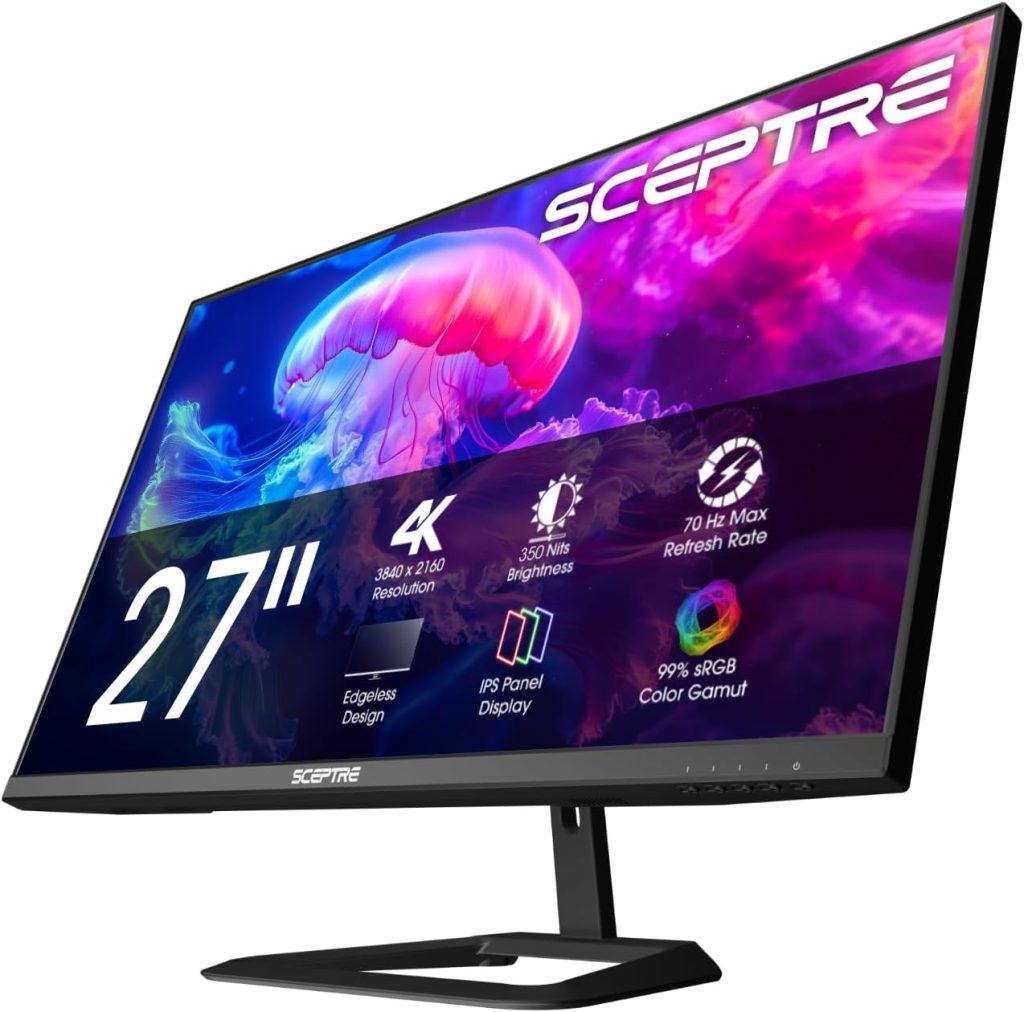
3. Sceptre (U275W-UPT) 27″ 4K IPS Monitor — Best 4K Productivity Monitor
If sharpness and image clarity are your top priorities, the Sceptre (U275W-UPT) monitor is the best productivity-focused display in the company’s lineup. With four times the pixels of a standard 1080p monitor, text appears incredibly crisp, images are more detailed, and large spreadsheets become much easier to navigate.
The higher pixel density is especially beneficial for professionals who spend hours reading, writing, researching, coding, or editing documents. Small text remains sharp and easy to read, reducing eye fatigue during long work sessions. The IPS panel also delivers better color accuracy and viewing angles than most budget alternatives, making it suitable for light creative work as well.
For users coming from a 1080p display, the jump to 4K often feels transformative. While the monitor costs more than Sceptre’s entry-level options, the improvement in clarity and desktop workspace makes it a worthwhile investment for professionals who spend all day in front of a screen.
Best For
- Office professionals
- Programming
- Document editing
- Research work
- Data analysis
- Light content creation
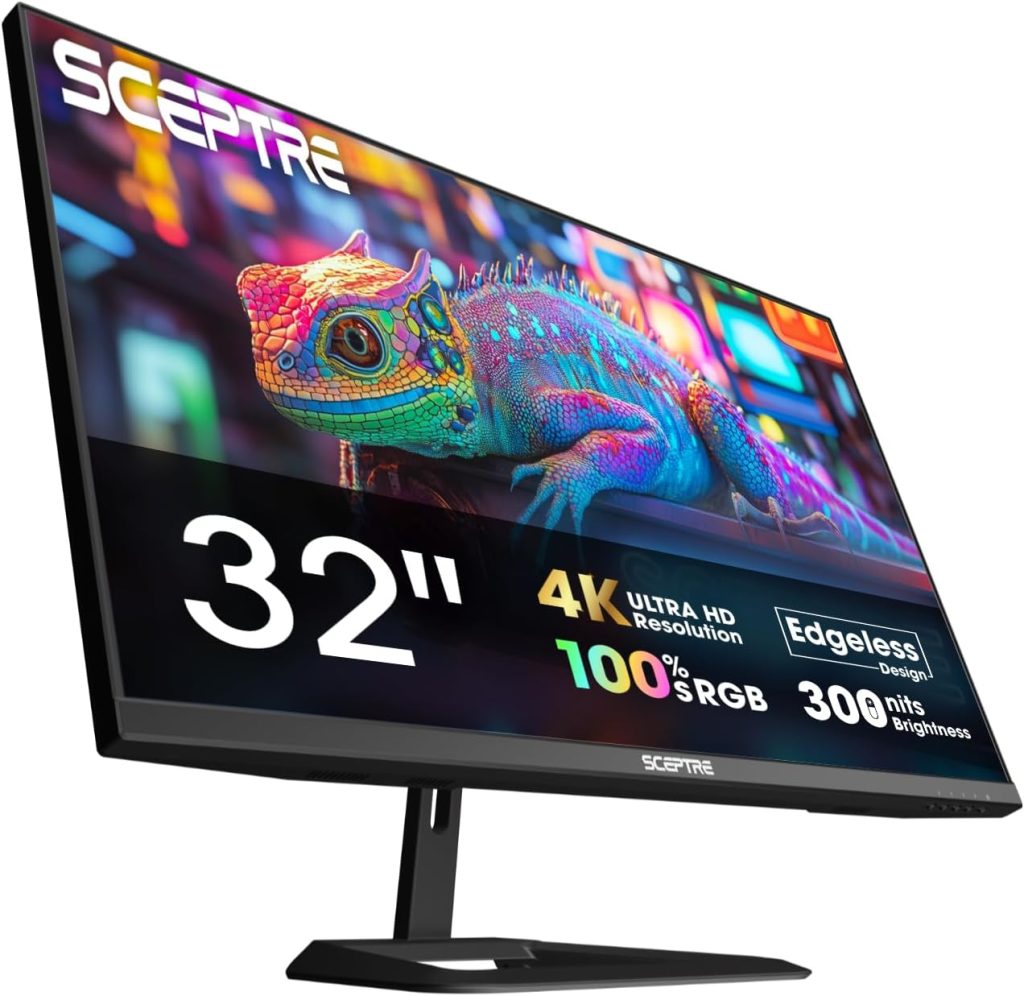 4. Sceptre (U325W-UPT) 32″ 4K — Best Large Workspace Monitor
Some users simply want more screen space. The Sceptre (U325W-UPT) combines the sharpness of UHD resolution with a significantly larger display area, creating an excellent environment for multitasking and large projects.
The larger screen allows you to comfortably view multiple windows simultaneously without relying on a second monitor. Large spreadsheets, dashboards, presentations, and financial data become easier to manage because more information remains visible at once. The extra physical size also improves readability for users who prefer larger interface elements without sacrificing screen real estate.
This monitor is particularly attractive for professionals who work extensively with Excel, accounting software, project management tools, or business analytics platforms. If a 27-inch monitor feels restrictive, the jump to 32 inches can dramatically improve workflow efficiency.
Best For
- Spreadsheet-heavy workloads
- Accounting
- Business analytics
- Financial professionals
- Project management
- Large-document workflows
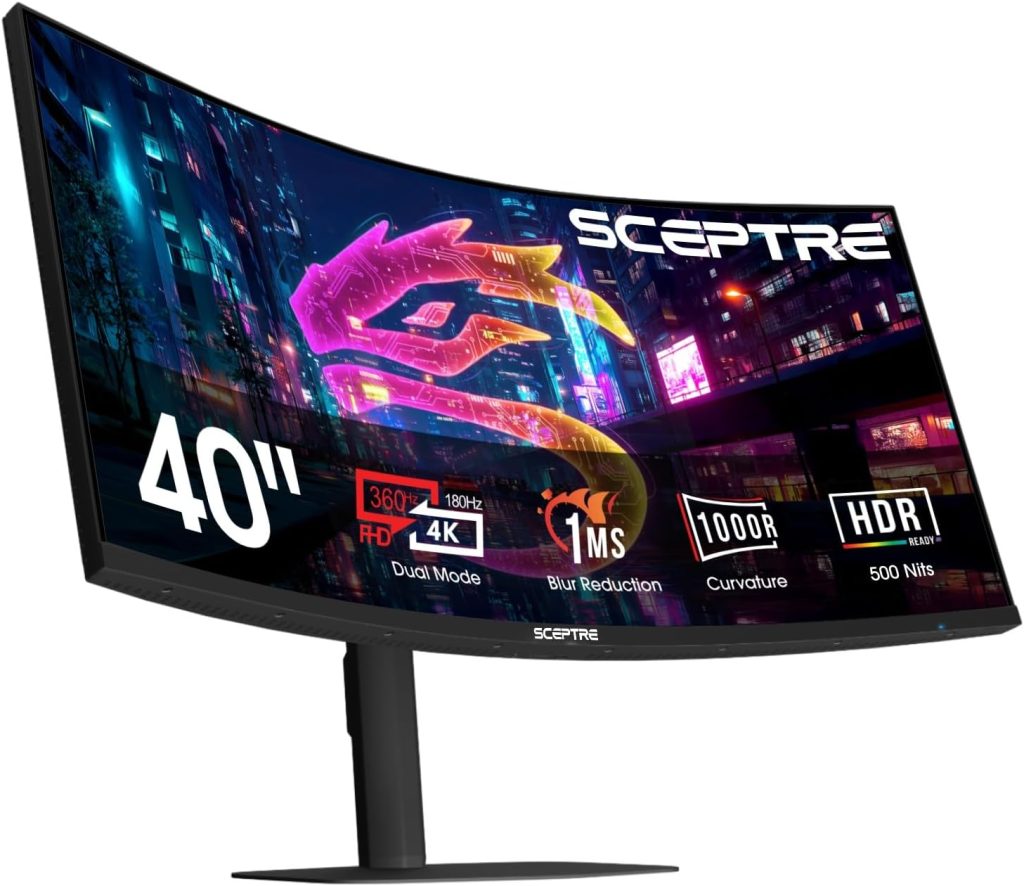 5. Sceptre (C415B-UUS360) 40″ Ultrawide 5K2K — Best Productivity and Multitasking Monitor
For serious multitaskers, the Sceptre (C415B-UUS360) 40-inch Ultrawide 5K2K monitor stands at the top of the productivity lineup. This monitor effectively replaces a dual-monitor setup while eliminating the bezel that normally separates two displays. The result is an enormous workspace that allows you to keep multiple applications visible simultaneously.
The 5K2K resolution provides a tremendous amount of desktop space for managing complex workflows. You can have spreadsheets, email, browsers, messaging applications, project management tools, and documents open at the same time without constantly switching windows. For professionals whose productivity depends on multitasking, the difference is immediately noticeable.
This monitor is particularly useful for programmers, video editors, financial analysts, engineers, content creators, and anyone who spends their day juggling multiple applications. While it requires more desk space and a larger budget, it’s arguably the most productive monitor Sceptre currently offers.
Best For
- Heavy multitasking
- Programming
- Video editing
- Financial analysis
- Content creation
- Professional workstations
Which Sceptre Productivity Monitor Should You Buy?
For most people, the Sceptre (E275W-QPT) 75Hz remains the best overall choice. It delivers the ideal combination of screen size, sharpness, affordability, and versatility for everyday productivity tasks.
Budget-conscious buyers should choose the Sceptre (E275W-FP100T) 27″ IPS 1080P 100Hz, while users who prioritize text clarity and image quality will be happier with the Sceptre (U275W-UPT). If your work involves large datasets, spreadsheets, or extensive multitasking, the Sceptre (U325W-UPT) offers a substantial productivity boost.
For power users who spend their day managing multiple applications simultaneously, the Sceptre (C415B-UUS360 Ultrawide 5K2K is the ultimate productivity monitor in Sceptre’s lineup and the closest thing to having multiple monitors seamlessly integrated into a single display.
Factors to Consider When Choosing a Sceptre Productivity Monitor (Buying Guide)
Not every Sceptre monitor is designed for the same type of work. Some models are built for basic office tasks and web browsing, while others focus on higher resolutions for sharper text, larger screens for multitasking, ultrawide workspaces, or color-accurate panels for creative professionals. Before choosing a Sceptre productivity monitor, it’s important to look beyond screen size and price and consider how the monitor fits your workflow, desk setup, and daily workload.
1. Resolution
Resolution is one of the most important factors for productivity because it determines how much information you can fit on the screen at once and how sharp text appears.
For basic office work, a 1080p monitor can still be perfectly adequate, especially if you’re working with email, documents, web browsing, and video calls. However, many professionals find that moving to a 1440p (QHD) display significantly improves productivity because it provides more desktop space and sharper text.
For users who spend long hours reading documents, editing spreadsheets, coding, or managing multiple applications simultaneously, a 4K monitor can provide an even larger workspace and noticeably improved text clarity. The higher resolution becomes particularly valuable on larger 27-inch and 32-inch displays.
2. Screen Size
Screen size directly affects how comfortable your workspace feels throughout the day.
A 24-inch monitor can work well for basic office tasks and smaller desks, but many productivity users prefer 27-inch displays because they offer a larger viewing area without taking up excessive desk space. This size is often considered the sweet spot for productivity.
Larger 32-inch monitors provide even more room for multitasking and are particularly useful for spreadsheet-heavy workloads, project management, and data analysis. If you frequently work with multiple windows open at the same time, the extra screen space can make a significant difference in efficiency.
Rather than simply buying the largest monitor available, choose a size that fits both your workspace and the distance you typically sit from the screen.
3. Panel Type
The panel technology used in a monitor affects image quality, viewing angles, color accuracy, and overall comfort during long work sessions.
Sceptre offers both IPS and VA panel options throughout its lineup. IPS panels are generally preferred for productivity because they provide better viewing angles and more consistent color reproduction. Text often appears cleaner, and the screen remains easier to view from different positions around your desk.
VA panels typically offer stronger contrast ratios and deeper blacks, which can make videos and media content look more impressive. They can also work very well for general office use, but professionals who prioritize color consistency often lean toward IPS displays.
For most productivity-focused users, an IPS monitor is usually the safest choice.
4. Multitasking Needs
One of the biggest mistakes buyers make is choosing a monitor without considering how many applications they regularly use at the same time.
If your workflow primarily involves a single document or browser window, a standard 27-inch monitor may be all you need. However, if you’re constantly switching between spreadsheets, email, Slack, Teams, web browsers, and project management software, a larger display or ultrawide monitor can dramatically improve productivity.
Ultrawide monitors are particularly effective for multitasking because they provide the screen space of two monitors without the bezel in the middle. They allow you to arrange multiple windows side-by-side while maintaining a cleaner and more streamlined workspace.
The more applications you use simultaneously, the more valuable additional screen space becomes.
5. Color Accuracy
Not every productivity user needs professional-grade color accuracy, but some jobs benefit from it significantly.
For general office work, business applications, and remote work, color accuracy is not a major concern. However, if you’re involved in graphic design, photo editing, video editing, digital marketing, content creation, or web design, you’ll want a monitor with better color reproduction and wider color gamut coverage.
Several Sceptre 4K IPS models provide strong color performance for their price range and can serve as affordable options for creative professionals who don’t want to spend premium monitor prices.
Even if you’re not a creative professional, better color accuracy often results in a more pleasant overall viewing experience.
6. Ergonomics and Eye Comfort
Productivity monitors are often used for eight or more hours every day, making comfort an important consideration.
Features such as low blue light modes and flicker-free backlighting can help reduce eye strain during long work sessions. While these features won’t eliminate fatigue entirely, many users find them helpful during extended periods of reading, writing, or spreadsheet work.
It’s also worth considering monitor positioning. If the included stand offers limited adjustment options, you may want to use a monitor arm or VESA mount to achieve a more ergonomic setup.
A comfortable monitor setup can improve productivity just as much as better specifications.
7. Connectivity
Before purchasing a productivity monitor, make sure it has the ports you actually need.
HDMI is common and works well for most desktops and laptops. DisplayPort is often preferred for higher resolutions and refresh rates. Some users may also need multiple video inputs to connect a work laptop and personal desktop simultaneously.
If you frequently switch between devices, having multiple HDMI or DisplayPort connections can make daily use much more convenient.
It’s much easier to verify connectivity before buying than to discover later that adapters or additional cables are required.
8. Choosing the Right Monitor for Your Workflow
The best productivity monitor isn’t necessarily the biggest or most expensive model. It’s the monitor that best supports the type of work you do every day.
| Productivity Goal | Recommended Sceptre Monitor Type |
|---|---|
| Basic Office Work | 27-inch 1080p IPS monitor |
| Remote Work | 27-inch 1440p monitor |
| Programming | 27-inch 1440p or 4K monitor |
| Large Spreadsheets | 32-inch 4K monitor |
| Content Creation | 27-inch 4K IPS monitor |
| Heavy Multitasking | 40-inch Ultrawide monitor |
| Home Office Setup | 27-inch 1440p monitor |
| Budget Productivity | 27-inch 1080p IPS monitor |
Bottom Line
When choosing a Sceptre productivity monitor, don’t focus solely on screen size or resolution. Consider how resolution, panel type, workspace size, multitasking needs, color accuracy, ergonomics, and connectivity will affect your daily workflow.
For most users, a 27-inch 1440p monitor offers the best balance of sharpness, screen space, and affordability. Professionals who need maximum clarity should consider a 4K IPS display, while power users who frequently juggle multiple applications may benefit more from a 32-inch 4K or 40-inch ultrawide monitor.
Sceptre’s biggest strength remains value. The best productivity monitor isn’t necessarily the one with the highest specifications—it’s the one that improves your workflow while staying within your budget.


