



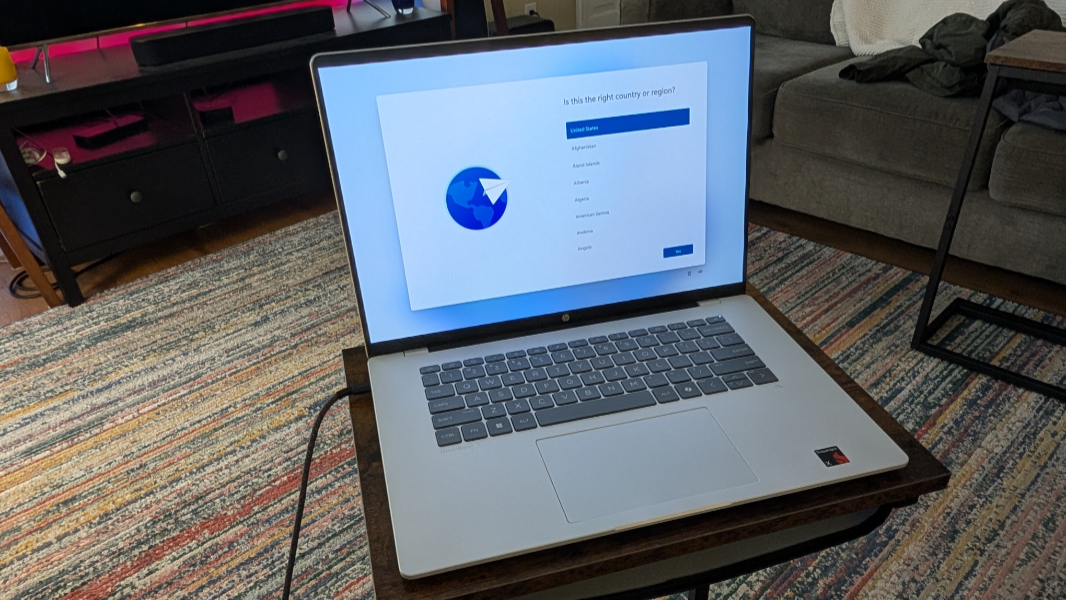
HP OmniBook 5 (16-fb0299nr) Review: Best Windows Laptop for Most People/ Best Ultraportable Laptop
HP OmniBook 5 (16-fb0299nr) combines a slim, lightweight design with exceptional endurance, delivering over 34 hours of battery life while still remaining surprisingly affordable for an ultraportable Windows laptop.
Pros
- Field-leading battery life
- Aggressively priced, and speedy enough for the cost
- Vivid OLED display
- Ultra-thin, light design
Cons
- Plastic keyboard deck could use stiffening
- Ho-hum graphics performance
HP OmniBook 5 (16-fb0299nr) Specs
| Class | Ultraportable |
| Processor | Qualcomm Snapdragon X X1-26-100 |
| RAM (as Tested) | 16 GB |
| Boot Drive Type | SSD |
| Boot Drive Capacity (as Tested) | 512GB |
| Screen Size | 14 inches |
| Native Display Resolution | 1920 by 1200 |
| Touch Screen | No |
| Panel Technology | OLED 300 nits of brightness |
| Variable Refresh Support | None |
| Screen Refresh Rate | 60 Hz |
| Graphics Processor | Qualcomm Adreno X1-45 |
| Wireless Networking | Wi-Fi 6E, Bluetooth 5.3 |
| Dimensions (HWD) | 0.6 by 12.3 by 8.6 inches |
| Weight | 2.98 lbs |
| Operating System | Windows 11 |
| Tested Battery Life (Hours:Minutes) | 34:48 |
Cheap laptops almost always come with compromises. Some sacrifice build quality, others cut corners on display quality or battery life, while a few simply struggle to deliver smooth everyday performance. The real challenge is finding a laptop that balances the features you actually care about without pushing the price too high. That’s exactly where the HP OmniBook 5 AI Laptop enters the conversation as one of the more interesting sub-$1,000 Windows laptops currently available.
Designed for students, casual users, and everyday productivity, the OmniBook 5 combines modern styling with practical hardware in a slim, portable package. Whether you need a dependable machine for schoolwork, web browsing, streaming, or light office tasks, HP aims to offer a more premium experience than what you’d typically expect at this price point.
The HP OmniBook 5 14 especially stands out by focusing on the essentials most users value most: portability, battery life, and display quality. Starting at $879.99 ($899.99 as tested), this Snapdragon X-powered ultraportable features a sleek, streamlined design paired with a vibrant OLED display that gives the system a noticeably more upscale feel than many competing midrange laptops.
Its biggest advantage, however, is endurance. In testing, the OmniBook 5 delivered some of the best battery life we’ve seen from a modern Windows laptop, lasting well beyond a full day on a single charge. Combined with its lightweight chassis and efficient Qualcomm processor, the laptop feels purpose-built for users constantly working or studying on the go. As long as your workflow doesn’t heavily rely on the few remaining apps that still struggle with Windows on Arm compatibility, the OmniBook 5 is remarkably easy to recommend.
Configurations
HP offers the OmniBook 5 in a wide variety of configurations, with both 14-inch and 16-inch models available through its online store. Buyers can choose between Intel, AMD, and Qualcomm-powered versions, alongside both traditional clamshell and convertible designs depending on their needs and budget.
The models branded as “Next Gen AI PC” are the ones equipped with Qualcomm Snapdragon X processors, including the review configuration featured here. HP’s Snapdragon X-based OmniBook 5 14 starts around $959 and includes the Qualcomm Snapdragon X X1-26-100 processor with integrated Adreno X1-45 graphics, 16GB of LPDDR5 memory, and a 512GB SSD.
The system also features a 1,920 x 1,200 OLED display, which delivers richer contrast and more vibrant colors than the IPS panels commonly found in this category. While touch support is absent, the OLED panel still adds a more premium viewing experience that helps separate the OmniBook 5 from many similarly priced competitors.
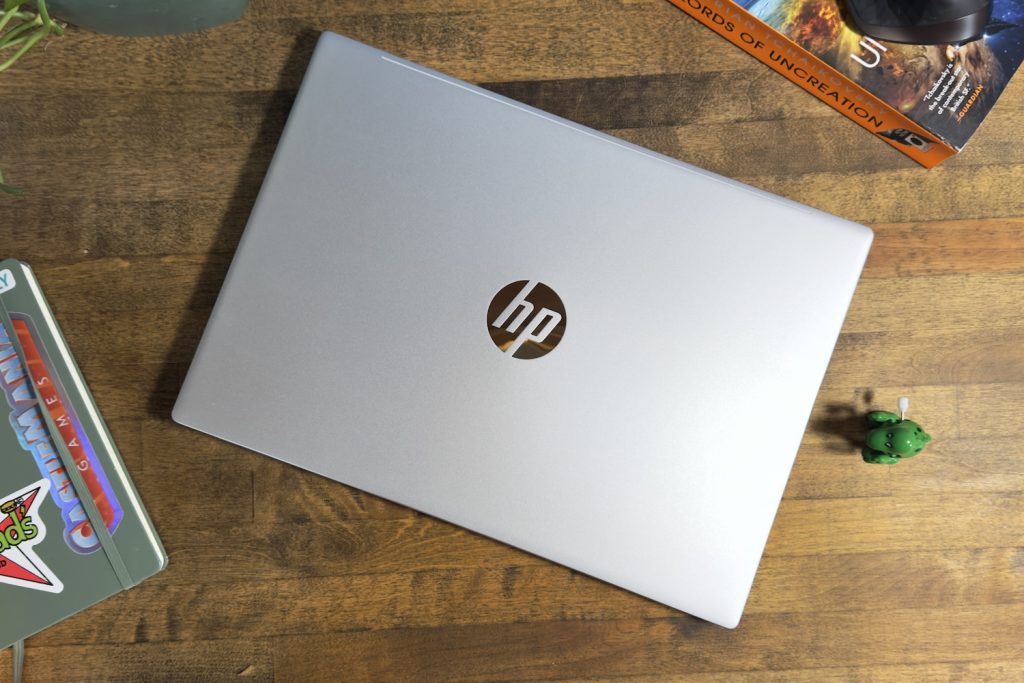
Design: Clean Silver Build
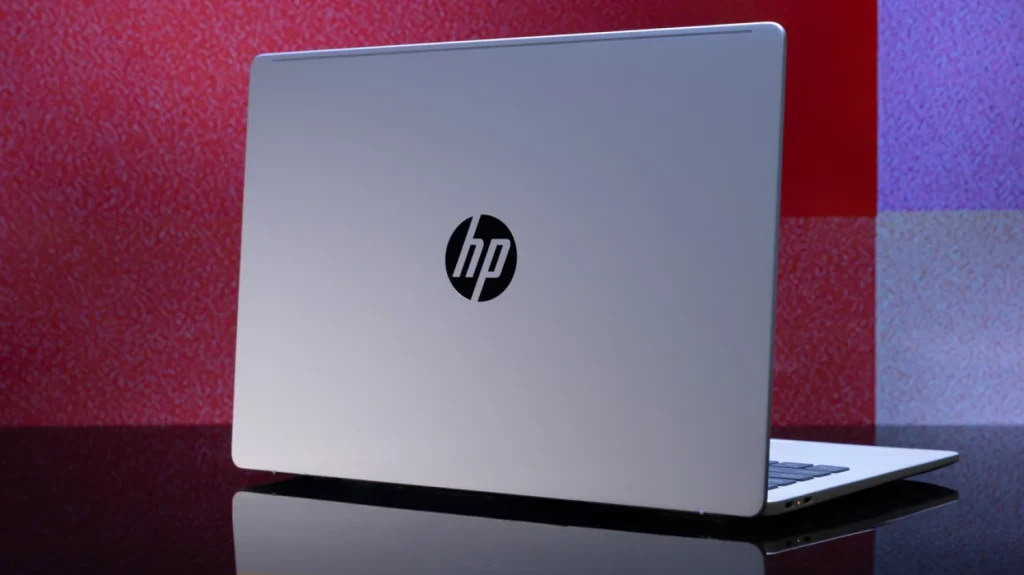
Since bringing back the OmniBook branding, HP has leaned heavily into minimalist, modern-looking laptops, and the HP OmniBook 5 (16-fb0299nr) continues that trend. The laptop features a sleek silver aluminum chassis paired with a simple reflective HP logo on the lid, creating a clean and professional appearance that fits just as comfortably in an office as it does in a classroom or coffee shop.
Rather than relying on flashy design elements, HP keeps things understated. A subtle indentation along the top edge of the lid adds a small bit of visual character without disrupting the streamlined aesthetic. The result is a laptop that looks polished and premium without trying too hard.
The OmniBook 5 also nails portability. The 14-inch model measures just 0.6 inches thick and weighs only 2.98 pounds, making it easy to slip into a backpack or carry around all day. While Apple’s MacBook Air remains thinner and lighter overall, HP’s ultraportable still compares very well against most Windows competitors in this category.
The larger 16-inch version is naturally less compact, measuring 14.08 x 10.03 x 0.73 inches and weighing 3.97 pounds. Even so, it remains reasonably portable for a big-screen productivity laptop.
Compared to similar systems:
- Lenovo Yoga 7i 2-in-1 16 (2025): 14.21 x 10.12 x 0.67 inches, 3.96 pounds
- Asus Vivobook 16 Flip (TP3607): 13.98 x 9.62 x 0.69 inches, 3.9 pounds
- MacBook Air M4 (15-inch): 13.4 x 9.35 x 0.45 inches, 3.3 pounds
Overall, HP keeps the OmniBook 5 simple, modern, and professional-looking — a design that should appeal to most mainstream buyers.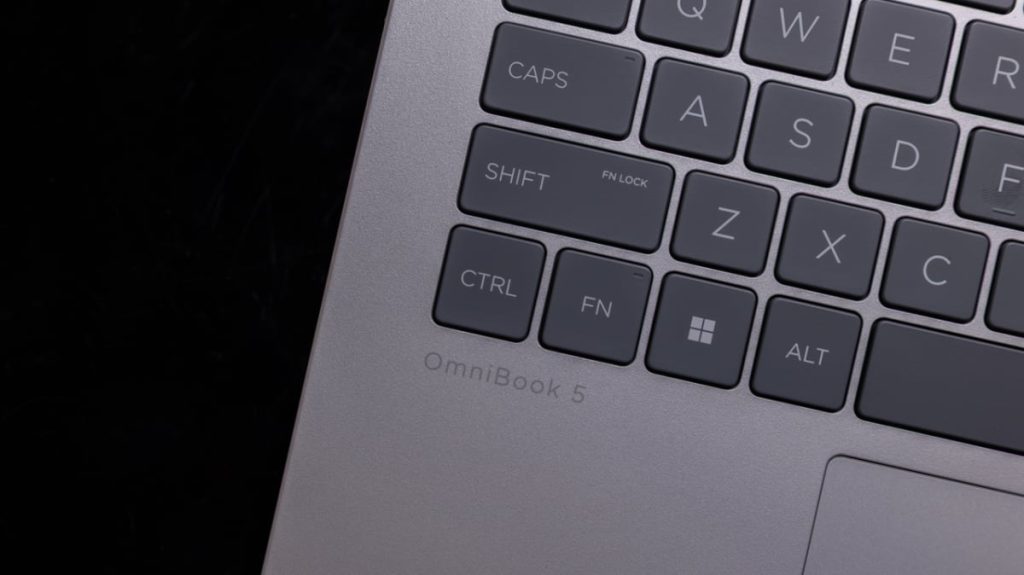
Keyboard and Touchpad
Opening the lid reveals a clean keyboard deck with a spacious full-size keyboard and a large centered touchpad. The layout feels roomy and uncluttered, with very little visual distraction aside from a single Snapdragon sticker on the palm rest and a subtle AI logo beneath the arrow keys.
Typing on the OmniBook 5 is generally a very good experience, especially for a midrange ultraportable. HP clearly prioritized typing comfort here, delivering keys with satisfying travel and firm, tactile feedback that feels more premium than many laptops in this price range. The keyboard feels responsive and comfortable during long typing sessions, making the laptop a strong option for students, writers, and office users.
To help keep the chassis compact and slim, HP uses a 65% keyboard layout. Most of the keys are well-sized and properly spaced, but the half-height up and down arrow keys are less ideal and can feel slightly cramped during navigation. Aside from that compromise, the keyboard remains comfortable and easy to use for everyday productivity.
The large touchpad also performs well, offering a smooth surface with reliable responsiveness during browsing, multitasking, and gesture controls.
However, the keyboard deck itself is one of the few areas where the laptop loses some of its premium feel. While much of the chassis uses aluminum, the area surrounding the keyboard is made from soft-touch plastic, which introduces a bit of flex when pressure is applied. It’s not a major issue, but it does slightly reduce the otherwise upscale feel of the device.
One design choice I do have an issue with is the power button placement. Instead of isolating it away from the main keyboard, HP blends it directly into the top row between the Print Screen and Delete keys. Since it matches the surrounding keys in both size and texture, it’s far too easy to press accidentally during normal use.
Display
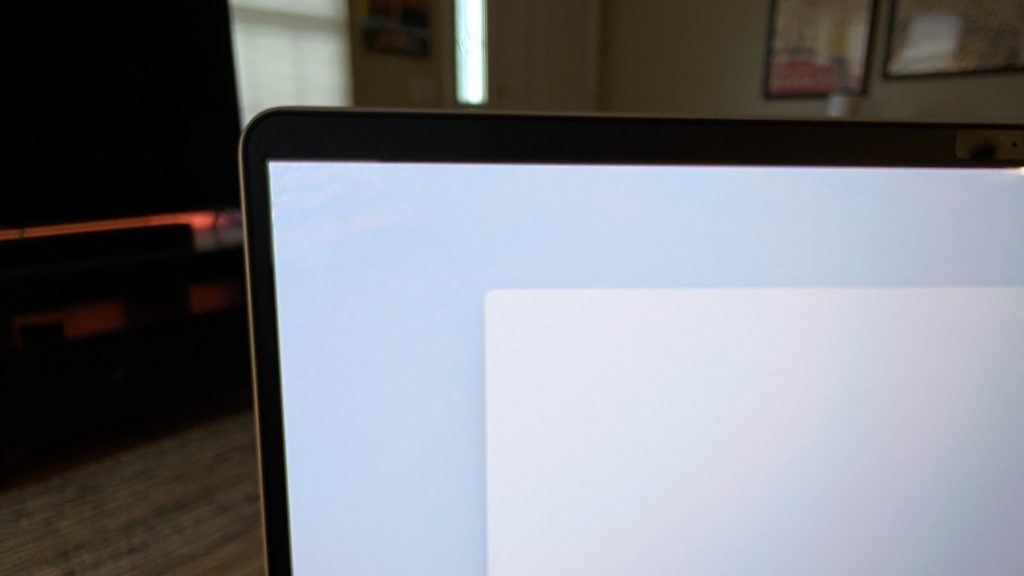
One of the HP OmniBook 5’s biggest strengths is its display. HP equips the laptop with a gorgeous 14-inch 1920 x 1200 OLED panel surrounded by slim bezels, giving the system a far more premium feel than many laptops in this price range.
The OLED screen delivers rich colors, deep blacks, and excellent contrast, making everything from web browsing to movie streaming look noticeably more vibrant. Watching videos on the OmniBook 5 is especially enjoyable thanks to the panel’s strong color reproduction and HDR support, which helps darker scenes retain detail without looking washed out or overly dim.
Whether you’re streaming content, editing photos casually, or simply working throughout the day, the display consistently feels like one of the standout features of the laptop.
Ports and Wireless Connectivity
Despite its thin and lightweight chassis, the OmniBook 5 includes a practical selection of ports for everyday use.
On the right side, HP includes a 10Gbps USB-A port with a drop-jaw hinge design alongside a standard 3.5mm headphone and microphone combo jack. The left side houses two 10Gbps USB-C ports that support USB Power Delivery, DisplayPort 1.4, and HP Sleep and Charge functionality.
While the USB-C ports don’t support USB4 or Thunderbolt speeds, most mainstream users likely won’t find that limiting during normal productivity use. HP appears to have prioritized affordability here, and for the target audience, the included connectivity should still cover the essentials comfortably.
Wireless connectivity on the OmniBook 5 is handled by Wi-Fi 6E and Bluetooth 5.3, giving you fast and stable connections for browsing, streaming, and peripheral pairing in most modern setups.
For video calls, HP includes a 1080p webcam positioned above the display, paired with an infrared sensor for secure facial recognition logins. A built-in privacy shutter adds an extra layer of reassurance when the camera isn’t in use.
Audio and conferencing hardware is also well thought out. The laptop features dual microphones and dual speakers, which are further enhanced by Copilot-powered AI features designed to improve voice clarity during calls. Overall, the setup makes the OmniBook 5 a solid choice for remote learning, video meetings, and staying connected with friends and family.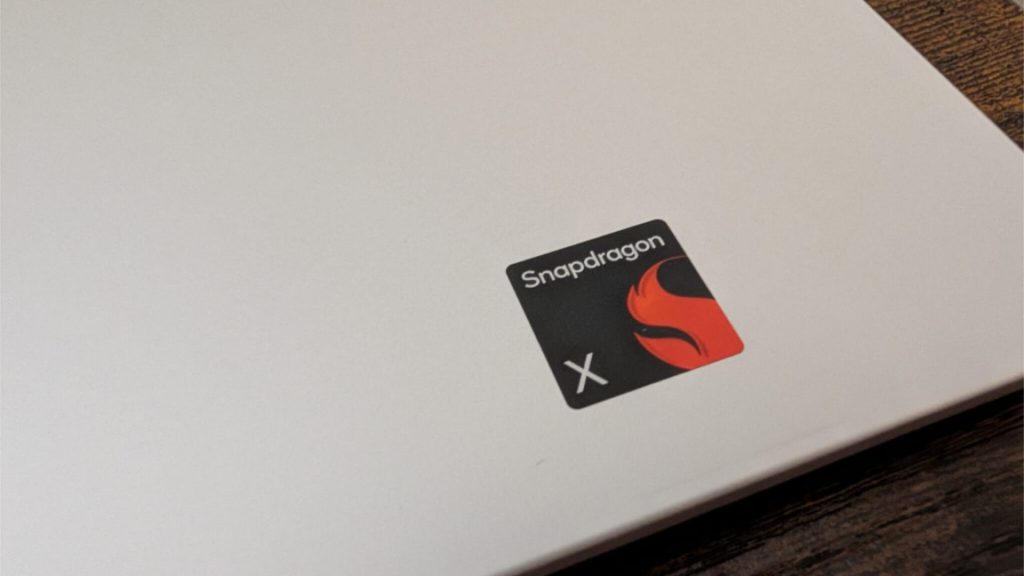
Performance and Gaming
If you look at Qualcomm’s Snapdragon X lineup for Windows laptops, you’ll notice a clear hierarchy: multiple Snapdragon X Elite chips at the top, several Snapdragon X Plus variants in the middle, and a single entry-level option at the bottom — the Snapdragon X X1-26-100. That’s the chip powering the HP OmniBook 5.
This processor is designed with affordability and efficiency in mind, rather than raw performance. It features 8 CPU cores, 30MB of cache, and a 3GHz base clock with no boost mode. Graphics are handled by a 1.7 TFLOPS Adreno GPU, while AI workloads are supported by a 45 TOPS NPU. It also supports up to 8448 MT/s LPDDR5x memory, aligning it with the rest of the Snapdragon X family in terms of modern memory bandwidth support.
In everyday use, this translates to smooth performance for basic productivity tasks. Web browsing, email, streaming, document editing, and schoolwork all run comfortably without noticeable slowdowns. For casual users, students, and anyone with light computing needs, the OmniBook 5 feels responsive and more than capable.
However, this is not a machine built for demanding workloads. If your work involves heavy multitasking with professional creative apps, intensive video editing, or 3D rendering, you’ll quickly run into the limits of this chip. It’s best viewed as an efficiency-focused processor rather than a performance powerhouse.
Thermals are another area worth noting. In testing, the OmniBook 5 reached a peak temperature of 103°C, which is significantly above the typical comfort threshold of around 95°C. That spike is noticeably higher than many competing laptops in the same category and suggests that sustained heavy workloads may lead to thermal stress and reduced comfort over time. For power users, this is something to keep in mind.
Graphics performance is also modest. With the integrated Adreno GPU handling all rendering tasks, the OmniBook 5 is not designed for gaming. Light, casual titles may run acceptably, but modern AAA games and graphically demanding experiences are outside its intended use case.
AI Features and Software Experience
As a Copilot+ PC, the OmniBook 5 comes tightly integrated with Microsoft’s AI ecosystem. Windows 11 includes Copilot by default, and HP adds a dedicated Copilot key for quick access to the assistant. This enables basic generative AI features such as text creation, summarization, and image generation directly within the system.
HP also includes its own AI Companion app, which overlaps with Copilot in some areas but adds a few practical system-level tools. It can analyze files, assist with basic PC optimization, and provide simple AI-powered content generation features. That said, it requires signing in with an HP, Google, or Microsoft account, and in practice it feels more like a secondary assistant rather than an essential tool.
There’s also early support for Microsoft Recall, an AI feature that periodically captures snapshots of your activity to help you revisit past work. While useful in concept, it raises valid privacy concerns. Fortunately, it can be disabled through Windows settings under Privacy & Security > Recall & Snapshots by turning off “Save snapshots,” and it remains off by default if Windows Hello facial recognition is not enabled.
App Compatibility and Gaming Limitations
One of the ongoing challenges with Snapdragon X-based Windows laptops is software compatibility. While Microsoft’s Prism emulation layer has significantly improved the situation, and many mainstream apps now run natively on Arm, there are still gaps.
For general use like schoolwork, browsing, streaming, and office productivity, you’re unlikely to run into major issues. However, some specialized professional tools—such as parts of the Adobe Creative Suite (like Substance 3D) or Autodesk applications—may not run natively or may require workarounds. Certain legacy peripherals, like older printers, can also occasionally present compatibility issues.
Gaming is another clear limitation. Beyond lightweight or older titles, most modern PC games are not well-suited to this platform, both due to GPU constraints and ongoing Arm compatibility gaps.
That said, for the target audience, these limitations are less critical. The OmniBook 5 is clearly designed for mainstream users rather than creators or gamers. If your workflow depends on specific professional software, it’s worth checking Arm compatibility before committing. But for everyday productivity, media consumption, and light computing tasks, the system fits its purpose well.
Battery life
HP claims up to 34 hours of battery life for the OmniBook 5, and in real-world use, it comes surprisingly close to that promise depending on workload. That figure puts it in rare territory for a Windows laptop and places it within striking distance of some of the longest-lasting ultrabooks we’ve tested.
For context, that result is not far behind class-leading machines like the MSI Prestige 14 Flip AI+, which managed an impressive ~42 hours in controlled testing under ideal conditions. Even in more typical real-world workloads, that MSI system still lands in the 20–30 hour range depending on usage patterns and display settings.
What makes the OmniBook 5 stand out is consistency. Thanks to its efficient Snapdragon X platform and OLED display tuned for power savings, it easily handles a full day (and often well beyond) of mixed use — including browsing, streaming, document work, and video calls — without needing to reach for a charger.
Light workloads such as web browsing, email, and note-taking can stretch battery life into multi-day territory, while heavier tasks like multitasking and media consumption naturally bring that figure down, though it still remains highly competitive for its class.
In short, while HP’s 34-hour claim represents a best-case scenario, even real-world results place the OmniBook 5 among the most efficient Windows laptops available today, making battery anxiety a non-issue for most users.
Conclusion
HP’s OmniBook 5 14 delivers exactly what it sets out to be: a more affordable Copilot+ AI PC that feels thin, light, and well-built enough for everyday users. Powered by Qualcomm’s Snapdragon X platform, it offers smooth, reliable performance for general productivity while also standing out for its exceptional power efficiency—some of the best we’ve seen from a conventional Windows laptop in years. Paired with a bright, vivid OLED display, it creates a surprisingly premium everyday experience that goes beyond what its price might suggest.
That said, it’s important to understand its limits. Build quality doesn’t quite reach the refinement of a similarly priced MacBook Air, and the integrated graphics are strictly suited for light creative work like casual photo editing. Heavy gaming, demanding video editing, and specialized professional workloads are simply outside its comfort zone. This is very much a laptop designed for mainstream productivity, not power users.
At around $959 (as of writing), the OmniBook 5 is excellent—but not automatically the best value in its segment unless you catch it on a good discount. For that reason, it makes more sense as a smart buy when discounted, where its strengths in battery life, portability, and display quality really shine. Otherwise, budget options may cover basic needs for less, while higher-performance machines like the MacBook Air M4 or larger 16-inch laptops are better suited for heavier workloads.
Overall, the HP OmniBook 5 earns its reputation as a Best Windows Laptop for Most People / Best Ultraportable Laptop, thanks to its outstanding battery life, efficient performance, and well-rounded design. When priced right, it becomes one of the easiest ultraportable recommendations in its class.


