



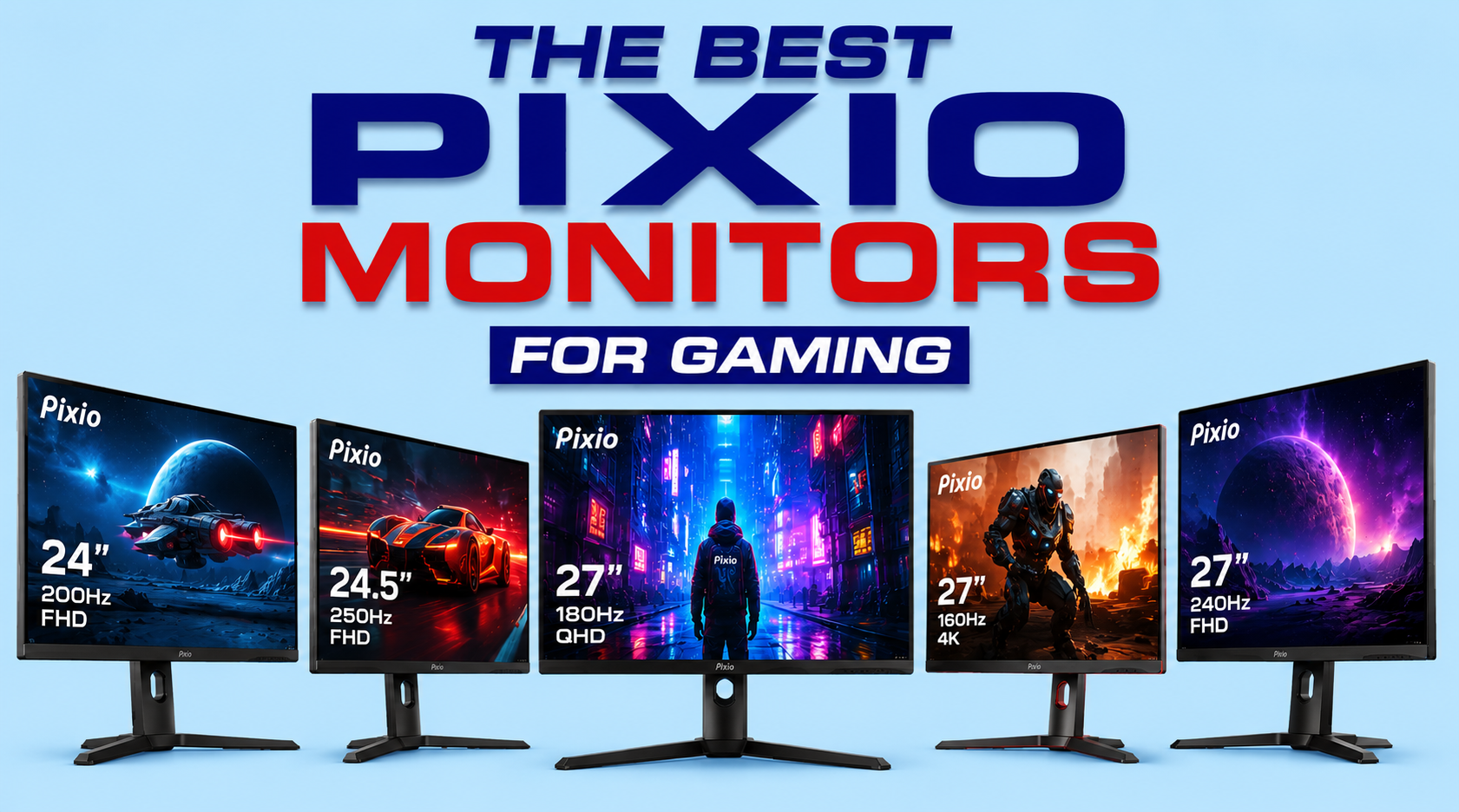
Best Pixio Monitors for Gaming (2026)
Pixio has quietly become one of the best value gaming monitor brands on the market. While brands like ASUS, LG, Samsung, and MSI dominate most “best gaming monitor” lists, Pixio has built a loyal following by offering high refresh rates, Fast IPS panels, vibrant colors, modern designs, and aggressive pricing.
Many gaming monitor review sites rank Pixio among the best budget-friendly alternatives to premium brands because the company consistently delivers strong gaming performance without the premium price tag. Community feedback is generally positive as well, with many long-term owners reporting years of reliable use and excellent value.
Whether you’re a competitive esports player, a PS5 gamer, a content creator, or someone building their first gaming setup, Pixio has a monitor designed for your needs. Check out the full Pixio monitor review for a full breakdown of the brand and how it compares to other monitor brands in the industry.
Pixio isn’t the only brand targeting budget-conscious gamers. If you’re comparing affordable gaming monitor brands, be sure to read our Sceptre Monitor Review to see how the two companies compare in terms of performance, reliability, and value.
Quick Comparison Table
| Monitor | Resolution | Refresh Rate | Panel Type | HDR | HDMI 2.1 | Best For |
|---|---|---|---|---|---|---|
| PX27UM Mini LED | 4K UHD | High Refresh Dual Mode | Mini-LED Fast IPS | Excellent | Yes | Best Overall |
| PX27U Prime Neo | 4K / FHD | 160Hz / 320Hz | Fast IPS | Very Good | Yes | Competitive Gaming |
| PX277 Prime Neo | 1440p | High Refresh | Fast IPS | Good | No | Best 1440p Gaming |
| PX278 Wave | 1440p | 180Hz | Fast IPS | Good | No | Best Mid-Range |
| PX246 Wave | 1080p | 120Hz | IPS | Basic | No | Best Budget |
Our Top Picks
- Best Overall: PX27UM Mini LED
- Best for Esports: PX27U Prime Neo
- Best 1440p Gaming: PX277 Prime Neo
- Best Budget Pick: PX246 Wave
- Best Value: PX277 Prime Neo
- Best for PS5/Xbox Series X: PX27UM Mini LED
1. Pixio PX27UM Mini LED – Best Overall Pixio Gaming Monitor
Pros
- Stunning 4K Mini-LED picture quality
- Dual-mode 4K 160Hz / 1080p 320Hz
- Excellent HDR performance
- HDMI 2.1 support for PS5 and Xbox Series X
- Fully adjustable ergonomic stand
Cons
- More expensive than most Pixio monitors
- 27-inch screen may feel small for some 4K users
The PX27UM Mini LED is currently the most impressive monitor in Pixio’s lineup and the easiest recommendation for gamers who want the best image quality the company offers. Featuring Mini-LED technology, it delivers dramatically better contrast, deeper blacks, brighter highlights, and a much more impactful HDR experience than traditional IPS gaming monitors. Whether you’re exploring open-world games, playing cinematic RPGs, or enjoying visually demanding AAA titles, the difference is immediately noticeable.
Competitive gamers aren’t left out either. Unlike many premium HDR displays that sacrifice speed for image quality, the PX27UM combines excellent responsiveness with a high refresh rate. Fast-paced shooters feel smooth and responsive while still looking fantastic. This makes it one of the rare gaming monitors that can satisfy both esports players and single-player enthusiasts.
The monitor is also an excellent choice for content creators who spend part of their day gaming and part of their day editing photos, videos, or graphics. Its wide color gamut and strong color accuracy allow it to double as a productivity display without compromise. Instead of buying separate monitors for work and play, users can comfortably rely on the PX27UM for both.
Console gamers will appreciate the monitor as well. The 4K resolution, HDR support, and modern gaming features make it an ideal companion for the PlayStation 5 and Xbox Series X. If you want a display that can showcase everything today’s gaming hardware is capable of, this is the Pixio monitor to buy.
Who Is It Not For?
Budget-minded gamers may find it difficult to justify the premium price. If your primary focus is esports titles like Valorant, Counter-Strike 2, or Rocket League, you may gain more value from a less expensive high-refresh-rate display.
Similarly, gamers with mid-range graphics cards may struggle to fully utilize the monitor’s capabilities at 4K resolution. In that case, a strong 1440p monitor may provide a better balance between performance and cost.
2. Pixio PX27U Prime Neo – Best Pixio Monitor for Competitive Gaming
Pros
- Ultra-fast 320Hz mode for esports
- Sharp 4K resolution option
- Excellent motion handling
- HDMI 2.1 connectivity
- Great for both PC and console gaming
Cons
- Premium price tag
- HDR isn’t as impressive as Mini-LED models
- Requires a powerful GPU to maximize performance
The PX27U Prime Neo is one of the most versatile gaming monitors Pixio has ever produced. Its biggest advantage is its dual-mode capability, allowing users to switch between stunning 4K 160Hz gaming and ultra-fast Full HD 320Hz gaming depending on what they’re playing. Few monitors offer this level of flexibility.
For gamers who enjoy a mix of competitive and cinematic titles, this monitor solves a common problem. Instead of choosing between image quality and speed, you get both. You can enjoy beautiful 4K visuals while exploring games like Cyberpunk 2077, then switch to 320Hz mode when jumping into Apex Legends or Call of Duty.
The Fast IPS panel provides excellent color reproduction and viewing angles, making games look vibrant and sharp. Combined with HDMI 2.1 connectivity, it also works exceptionally well with current-generation consoles. Players who own both a gaming PC and a console can seamlessly enjoy high-performance gaming across both platforms.
Another major strength is longevity. Because it supports both ultra-high refresh rates and 4K gaming, the monitor is likely to remain relevant for many years. Rather than upgrading every few years as gaming technology advances, buyers can invest once and enjoy premium performance across multiple gaming generations.
Who Is It Not For?
Gamers who only play esports titles may not need the 4K functionality. A dedicated esports monitor focused entirely on refresh rate could be a more economical choice.
Likewise, users specifically shopping for the best HDR experience should still consider the PX27UM Mini LED first.
3. Pixio PX277 Prime Neo – Best 1440p Pixio Gaming Monitor
Pros
- Excellent 1440p image quality
- High refresh rate for smooth gameplay
- Great value for money
- Fast IPS panel with vibrant colors
- Strong all-around gaming performance
Cons
- No Mini-LED backlighting
- HDR performance is fairly basic
- Lacks the premium features of flagship models
For many gamers, 1440p remains the sweet spot between visual quality and performance, and the PX277 Prime Neo is arguably the best representation of that balance within Pixio’s lineup. It offers noticeably sharper visuals than 1080p while remaining far easier to drive than 4K.
This monitor is especially appealing to gamers using mid-range and upper-mid-range graphics cards. Modern GPUs can often achieve well over 100 FPS at 1440p, allowing players to fully utilize the monitor’s high refresh rate while enjoying crisp image quality. For many users, this results in a better overall experience than struggling to maintain playable frame rates at 4K.
The PX277 Prime Neo performs exceptionally well across nearly every gaming genre. FPS players benefit from the smooth motion and fast response times, while RPG and strategy gamers enjoy the added visual detail that 1440p resolution provides. It is one of those rare monitors that feels equally at home in almost any gaming setup.
Another reason this monitor stands out is value. While flagship displays continue pushing prices higher, the PX277 Prime Neo delivers the features most gamers actually need without demanding a premium investment. For many buyers, it represents the smartest balance between cost and performance.
Who Is It Not For?
Users seeking cutting-edge HDR performance or Mini-LED technology should look higher in the lineup.
Similarly, gamers who specifically want native 4K gaming for next-generation consoles may be better served by the PX27UM Mini LED or PX27U Prime Neo.
4. Pixio PX278 Wave – Best Mid-Range Pixio Gaming Monitor
Pros
- Fast 180Hz refresh rate
- Sharp 1440p resolution
- Good color accuracy
- Attractive price-to-performance ratio
- Suitable for both gaming and productivity
Cons
- Limited HDR capabilities
- Fewer premium features than higher-end models
- Not ideal for serious HDR gaming
The PX278 Wave occupies one of the most attractive positions in Pixio’s gaming monitor lineup. It bridges the gap between budget displays and premium gaming monitors by offering a strong combination of 1440p resolution, high refresh rates, and modern gaming features at a price that remains accessible for most gamers.
For many users, this monitor represents the ideal upgrade path. Gamers moving from a 1080p display will immediately notice sharper visuals, improved detail, and a generally cleaner image. Text appears crisper, game environments look more detailed, and overall immersion increases significantly. At the same time, the 1440p resolution remains manageable for most modern graphics cards, allowing players to maintain excellent frame rates.
Competitive gamers will appreciate the monitor’s fast refresh rate and responsive performance. Games such as Valorant, Counter-Strike 2, Apex Legends, and Overwatch benefit greatly from smoother motion and reduced input latency. The increased clarity provided by 1440p resolution can even make distant targets easier to spot compared to standard Full HD displays.
The PX278 Wave is also an excellent choice for gamers who enjoy a variety of genres. Unlike some esports-focused monitors that prioritize speed above all else, this display provides enough visual quality to make RPGs, adventure games, racing games, and open-world titles look fantastic while still delivering the responsiveness needed for competitive play.
One of its biggest advantages is overall value. Buyers receive many of the benefits associated with premium gaming monitors without paying flagship prices. For gamers seeking the best balance between performance, image quality, and affordability, the PX278 Wave deserves serious consideration.
Who Is It Not For?
Users who want cutting-edge HDR performance, Mini-LED backlighting, or advanced dual-mode technology will need to look higher in Pixio’s lineup. The PX278 Wave focuses on delivering excellent mainstream gaming performance rather than premium display innovations.
Similarly, content creators who require exceptional color accuracy and HDR capabilities for professional workflows may find more value in the PX27UM Mini LED.
5. Pixio PX246 Wave – Best Budget Pixio Gaming Monitor
Pros
- Affordable and beginner-friendly
- Smooth refresh rate for everyday gaming
- IPS panel delivers good colors
- Compact 24-inch size for competitive gaming
- Excellent value for first-time buyers
Cons
- 1080p resolution feels dated compared to 1440p
- Smaller screen size
- Basic HDR performance
- Not ideal for content creators or enthusiasts
The PX246 Wave has become one of Pixio’s most popular monitors for a simple reason: it delivers an excellent gaming experience without asking buyers to spend a fortune. While flagship monitors continue climbing in price, the PX246 Wave focuses on the features most gamers actually need—smooth gameplay, reliable performance, and solid image quality.
For first-time PC gamers, this monitor is particularly appealing. Its 24-inch size is comfortable for most desks, the Full HD resolution is easy for entry-level gaming PCs to drive, and the 120Hz refresh rate provides a noticeable improvement over standard 60Hz displays. Even users upgrading from an older office monitor will immediately notice smoother motion and a more responsive gaming experience.
The monitor is also a fantastic choice for students and budget-conscious gamers who want to maximize value. Rather than spending a large portion of their budget on a display, buyers can invest more into their graphics card, processor, or gaming peripherals while still enjoying a monitor that feels modern and responsive. This makes it especially attractive for first gaming setups.
Another strength of the PX246 Wave is versatility. While designed with gaming in mind, it also performs well for everyday tasks such as web browsing, video streaming, schoolwork, and general productivity. The IPS panel provides better color reproduction and viewing angles than many budget alternatives, making it suitable for both work and entertainment.
Even experienced gamers may find value in the PX246 Wave as a secondary monitor. Its compact footprint makes it ideal for Discord, Twitch chats, monitoring system performance, or multitasking while gaming on a primary display.
Who Is It Not For?
Hardcore competitive gamers looking for 240Hz, 320Hz, or higher refresh rates will likely outgrow the PX246 Wave fairly quickly. While 120Hz is a major improvement over 60Hz, it doesn’t provide the same level of responsiveness as premium esports displays.
Likewise, gamers who prioritize image sharpness may eventually want to move to a 1440p or 4K monitor. The Full HD resolution remains perfectly usable at 24 inches, but users accustomed to higher resolutions may find it less impressive.
How We Chose the Best Pixio Monitors
Not every gaming monitor deserves a place on this list. While Pixio offers dozens of displays across different price ranges, we focused on the models that deliver the best overall gaming experience for most users rather than simply selecting the most expensive options.
When evaluating Pixio monitors, we considered five factors that matter most to gamers:
Gaming Performance
Refresh rate and response time remain some of the most important specifications for gaming. Higher refresh rates create smoother motion, improve responsiveness, and can even provide a competitive advantage in fast-paced games. We prioritized monitors that offer strong motion handling, low input lag, and gaming-focused features such as Adaptive Sync support. Many of Pixio’s latest displays feature Fast IPS panels and refresh rates ranging from 120Hz to well over 160Hz, making them suitable for both casual and competitive gaming.
Image Quality
A monitor can be incredibly fast, but if the picture quality is poor, the gaming experience suffers. We looked closely at resolution, panel technology, color performance, contrast, and HDR capabilities. Models using Fast IPS technology earned high marks for combining strong color reproduction with excellent gaming responsiveness, while the newest Mini-LED models stood out for their superior HDR performance and improved contrast.
Value for Money
One of Pixio’s biggest strengths has always been value. The company has built a reputation for delivering gaming-focused features at prices that are often lower than comparable monitors from larger brands. We favored monitors that offer meaningful upgrades without forcing gamers to pay for features they may never use. Community discussions frequently highlight Pixio as a strong value-oriented alternative to premium gaming monitor brands.
Console Compatibility
Modern gaming isn’t limited to PCs. Many buyers want a monitor that works equally well with a PlayStation 5 or Xbox Series X. We considered HDMI 2.1 support, VRR compatibility, 4K capabilities, and high-refresh-rate console performance when selecting our recommendations. Certain Pixio models have become particularly popular among console gamers because of their ability to support high-refresh-rate gaming at higher resolutions. (Reddit)
Long-Term Usability
A great monitor should remain useful for years. We gave additional weight to displays that offer versatile feature sets, ergonomic stands, VESA mounting support, strong connectivity options, and resolutions that are likely to remain relevant as gaming hardware continues to improve.
Ultimately, our goal was simple: identify the Pixio monitors that provide the best combination of gaming performance, image quality, features, and value for different types of gamers. Whether you’re buying your first gaming monitor or upgrading to a premium setup, the monitors on this list represent the strongest options currently available from Pixio.
Why Trust Pixio for Gaming Monitors?
Pixio may not have the same brand recognition as ASUS, LG, Samsung, or MSI, but the company has quietly established itself as one of the strongest value-focused gaming monitor manufacturers on the market. Rather than chasing ultra-premium pricing, Pixio has consistently focused on delivering the features gamers actually want: high refresh rates, Adaptive Sync support, Fast IPS panels, clean designs, and competitive pricing.
Over the years, Pixio has earned a loyal following among PC gamers because its monitors frequently offer performance that rivals more expensive competitors. Models such as the PX277 series helped introduce many gamers to affordable 1440p high-refresh-rate gaming, while newer releases like the PX27U Prime Neo and PX27UM Mini LED demonstrate the company’s growing focus on premium gaming experiences. Recent Pixio monitors now include features such as 4K gaming, Mini-LED backlighting, dual-mode refresh rates, HDMI 2.1 connectivity, and advanced HDR support.
Another reason gamers choose Pixio is flexibility. The lineup covers virtually every budget and use case. First-time buyers can start with affordable models such as the PX246 Wave, mainstream gamers can enjoy excellent 1440p options like the PX277 Prime Neo, and enthusiasts can move up to flagship displays featuring Mini-LED technology and ultra-high refresh rates.
Pixio also benefits from a strong reputation for delivering practical gaming monitors without unnecessary complexity. Most models support VESA mounting, include gaming-oriented display settings, and offer straightforward setup processes. For gamers who want performance first and flashy marketing second, Pixio continues to be one of the most compelling monitor brands available today.
Best Pixio Monitors by Use Case
Best Pixio Monitor Overall: PX27UM Mini LED
If you’re looking for the best gaming monitor Pixio currently offers, the PX27UM Mini LED is the clear winner. It combines 4K resolution, Mini-LED backlighting, high refresh rates, excellent HDR performance, and strong color accuracy into a single package.
Unlike many gaming monitors that excel in only one area, the PX27UM performs exceptionally well for competitive gaming, cinematic AAA titles, content creation, and console gaming. For buyers who want a premium experience without major compromises, this is the monitor to beat.
Best Pixio Monitor for Competitive Gaming: PX27U Prime Neo
The PX27U Prime Neo was designed for gamers who refuse to choose between visual quality and raw speed. Its dual-mode functionality allows users to switch between 4K at 160Hz and Full HD at 320Hz, giving players two completely different gaming experiences in one monitor. Pixio specifically highlights this dual-mode capability as one of the monitor’s key features.
For esports players who spend hours in Valorant, Counter-Strike 2, Apex Legends, or Call of Duty, the ability to run up to 320Hz can provide a smoother and more responsive experience while still allowing 4K gaming when desired.
Best Pixio Monitor for 1440p Gaming: PX277 Prime Neo
The PX277 Prime Neo hits the sweet spot that many PC gamers are looking for. A 1440p resolution provides noticeably sharper visuals than 1080p while remaining much easier to drive than 4K.
This makes it an ideal pairing for mainstream and upper-mid-range graphics cards. Many gamers consider 1440p high-refresh-rate gaming the best balance between image quality and performance, which is exactly where the PX277 Prime Neo shines. Community feedback frequently praises the PX277 series as a strong value option for high-refresh-rate gaming.
Best Pixio Monitor for PS5: PX27UM Mini LED
The PlayStation 5 looks best on a display that can fully utilize its 4K output, HDR capabilities, and high refresh rates. The PX27UM Mini LED checks all of those boxes while adding superior HDR performance through Mini-LED technology.
Gamers who spend most of their time playing cinematic exclusives such as Spider-Man, God of War, Horizon, or Final Fantasy will likely appreciate the improved contrast and brightness more than ultra-high refresh rates.
Runner-Up: PX27U Prime Neo
Best Pixio Monitor for Xbox Series X: PX27U Prime Neo
Xbox gamers who want flexibility should seriously consider the PX27U Prime Neo. The combination of 4K gaming, high refresh rates, HDMI 2.1 support, and dual-mode functionality makes it one of the most versatile displays in Pixio’s lineup. Pixio’s product documentation highlights support for both 4K/160Hz and FHD/320Hz operation.
Best Pixio Monitor for Content Creators: PX27UM Mini LED
While this article focuses on gaming, many users want a monitor that can handle work and creative projects as well.
The PX27UM Mini LED’s wide color gamut, strong HDR performance, excellent brightness, and 4K resolution make it the best Pixio monitor for video editing, photo editing, graphic design, and content creation. The additional screen resolution also provides more workspace when editing timelines, spreadsheets, or creative projects.
Best Budget Pixio Monitor: PX246 Wave
The PX246 Wave remains one of the best values in the entire Pixio lineup. It offers a gaming-focused experience without the premium pricing found on flagship models.
For first-time PC gamers, students, and casual players, it delivers the features that matter most—an IPS panel, smooth refresh rate, attractive design, and reliable everyday performance—while keeping costs under control.
Best Value Pixio Monitor: PX277 Prime Neo
If I had to recommend only one Pixio monitor to the average gamer, it would probably be the PX277 Prime Neo.
It offers the ideal combination of image quality, refresh rate, affordability, and long-term usability. Most gamers simply don’t need the added expense of Mini-LED technology or dual-mode functionality, making the PX277 Prime Neo the strongest value proposition in the lineup.
1080p vs 1440p vs 4K: Which Pixio Monitor Resolution Is Right for You?
One of the most important decisions you’ll make when buying a gaming monitor is choosing the right resolution. While refresh rate often gets most of the attention in gaming discussions, resolution plays an equally important role in determining how sharp, immersive, and enjoyable your gaming experience will be.
Unfortunately, many buyers assume that the highest resolution automatically provides the best experience. In reality, the ideal resolution depends on several factors, including the games you play, the graphics card you own, your budget, and your performance expectations. A professional esports player may have completely different needs from someone who spends most of their time exploring open-world RPGs or playing on a PlayStation 5.
Pixio offers monitors across multiple resolutions, making it important to understand the strengths and weaknesses of each option before deciding which model belongs on your desk.
Understanding Resolution
Resolution refers to the number of pixels displayed on your screen. The more pixels a monitor contains, the sharper and more detailed the image becomes.
Common gaming resolutions include:
- 1920 × 1080 (1080p Full HD)
- 2560 × 1440 (1440p Quad HD)
- 3840 × 2160 (4K Ultra HD)
As you move from 1080p to 1440p and eventually 4K, image clarity improves significantly. Text becomes sharper, game environments contain more visible detail, and overall visual quality increases. However, those additional pixels also place greater demands on your graphics card.
This is why resolution should never be considered in isolation. The best gaming experience comes from balancing image quality and frame rate rather than maximizing one at the expense of the other.
Why Resolution Matters More Than Many Gamers Realize
Resolution impacts nearly every aspect of your gaming experience.
Higher resolutions create cleaner textures, sharper character models, and more detailed environments. Open-world games feel more immersive because distant objects remain clear and defined. Strategy games benefit from improved readability, while racing simulators and flight simulators often look dramatically better at higher resolutions.
Resolution also affects productivity. If you use your monitor for work, school, content creation, or streaming, higher resolutions provide additional screen space. This allows you to view more windows simultaneously and work more efficiently.
However, higher resolutions come at a cost. Every increase in pixel count requires your graphics card to render more information every second. This can reduce frame rates significantly if your hardware isn’t powerful enough.
For example, 4K contains roughly four times as many pixels as 1080p. That means your GPU must work substantially harder to maintain the same frame rate.
For this reason, the smartest monitor purchase is not necessarily the monitor with the highest resolution. It’s the monitor that matches your hardware and gaming habits.
1080p Gaming: Still a Great Choice for Many Players
Despite the growing popularity of 1440p and 4K displays, 1080p remains one of the most widely used gaming resolutions in the world.
The biggest advantage of 1080p is performance. Because the resolution is relatively easy to drive, gamers can achieve extremely high frame rates without requiring expensive hardware. This is especially important in competitive multiplayer games where responsiveness often matters more than visual fidelity.
Games such as:
- Valorant
- Counter-Strike 2
- Rainbow Six Siege
- Fortnite
- Apex Legends
- Overwatch 2
all benefit tremendously from higher frame rates.
In these titles, smooth gameplay can provide a meaningful competitive advantage. Many esports players would happily choose 300 FPS at 1080p over 120 FPS at 4K because the additional responsiveness helps with aiming, tracking, and reaction times.
1080p is also extremely budget-friendly. Not only are Full HD monitors generally less expensive, but they allow gamers to spend less on their graphics card while still achieving excellent performance.
This makes monitors such as the Pixio PX246 Wave particularly attractive for first-time PC gamers, students, and budget-conscious buyers. The monitor provides smooth gameplay, modern gaming features, and dependable performance without forcing users to spend flagship-level money.
Another benefit of 1080p is longevity for lower-end hardware. Entry-level and mid-range graphics cards often remain capable of running modern games smoothly at Full HD long after they begin struggling with higher resolutions.
The Downsides of 1080p
The primary limitation of 1080p is image sharpness.
As monitor sizes increase, the lower pixel density becomes more noticeable. While 1080p looks excellent on a 24-inch display, it can begin to appear softer on larger screens.
Gamers upgrading from 1440p or 4K often notice the difference immediately. Text isn’t quite as crisp, fine details aren’t as pronounced, and overall image quality feels less refined.
This doesn’t make 1080p bad—it simply means it serves a different audience than higher-resolution displays.
1440p Gaming: The Sweet Spot for Most Gamers
If there is one resolution that consistently receives praise from gaming enthusiasts, it’s 1440p.
Many gamers consider 1440p to be the ideal middle ground between performance and visual quality. It offers a substantial upgrade over 1080p while remaining far easier to drive than 4K.
The improvement in image quality is immediately noticeable. Text appears sharper, textures look more detailed, and games generally feel cleaner and more immersive. At 27 inches—the most popular gaming monitor size—1440p provides excellent pixel density without requiring excessive graphics horsepower.
This is why so many gaming monitor recommendations focus on 1440p displays.
For most modern gaming PCs, 1440p represents the best balance between visual fidelity and frame rate performance. Mid-range and upper-mid-range graphics cards can often achieve well over 100 FPS in many modern games while maintaining high graphical settings.
The result is a gaming experience that feels both smooth and visually impressive.
The Pixio PX277 Prime Neo perfectly embodies this philosophy. It delivers the resolution, refresh rate, and responsiveness most gamers need while avoiding the steep costs associated with premium 4K displays.
Who Benefits Most From 1440p?
1440p is ideal for:
- PC gamers with mid-range or high-end GPUs
- Players who enjoy both competitive and single-player games
- Users seeking long-term value
- Gamers upgrading from 1080p
- Streamers and multitaskers
For the vast majority of gaming setups, 1440p offers the strongest overall value proposition.
4K Gaming: Maximum Visual Quality
For gamers who prioritize image quality above everything else, 4K remains the gold standard.
With four times the pixel count of 1080p, 4K delivers incredible sharpness and detail. Text becomes razor-sharp, distant objects remain clear, and game worlds appear more lifelike and immersive.
Open-world adventures, racing games, simulation titles, and story-driven AAA releases often benefit enormously from 4K resolution.
Games like Cyberpunk 2077, Starfield, Microsoft Flight Simulator, and Horizon Forbidden West can look absolutely stunning when displayed in native 4K.
This is where monitors such as the Pixio PX27UM Mini LED and PX27U Prime Neo truly shine. Their combination of 4K resolution, high refresh rates, and advanced display technologies creates a premium gaming experience that is difficult to match.
The Reality of 4K Gaming
The biggest challenge with 4K is hardware demand.
Running modern games at 4K requires significantly more GPU power than 1440p or 1080p. While today’s graphics cards continue improving, maintaining high frame rates at native 4K remains challenging in many demanding titles.
This means buyers should carefully consider their hardware before investing in a 4K monitor.
If your PC struggles to maintain stable frame rates at 1440p, jumping to 4K may not provide the experience you’re hoping for.
However, console gamers have a different equation to consider. The PlayStation 5 and Xbox Series X were specifically designed with 4K gaming in mind, making 4K monitors particularly attractive for console-focused setups.
Which Resolution Should You Choose?
If you’re still undecided, here’s a simple rule:
Choose 1080p if you’re on a budget or primarily play competitive esports titles.
Choose 1440p if you want the best balance of performance, image quality, and long-term value.
Choose 4K if you own powerful gaming hardware and want the most visually impressive gaming experience possible.
For most readers, the safest recommendation remains a 1440p gaming monitor like the Pixio PX277 Prime Neo. It delivers the sweet spot that the majority of gamers are looking for—excellent image quality, high frame rates, and outstanding overall value.
Refresh Rate Explained: How Much Do You Actually Need?
Refresh rate refers to how many times per second your monitor updates the image on screen. A 60Hz monitor refreshes the image 60 times per second, while a 180Hz monitor refreshes it 180 times. The higher the refresh rate, the smoother motion appears during gameplay.
For casual gamers and console players, a monitor in the 120Hz to 165Hz range is often more than enough. Games feel significantly smoother than they do on a standard 60Hz display, and the improvement is immediately noticeable when moving the camera, tracking enemies, or simply navigating game worlds.
For competitive gamers, however, refresh rate becomes much more important. Titles like Valorant, Counter-Strike 2, Apex Legends, and Overwatch 2 reward fast reactions and precise aiming. Higher refresh rates can make motion appear clearer and help players react more quickly to what’s happening on screen. This is why esports players often seek out displays capable of 240Hz or higher.
The good news is that most modern Pixio gaming monitors already exceed what the average gamer needs. Models like the PX277 Prime Neo and PX278 Wave offer high refresh rates that provide an excellent balance between smooth gameplay and affordability. If you’re a serious competitive player, the PX27U Prime Neo stands out thanks to its ability to reach 320Hz in Full HD mode, making it one of Pixio’s fastest gaming monitors.
For most buyers, refresh rates between 144Hz and 180Hz represent the sweet spot. They deliver a major improvement over 60Hz while avoiding the diminishing returns that come with ultra-high refresh-rate displays.
Do You Need HDMI 2.1?
HDMI 2.1 has become one of the most talked-about monitor features in recent years, especially among console gamers. The reason is simple: it allows devices like the PlayStation 5 and Xbox Series X to fully utilize features such as 4K gaming at high refresh rates, Variable Refresh Rate (VRR), and lower input latency.
If your primary gaming platform is a modern console, HDMI 2.1 is highly recommended. Without it, you may not be able to take full advantage of everything your console can offer. This is particularly important for players who want 4K gaming combined with smooth refresh rates and modern gaming features.
PC gamers, on the other hand, may not need HDMI 2.1 as urgently. Many gaming PCs rely on DisplayPort for high-refresh-rate gaming, and DisplayPort remains an excellent option for most desktop setups. However, having HDMI 2.1 adds flexibility and future-proofs your monitor if you plan to connect multiple gaming devices.
This is one reason the PX27UM Mini LED and PX27U Prime Neo are such strong choices for console gamers. Their modern connectivity options make them excellent companions for both gaming PCs and current-generation consoles.
What Is the Best Monitor Size for Gaming?
Monitor size often comes down to personal preference, but certain sizes tend to work better for specific types of gamers.
For competitive gaming, 24-inch monitors remain extremely popular. The smaller screen allows players to see more of the action without moving their eyes as much, which can be beneficial in fast-paced multiplayer games. This is one reason why the PX246 Wave continues to appeal to budget-conscious and competitive gamers alike.
For most users, however, 27 inches has become the ideal gaming monitor size. A 27-inch display provides a more immersive experience while still fitting comfortably on most desks. It also pairs perfectly with 1440p and 4K resolutions, offering excellent image clarity without making text or interface elements too small. This explains why many of Pixio’s flagship monitors, including the PX27UM Mini LED, PX27U Prime Neo, and PX277 Prime Neo, use 27-inch panels.
Larger displays can be fantastic for simulation games, content creation, and productivity, but they aren’t always necessary for traditional gaming. Many players find that 27 inches offers the perfect balance between immersion, comfort, and practicality.
If you’re unsure which size to choose, a 27-inch Pixio monitor is generally the safest recommendation. It works well for nearly every gaming genre and remains the preferred size for a large portion of today’s gaming community.
Which Pixio Monitor Should Most Gamers Buy?
While every monitor on this list serves a different audience, one model stands out as the safest recommendation for the average gamer: the Pixio PX277 Prime Neo.
It delivers the combination most buyers are looking for—a sharp 1440p resolution, a high refresh rate, excellent gaming performance, and strong value for money. It avoids the premium pricing associated with flagship displays while still providing a noticeable upgrade over entry-level monitors.
If your budget allows and you want the very best Pixio experience, the PX27UM Mini LED is the clear flagship choice. Its Mini-LED technology, 4K resolution, and premium gaming features make it one of the most impressive monitors the company has produced.
For competitive players, the PX27U Prime Neo deserves special attention thanks to its unique dual-mode functionality. And for newcomers to PC gaming, the PX246 Wave remains one of the best budget-friendly gaming monitors in Pixio’s lineup.
Ultimately, there isn’t a single “best” Pixio monitor for everyone. The right choice depends on your budget, gaming platform, and performance expectations. The good news is that whether you’re shopping for a first gaming monitor or building a high-end setup, Pixio offers a monitor that fits the job.
1. How Pixio Compares to Other Gaming Monitor Brands
This is valuable for both readers and SEO because people frequently search comparisons before buying.
Structure it like this:
Pixio vs ASUS
ASUS is one of the biggest names in gaming monitors and offers an enormous lineup ranging from budget displays to premium OLED gaming monitors. The company generally has more advanced features, a larger support network, and a longer track record in the gaming space.
However, Pixio often provides similar gaming performance at a lower price point. Gamers focused on value may find that Pixio delivers everything they need without paying for premium branding. For example, the PX277 Prime Neo can compete surprisingly well against many mid-range ASUS gaming monitors while often costing less.
Winner: ASUS for premium features, Pixio for value.
Pixio vs LG
LG is widely respected for its display technology and has become a leader in the gaming monitor market. The company’s UltraGear series is especially popular among gamers looking for high refresh rates and excellent image quality.
Pixio’s advantage is affordability. While LG often leads in cutting-edge display technology, Pixio frequently delivers a similar gaming experience for less money. Budget-conscious gamers may find Pixio offers the better overall value proposition.
Winner: LG for display technology, Pixio for affordability.
Pixio vs MSI
MSI has rapidly grown its gaming monitor lineup and now competes directly with many Pixio products. MSI monitors often include additional gaming software features and broader product availability.
Pixio counters with aggressive pricing and a simple, gamer-focused approach. If you’re looking for the best specifications per dollar, Pixio often has an edge.
Winner: Tie.
Pixio vs KOORUI
Both brands have become popular among gamers looking for affordable alternatives to premium manufacturers. KOORUI often focuses heavily on budget monitors, while Pixio offers a broader range that includes premium gaming displays such as the PX27UM Mini LED.
For gamers seeking long-term upgrade options within the same brand ecosystem, Pixio currently offers more variety.
Winner: Pixio.
Pixio vs Sceptre
When comparing affordable gaming monitor brands, Sceptre is one of Pixio’s biggest competitors. Both companies have earned loyal followings by offering gaming-focused monitors at prices that are often significantly lower than those of premium manufacturers like ASUS, LG, and Samsung. If you’re considering Sceptre as an alternative, be sure to read our Sceptre Monitor Review for a deeper look at the brand’s strengths and weaknesses.
The biggest advantage Sceptre has is affordability. The company is known for producing some of the most budget-friendly gaming monitors on the market, making it particularly appealing to first-time PC gamers, students, and buyers looking to maximize value. Sceptre frequently delivers high refresh rates and gaming-oriented features at prices that are difficult for competitors to match.
Pixio, however, has increasingly focused on delivering a more premium gaming experience. While the company remains value-oriented, its lineup now includes advanced gaming displays such as the PX27UM Mini LED and PX27U Prime Neo. These monitors offer features like Mini-LED backlighting, HDMI 2.1 connectivity, superior HDR performance, Fast IPS panels, and ultra-high refresh rates that are rarely found in Sceptre’s lineup.
Another area where Pixio tends to stand out is image quality. Many of Pixio’s recent releases emphasize color accuracy, modern panel technology, and improved overall visual performance. Gamers who want a monitor that performs well for both gaming and content creation may find Pixio’s offerings more appealing.
That doesn’t mean Sceptre is a poor choice. In fact, for buyers on a tight budget, Sceptre remains one of the best options available. However, gamers willing to spend a little more often gain access to better build quality, stronger picture quality, and more advanced gaming features with Pixio.
| Category | Winner |
|---|---|
| Value for Money | Sceptre |
| Build Quality | Pixio |
| Picture Quality | Pixio |
| Gaming Features | Pixio |
| Budget Gaming | Sceptre |
| Premium Gaming | Pixio |
| Overall Reliability | Pixio |
| Overall Winner | Pixio |
For buyers who simply want the lowest possible price, Sceptre continues to be one of the strongest budget monitor brands on the market. However, for gamers seeking a more refined gaming experience with better image quality, premium features, and greater upgrade potential, Pixio is generally the stronger overall choice. To learn more about Sceptre’s monitor lineup, read our complete Sceptre Monitor Review. You can also check out our dedicated Pixio vs Sceptre Comparison for a detailed side-by-side breakdown of both brands.
Conclusion: Which Pixio Monitor Should You Buy?
Pixio has established itself as one of the best value-focused gaming monitor brands on the market. While it may not have the same brand recognition as ASUS, LG, or MSI, the company has built a strong reputation by delivering the features gamers care about most: high refresh rates, Fast IPS panels, Adaptive Sync support, attractive designs, and competitive pricing. From affordable entry-level displays to premium Mini-LED gaming monitors, Pixio now offers a surprisingly complete lineup that can satisfy almost every type of gamer. Community feedback and user discussions frequently highlight Pixio’s ability to deliver solid gaming performance without the premium price tag associated with larger brands.
If you’re looking for the best overall Pixio monitor, the PX27UM Mini LED is the clear flagship choice. Its combination of 4K resolution, Mini-LED technology, strong HDR performance, and high refresh rates creates a premium gaming experience that few monitors in its price range can match. For most gamers, however, the PX277 Prime Neo remains the smartest buy. Its 1440p resolution, 180Hz refresh rate, Fast IPS panel, and excellent value make it the sweet spot in Pixio’s lineup. Meanwhile, competitive gamers should seriously consider the PX27U Prime Neo, whose unique dual-mode design allows users to switch between 4K/160Hz and Full HD/320Hz depending on the game they’re playing.
Ultimately, there isn’t a single Pixio monitor that’s perfect for everyone. The right choice depends on your budget, gaming platform, and performance goals. If you’re buying your first gaming monitor, the PX246 Wave is an easy recommendation. If you want the best balance between performance and value, choose the PX277 Prime Neo. And if you’re building a high-end setup for PC, PS5, or Xbox Series X gaming, the PX27UM Mini LED is the monitor most likely to leave you impressed for years to come. No matter which model you choose, Pixio’s current lineup proves that you don’t have to spend a fortune to enjoy a fast, immersive, and visually impressive gaming experience
FAQs
Are Pixio monitors good for gaming?
Yes. Pixio monitors are designed primarily for gamers and offer features such as high refresh rates, Fast IPS panels, Adaptive Sync support, and low response times. The brand has built a reputation for providing strong gaming performance at competitive prices.
Are Pixio monitors reliable?
Overall, yes. Most owners report positive experiences, especially considering the price point. Like any monitor manufacturer, occasional quality-control issues can occur, but Pixio generally enjoys a favorable reputation among budget and mid-range gaming monitor buyers.
What is the best Pixio monitor?
The PX27UM Mini LED is currently the best overall Pixio monitor thanks to its combination of 4K resolution, Mini-LED technology, HDR performance, and gaming-focused features.
What is the best Pixio monitor for PS5?
The PX27UM Mini LED and PX27U Prime Neo are the strongest options because they support 4K gaming, high refresh rates, HDMI 2.1 connectivity, VRR, and HDR features.
What is the best Pixio monitor for Xbox Series X?
The PX27U Prime Neo and PX27UM Mini LED are excellent choices for Xbox Series X owners.
Are Pixio monitors good for competitive gaming?
Yes. Models such as the PX27U Prime Neo offer refresh rates up to 320Hz, making them well-suited for esports titles like Valorant, Counter-Strike 2, and Apex Legends.
Are Pixio monitors VESA compatible?
Most modern Pixio monitors support VESA mounting, making them easy to integrate into monitor arms and custom desk setups.
Does Pixio offer a warranty?
Yes. Pixio provides warranty coverage for its gaming monitors, although specific terms and coverage periods may vary by model.
Is Pixio better than ASUS?
ASUS generally offers more premium options and advanced features, while Pixio often provides better value for money.
Is Pixio better than LG?
LG tends to lead in display technology, but Pixio frequently offers comparable gaming performance at a lower price.
Is Pixio a good brand for first-time gamers?
Absolutely. Models like the PX246 Wave are affordable, easy to set up, and provide a smooth gaming experience without overwhelming new users.


