



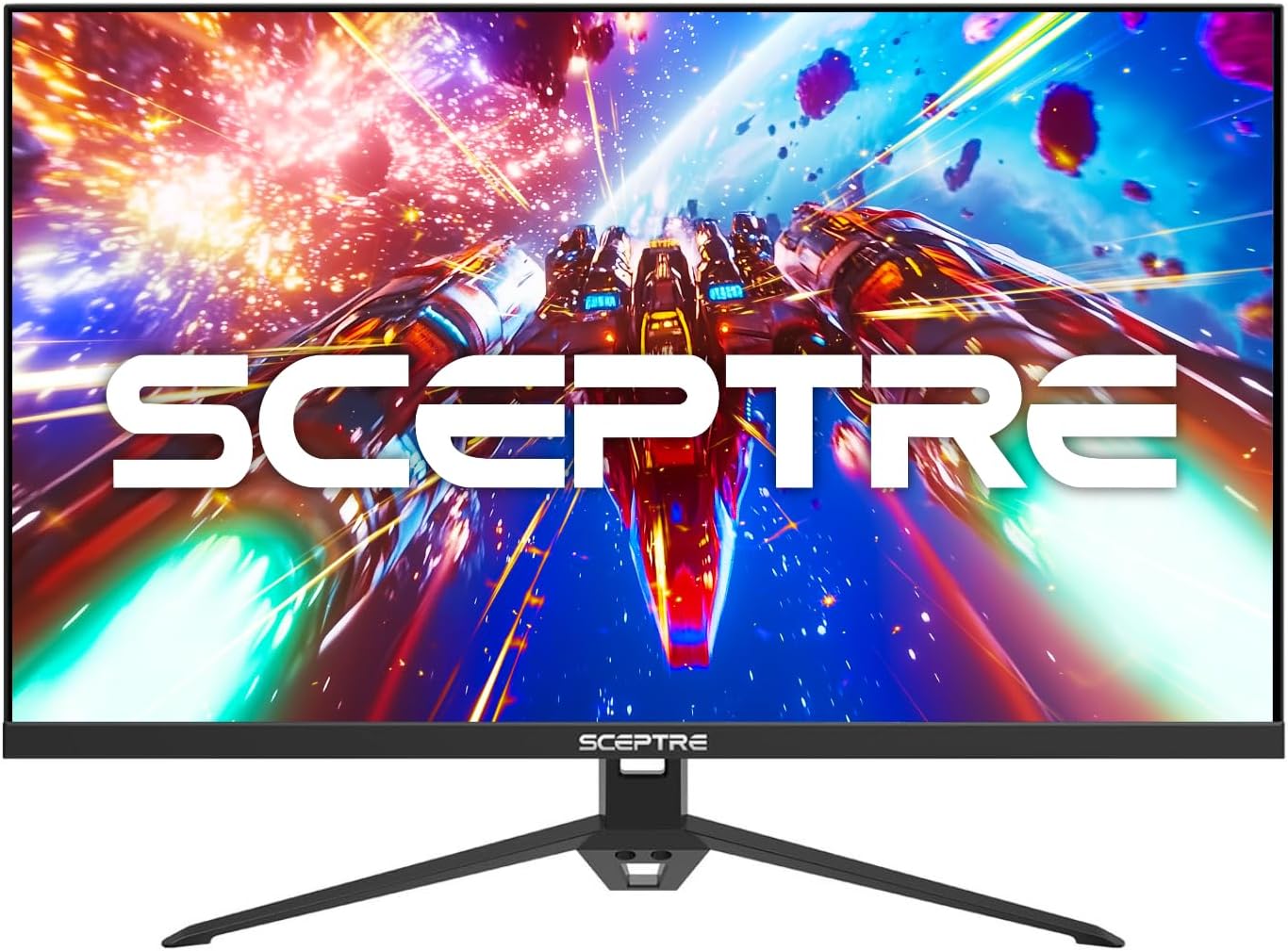
Sceptre E275B-FPT165 Review – Best Sceptre Monitor For Most Users
The Sceptre E275B-FPT165 delivers one of the best all-around experiences in Sceptre’s budget monitor lineup, balancing speed, screen size, and affordability surprisingly well. Its fast 144Hz refresh rate and 1ms response time make gameplay feel smooth and responsive, especially in competitive shooters, racing games, and fast-paced multiplayer titles
Pros
* Simple, sturdy design
* Excellent value for the price
* Smooth 144Hz refresh rate for fast-paced gaming
* Multiple HDMI ports plus DisplayPort connectivity
* Strong contrast performance for gaming and movies
Cons
* Lacks height, swivel, and pivot adjustments
* No USB-C connectivity
About the Sceptre E275B-FPT165 Monitor
A monitor is one of the most important parts of any desktop setup, whether you’re working remotely, or simply browsing the web. Yet many people still overpay for features they don’t really need. That’s where budget-focused brands like Sceptre come in. Sceptre has steadily built a reputation for delivering solid value without sacrificing key features. Still, I never really considered Sceptre a serious option for an everyday remote-work or entry-level gaming setup—until I spent some time with the Sceptre E275B-FPT165.
The Sceptre E275B-FPT165 is a 27-inch IPS monitor that keeps things refreshingly simple. It combines a sleek design, gamer-friendly features, and an affordable price tag into one surprisingly capable package. Like many Sceptre displays, it offers an impressive balance of performance and value, featuring AMD FreeSync support, a fast 165Hz refresh rate, vibrant colors, and sharp Full HD visuals.
What stands out most is how smooth the experience feels during fast-paced work. The high refresh rate makes gameplay noticeably more responsive, while the IPS panel helps maintain good color accuracy and wide viewing angles. Beyond casual work, the monitor also includes a generous selection of display settings and menu options that make customization straightforward and user-friendly.
Perhaps the biggest surprise is the price. Despite offering features commonly found on more entrl-level gaming monitors, the E275B-FPT165 remains firmly in budget territory for a 27-inch display. Considering its performance, feature set, and overall user experience, it delivers exceptional value for the money.
On a pure price-to-performance basis, this easily ranks among the best budget entry-gaming monitors available right now. To see how well it stacks up against the competition, we’ll also compare it with other affordable favorites, including the BenQ GW2790, the Amazon Basics Full HD IPS Monitor, Acer Nitro KG241Y, and the KOORUI E2412F.
Sceptre E275B-FPT165 Specs
| Display | 27-inch FHD 1080p 300 nits |
| Panel | IPS |
| Refresh Rate | 144Hz |
| Aspect Ratio | 16:9 |
| Response time | 1ms |
| Adaptive Sync | FreeSync |
| Ports | DisplayPort, HDMI |
| Ergonomics | Tilt |
Design
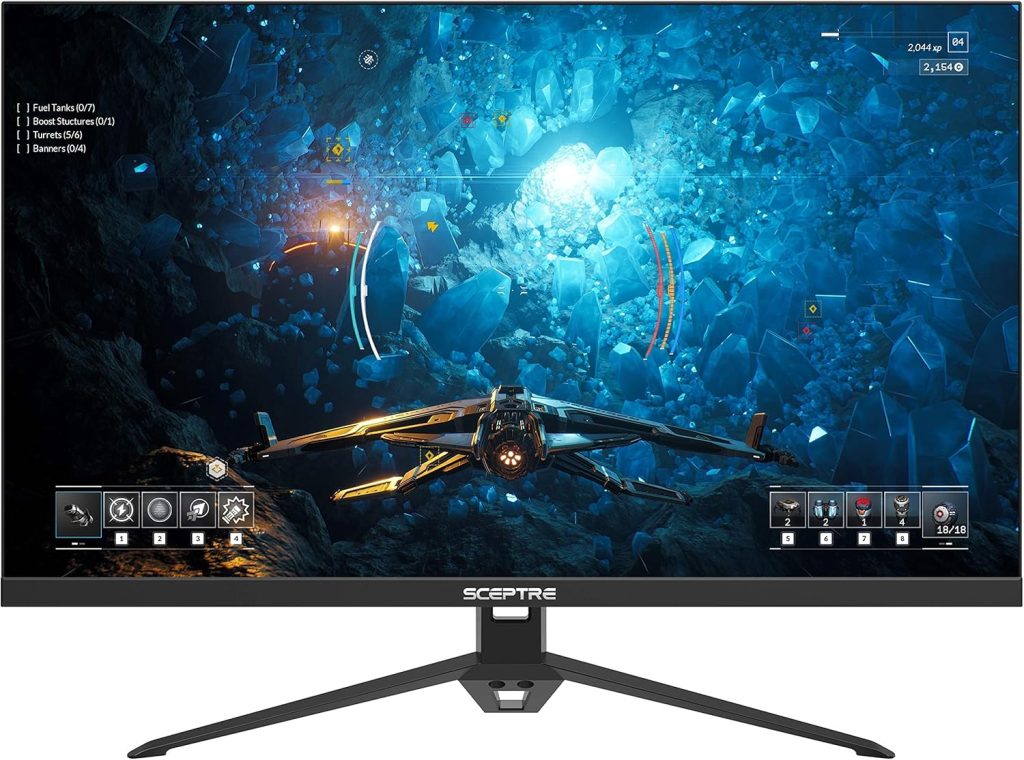
The Sceptre E275B-FPT165 keeps things clean and understated, but it still manages to look far more premium than its budget price suggests. At first glance, it follows the familiar all-black aesthetic seen on most gaming monitors, yet it feels noticeably more refined than competing budget options from Amazon Basics, BenQ, and KOORUI.
What immediately stands out is the stand design. It’s wider, sturdier, and visually cleaner than many monitors in this price range, giving the display a more grounded, premium appearance on a desk setup. While the overall design language isn’t groundbreaking—some monitors from Samsung, LG, and Alienware lean into a similar minimalist style—Sceptre executes it surprisingly well here.
A big reason for that comes down to the build quality. The smooth plastics used throughout the chassis feel far sturdier and more refined than what you’d typically expect from an entry-level gaming monitor. It avoids the cheap, hollow feel that often plagues budget displays, instead offering a finish that genuinely looks and feels a tier above its competitors.
Functionally, the stand gets the basics right. It supports tilt adjustments and feels reassuringly solid during everyday use. While the BenQ GW2790 still takes the lead in ergonomics thanks to its height, tilt, swivel, and pivot adjustments, the Sceptre’s stand has an advantage of its own: stability. Its base is slightly larger than most monitors in this class, but that wider footprint keeps the display firmly planted on your desk with very little wobble—something gamers and multitaskers will definitely appreciate.
Display
On paper, the Sceptre E275B-FPT165 keeps things fairly straightforward. It features a 27-inch IPS panel with a 1920 x 1080 resolution, a fast 144Hz refresh rate, matte screen coating, and a typical 16:9 aspect ratio. Viewing angles are rated at 170 degrees, and brightness tops out at 300 nits.
But specs only tell part of the story.
What surprised me most during daily use was how comfortable this monitor felt over long periods of time. Whether I was writing, browsing, editing documents, or casually gaming at night, the display consistently looked clean, vibrant, and easy on the eyes. Text appeared sharp enough for productivity work, while the IPS panel gave colors a livelier and more natural look than I expected from a monitor in this price range.
The matte finish also deserves credit here. It does a great job reducing glare and reflections, especially during daytime use near windows or under bright room lighting. I never found myself constantly adjusting the screen angle just to avoid reflections, which made working on it feel more effortless.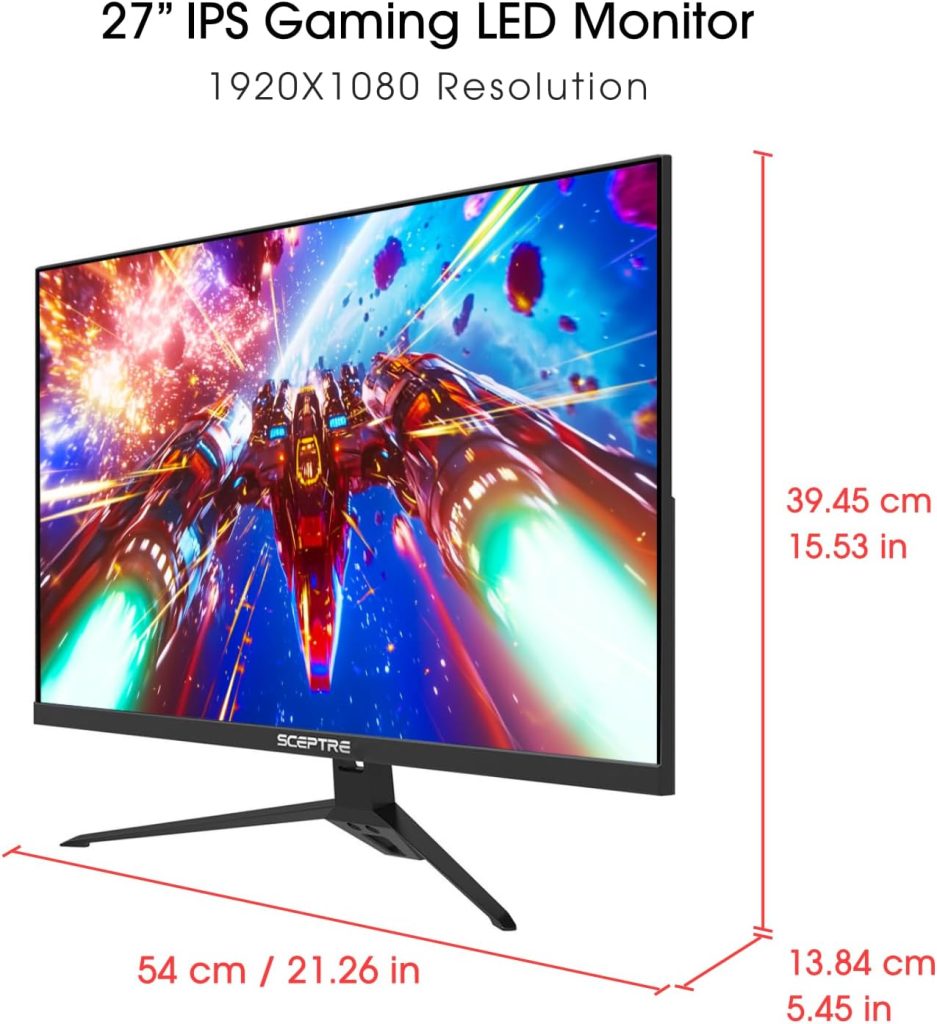
Brightness peaks at 300 nits, and honestly, I never felt like I needed more. While it won’t compete with premium HDR displays or ultra-bright creator monitors, it’s more than sufficient for a home office or bedroom setup. In fact, I personally kept the brightness at around 25 percent most of the time because anything higher felt unnecessarily bright for everyday use.
That says a lot about the panel quality. Some budget monitors struggle to maintain clarity or color consistency unless brightness is pushed close to the maximum. The Sceptre, on the other hand, remained comfortable and punchy even at lower brightness levels, which helped reduce eye strain during longer work sessions.
Of course, the 1080p resolution on a 27-inch display won’t look as razor-sharp as a 1440p monitor, especially if you sit very close to the screen. But for general productivity, gaming, streaming, and casual content consumption, the display still looks surprisingly good. Combined with the smooth 144Hz refresh rate, everyday interactions feel fluid and responsive in a way that makes going back to a standard 60Hz monitor feel noticeably sluggish.
Ports and Connectivity
The port selection on the Sceptre E275B-FPT165 is fairly standard, which isn’t surprising for a monitor in this price range. You’re getting the essentials here: a single DisplayPort input alongside two HDMI ports, covering the needs of most gamers, casual users, and work-from-home setups without adding unnecessary extras.
To be fair, this is pretty much what you’ll find across the majority of budget gaming monitors today. High-end connectivity options are rare at this price point, and manufacturers usually focus on keeping costs low while still delivering the features most people actually use.
The one exception among its closest competitors is the BenQ GW2790QT, which goes a step further by including a USB-C port with DisplayPort Alternate Mode and up to 65W Power Delivery. That makes it far more versatile for laptop users who want a cleaner single-cable setup for charging, video output, and productivity work.
Still, the Sceptre doesn’t feel lacking for a home-focused monitor. It also includes a pair of built-in speakers and a 3.5mm audio jack for connecting headphones or external speakers, which adds a bit of convenience for users who don’t want extra desktop clutter. Unsurprisingly, there are no USB ports onboard, but at this budget-friendly price, that omission is easy to understand and unlikely to be a dealbreaker for most buyers.
Performance
The Sceptre E275B-FPT165 doesn’t try to oversell itself, and honestly, I appreciate that. There’s no flashy “HDR-ready” marketing plastered everywhere, because the reality is simple: true HDR performance just doesn’t exist at this price point.
A few budget monitors may advertise HDR support, but most lack the brightness, contrast, and local dimming needed to make HDR actually look impressive. The Sceptre avoids making promises it can’t fully deliver, and in a way, that honesty works in its favor.
With a peak brightness of around 300 nits, the panel simply doesn’t reach the levels typically associated with meaningful HDR performance. Most genuinely good HDR monitors push well beyond 400 nits, with premium options climbing toward 600, 1000 nits, or higher. Without that brightness headroom, HDR content tends to look flatter and less impactful than intended.
If HDR is a must-have feature for your setup, you’ll probably want to move into a higher price bracket altogether. Alternatively, something like the Acer Nitro KG241Y may be worth considering since it offers HDR10 support alongside a fast refresh rate at a similarly affordable price.
Still, for what this monitor is designed to do, performance is surprisingly solid.
The biggest highlight here is the smoothness. The 144Hz refresh rate makes everyday use feel incredibly fluid compared to a standard 60Hz display. Mouse movement feels snappier, scrolling is smoother, and fast-paced games benefit from noticeably improved responsiveness. Even outside gaming, it’s one of those upgrades you immediately notice once you spend time with it.
Gaming performance itself is genuinely enjoyable for the price. Fast shooters, racing games, and competitive titles feel responsive and clean, especially when paired with a capable GPU pushing higher frame rates. While it’s not a premium esports monitor, it absolutely delivers the smooth experience most casual and mid-level gamers are looking for.
Of course, there are compromises. Motion handling isn’t class-leading, and you may notice some ghosting in darker scenes during very fast movement. That said, it’s still far better than what you’d expect from many basic office monitors or older budget displays.
At the end of the day, the Sceptre E275B-FPT165 succeeds because it focuses on the features that matter most to everyday users: a large IPS display, smooth high refresh gameplay, solid image quality, and an affordable price. It doesn’t reinvent the category, but it delivers a surprisingly balanced experience for gamers, students, and home office users who want more performance without overspending.
Compasiron: Sceptre (E275B-FPT165) vs Acer Nitro KG241Y vs BenQ GW2790 vs KOORUI E2412F vs AmazonBasics Full HD
| Rank | Monitor | Display | Refresh Rate | Best For | Verdict |
|---|---|---|---|---|---|
| #1 | Sceptre E275B-FPT165 | 27″ FHD IPS | 144–180Hz | Mixed gaming + work | Best overall value — big IPS screen, smooth, and affordable |
| #2 | Acer Nitro KG241Y | 23.8″ VA | 165Hz | Competitive gaming | Best for fast gaming — smoother motion + HDR support |
| #3 | BenQ GW2790 | 27″ IPS | 100Hz | Work + casual use | Best for productivity — eye comfort + solid colors |
| #4 | KOORUI E2412F | 24″ VA | 100Hz | Budget gaming | Best ultra-budget pick — strong contrast, basic features |
| #5 | Amazon Basics Full HD IPS Monitor | 24″ IPS | 75Hz | Office use | Best for work — simple, reliable, not for gaming |
Conclusion
The Sceptre E275B-FPT165 proves that you don’t need to spend a fortune to get a genuinely enjoyable gaming monitor. It combines a sleek design, smooth 165Hz refresh rate, decent image quality, and solid everyday usability into a package that feels far more premium than its price suggests.
Sure, it has limitations. There’s no meaningful HDR support, ergonomics are basic, and the 1080p resolution won’t satisfy users looking for ultra-sharp visuals on a 27-inch screen. But those compromises are easy to forgive once you consider just how affordable this monitor is.
For casual gamers, students, remote workers, or anyone upgrading from an older 60Hz display, the jump in smoothness and overall experience feels significant. And while there are competitors with better stands or extra features, few manage to balance gaming performance and value quite as well as this Sceptre.
Simply put, this is one of the best budget monitors for most people, one you can buy right now if your priority is getting the most performance for your money. However, if you must have a name brand, the Acer Nitro KG241Y is a great choice that’s similarly priced. And if you want to compare it against other models, here’s our complete guide to the best Sceptre gaming monitors available today.


