



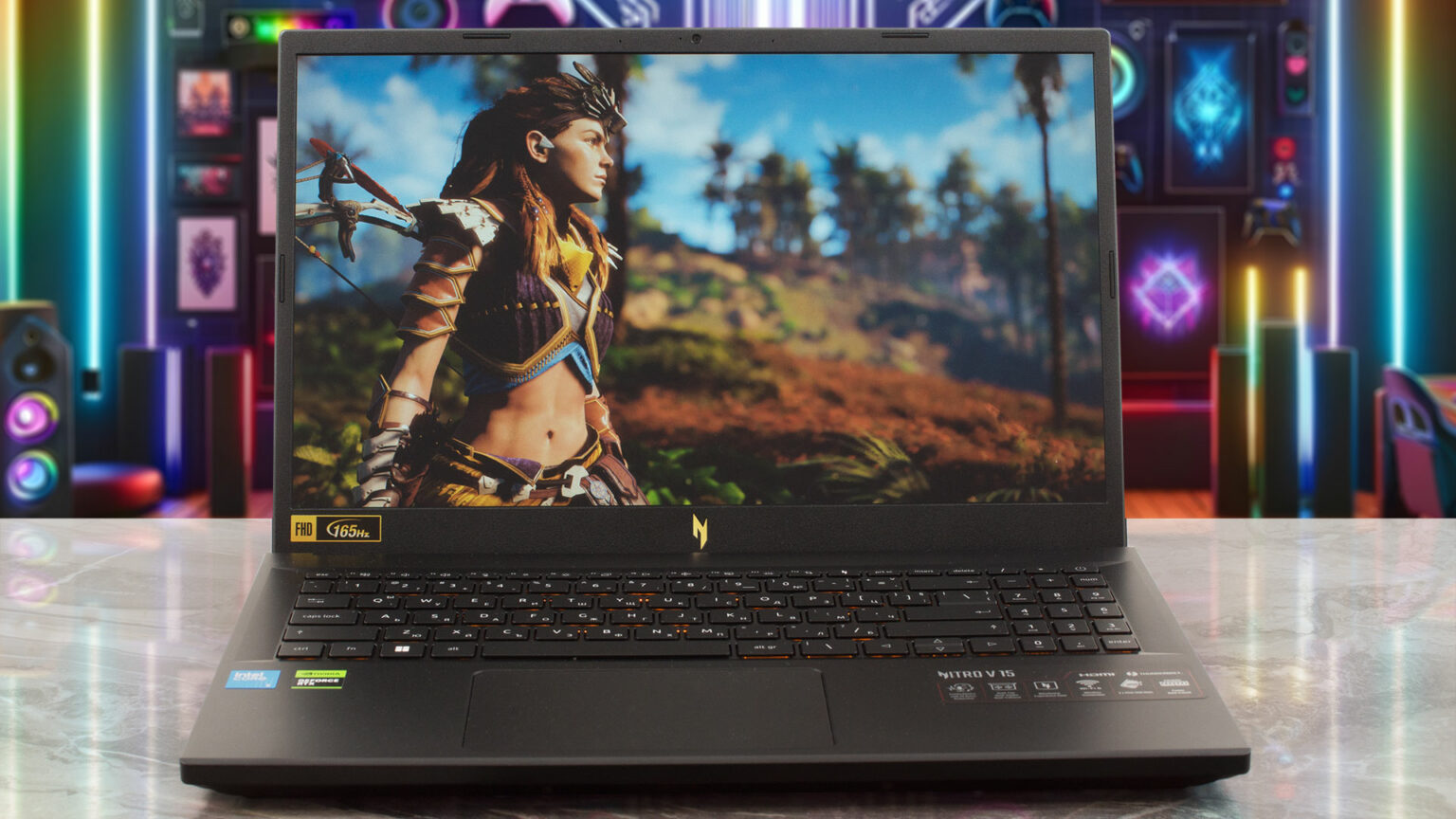
Acer Nitro V (ANV15-52-76NK) Review – Best Big-Screen Budget Gaming Laptop
The Acer Nitro V (ANV15-52-76NK) delivers impressive value for budget-conscious gamers, combining capable entry-level hardware with a large, fast 1200p display that feels more premium than its price suggests. It’s not just built for gaming either—the laptop also offers surprisingly strong battery life, making it a practical option for school, work, and everyday use alongside gaming.
Pros
- Decent build quality
- 16-inch is plenty of screen
- Planty of ports including microsSD
- 1080p gaming capacity
- Bright 180Hz screen
- Comfortable keyboard
- Long battery life
- Fast Storage performance
Cons
- 512GB SSD fills up fast
- Touchpad surface could be smoother
Acer Nitro V (ANV15-52-76NK) Specs
| Processor | Intel Core i7-13620H |
| RAM | 16GB DDR5 |
| Storage | 1TB Gen 4 SSD |
| Graphics Card | NVIDIA GeForce RTX 4050 |
| Display | 15.6″ FHD IPS 165Hz Display |
| Weight |
Budget gaming laptops are getting better every year, but the competition under $1,000 has become especially fierce lately. With newer Nvidia RTX 50-series systems beginning to enter the market, manufacturers are under pressure to deliver stronger performance, faster displays, and better overall value without dramatically increasing prices. Acer’s answer to that challenge is the Nitro V (ANV15-52-76NK), a gaming laptop that focuses on delivering the essentials gamers actually care about.
Configured with an Intel Core i7-13620H processor, 16GB of DDR5 RAM, a 1TB Gen 4 SSD, and Nvidia’s GeForce RTX 4050 graphics card, the Nitro V offers a surprisingly balanced setup for gamers who want smooth 1080p gaming without overspending. The fast 165Hz-class IPS display also gives the laptop an edge in competitive games, while the larger screen size makes everyday use feel more immersive than many compact budget alternatives.
What makes the Nitro V particularly appealing is how few major sacrifices Acer made to hit its price point. The laptop combines respectable build quality, strong storage speeds, good battery life, and a comfortable RGB keyboard into a package that feels more polished than many entry-level gaming systems. Acer also includes a generous selection of ports, including microSD support, making the Nitro V practical beyond gaming alone.
The RTX 4050 may not compete with premium RTX 4070 or RTX 5070 laptops in raw power, but for most gamers targeting high-refresh-rate 1080p gameplay, it still delivers excellent value. Modern esports titles run comfortably, and many AAA games remain highly playable with optimized settings.
That said, the Nitro V doesn’t completely dominate the budget category. Its display color reproduction is merely average, the touchpad could feel smoother, and some competing systems offer slightly stronger thermals or GPU performance. Acer’s own value proposition is also challenged by the Editors’ Choice-winning MSI Katana 15 HX, which remains one of the strongest alternatives in this price range thanks to its more aggressive performance focus.
Still, the Acer Nitro V succeeds where it matters most: delivering an affordable, big-screen gaming experience that feels modern, responsive, and genuinely enjoyable to use day-to-day. For budget-conscious gamers who want a capable all-around laptop rather than just raw benchmark numbers, this Nitro V makes a compelling case for itself.
 Design
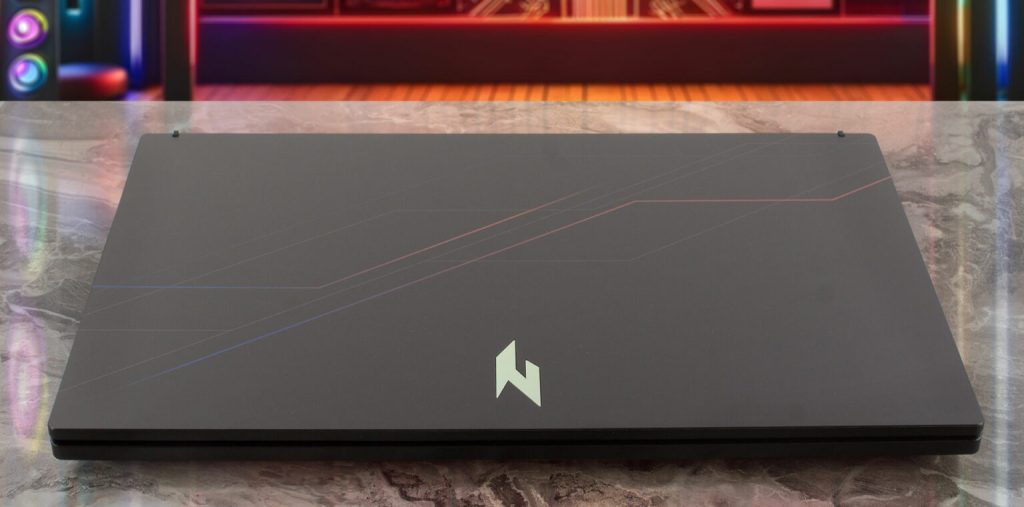
The Acer Nitro V (ANV15-52-76NK) keeps things simple with a clean, understated gaming aesthetic. Instead of going overboard with aggressive gamer styling, Acer opts for a more restrained look featuring sharp lines, subtle branding, and a practical layout. The only major visual hint that this is a gaming laptop is the four-zone RGB keyboard, which adds some personality without becoming distracting.
To elevate the design slightly above typical budget gaming systems, Acer uses aluminum for the lid and bottom panel. It’s a small upgrade, but one that helps the Nitro V feel sturdier and more premium than many rivals that rely entirely on plastic construction. That said, the laptop still clearly belongs to the budget category. The mostly black chassis and silver Nitro logo won’t turn heads, and the orange-accented key fonts may not appeal to everyone.
Like most affordable gaming laptops, portability is not its strongest trait. The Nitro V 16 AI is fairly chunky at nearly an inch thick and weighs around 5.4 pounds. Still, considering the larger 16-inch display, the size feels reasonable and puts it in the same territory as competitors like the MSI Katana 15 HX.
Display and Audio
One of the highlights of the Nitro V is its 16-inch 1920 x 1200 IPS display with a fast 165Hz refresh rate. At this price, seeing a high-refresh panel like this is impressive, and it makes a noticeable difference in fast-paced games. Competitive titles feel smoother and more responsive, giving players a slight edge during gameplay.
The display is also bright enough for darker gaming environments, helping games look clear and easy to follow even during shadow-heavy scenes. However, compromises do exist. Color reproduction is limited, and the contrast ratio isn’t particularly strong, which can cause dark scenes to appear slightly washed out. These are common trade-offs in budget gaming laptops, though they don’t ruin the overall experience.
Audio performance is decent but unremarkable. Explosions, action sequences, and general gameplay sound acceptable through the built-in speakers, but dialogue and background audio can sometimes feel hollow or distant. Thankfully, the DTS:X Ultra software helps improve the listening experience somewhat, though gamers will still get far better sound quality using headphones or external speakers.
 Keyboard, Touchpad, and Webcam
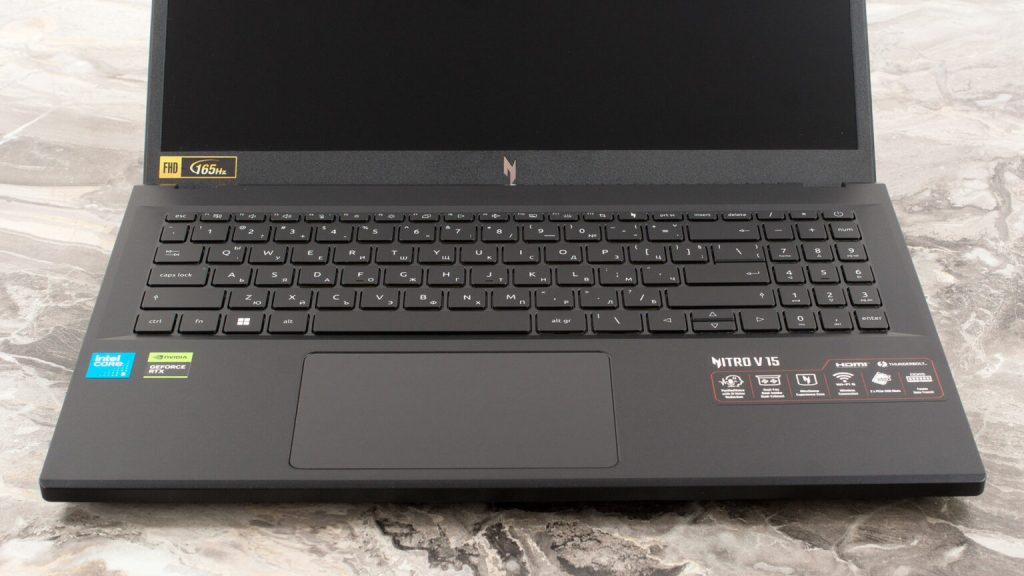
The Acer Nitro V delivers a surprisingly comfortable typing and gaming experience for a budget laptop. The keyboard has a satisfying amount of bounce, and the spacing between keys makes navigation feel natural even during fast-paced gaming sessions. Acer also includes four-zone RGB lighting, adding a bit of gaming flair without making the design feel overly flashy.
That said, the keys themselves are slightly smaller than average, which may take some adjustment—especially for users with larger hands. The smaller right Shift key can also feel awkward at first during regular typing.
The touchpad is less impressive. Its surface creates noticeable drag, making gestures and general navigation feel less smooth than they should. The physical click response also feels somewhat stiff and hollow. While it’s usable for everyday tasks, most users will likely prefer connecting an external mouse, especially for gaming.
Webcam quality is another area where Acer clearly cut costs. The built-in 720p camera produces soft, noisy images with weak contrast and washed-out colors. It’s adequate for occasional video calls or online classes, but it won’t impress anyone relying heavily on Zoom meetings or streaming.
Ports: Plenty of Connections Available
Acer gives the Nitro V a surprisingly strong port selection for a budget gaming laptop, making it easy to connect accessories, external displays, and high-speed devices without constantly relying on adapters.
The laptop spreads its ports across both sides and the rear for better cable management. Multiple USB 3.2 Gen 2 Type-A ports are included for everyday peripherals like gaming mice, keyboards, external drives, and controllers. Acer also includes a dedicated Ethernet port, which is especially useful for gamers who prefer a more stable wired internet connection over Wi-Fi.
On the multimedia side, the Nitro V features a microSD card slot for quickly transferring files from cameras, phones, or other devices, along with a standard headphone jack for wired audio gear. Around the back, Acer positions the power connector alongside an HDMI 2.1 output, allowing users to connect high-refresh external monitors or TVs with ease.
Perhaps the most future-ready addition is the USB4 port, which opens the door for faster data transfers, modern docking stations, and expanded connectivity options. Wireless connectivity is equally solid thanks to support for Wi-Fi 6 and Bluetooth 5.3, helping ensure fast networking speeds and reliable accessory pairing.
Overall, Acer does an excellent job here. The Nitro V offers the kind of connectivity flexibility that many budget gaming laptops often overlook, making it practical not just for gaming, but also for school, work, and content creation.
Performance
The Acer Nitro V is clearly aimed at budget-conscious gamers and first-time buyers, but it performs better than its entry-level positioning might suggest. While it sits near the lower end of the gaming-laptop market, the combination of the Intel Core i7-13620H and Nvidia GeForce RTX 4050 gives it enough power to comfortably handle modern gaming and everyday workloads without feeling sluggish.
For daily use, the Nitro V handles web browsing, schoolwork, streaming, and multitasking with little trouble. The 16GB of DDR5 memory helps keep the system responsive, while the fast Gen 4 SSD improves boot times and application loading speeds. Heavier multitasking or demanding productivity workloads can slow the system down somewhat, but that’s expected from a gaming laptop in this price range.
Gaming Performance: Is the Acer Nitro V 16 Good For Gaming?
Gaming is where the Nitro V delivers its best value. The RTX 4050 performs well at 1080p, allowing many modern AAA games to run at solid frame rates even at higher settings. Games like Cyberpunk 2077 remain very playable with optimized settings, while competitive titles such as Call of Duty benefit greatly from the laptop’s fast 165Hz display. Less demanding esports games can push frame rates even closer to the panel’s refresh-rate ceiling, creating a smoother and more responsive gaming experience.
Nvidia’s DLSS technology also helps extend performance further in supported games by boosting frame rates through AI-assisted upscaling and frame generation. While occasional visual artifacts or flickering may appear in certain titles when frame generation is enabled, the feature still adds meaningful longevity to the RTX 4050 as newer games become more demanding.
Thermals and overall gaming stability remain respectable for a budget machine, and the Nitro V consistently delivers the kind of performance most gamers actually need: smooth 1080p gameplay without requiring premium-level spending.
Battery life
Battery life is one of the Acer Nitro V’s biggest strengths. In testing, the laptop delivered roughly 12 hours of runtime, which is excellent for a gaming system and noticeably better than many rivals in the same category. That level of endurance makes the Nitro V far more practical as an everyday laptop for school, office work, streaming, or travel.
A big reason for this efficiency is the system’s smart power management. Nvidia Optimus technology automatically disables the dedicated RTX graphics card during lighter workloads, helping conserve battery life when gaming power isn’t needed. Combined with the efficient processor and relatively modest 1200p display resolution, the Nitro V avoids the short battery life that typically plagues budget gaming laptops.
What’s especially impressive is how it stacks up against other popular budget machines. The Nitro V outlasts systems like the HP Chromebook Plus x360 (10:40), Asus Chromebook Plus CX14 (10: 20), and even gaming-focused competitors such as the MSI Katana 15 HX (8: 11).
The main compromise remains the display’s color quality. While the screen is reasonably bright and smooth thanks to its high refresh rate, color reproduction is fairly limited, especially for creators or users who care about accurate visuals. For gaming and general use, it gets the job done, but users focused on photo editing, design work, or premium image quality may eventually want an external monitor.
Conclusion
The Acer Nitro V (ANV15-52-76NK) proves that budget gaming laptops have come a long way. It doesn’t try to compete with expensive flagship systems, but it succeeds by focusing on what matters most: strong 1080p gaming performance, a large fast display, excellent battery life, fast storage, and a practical feature set at an affordable price.
Its RTX 4050 GPU and Core i7 processor provide enough power for modern AAA gaming, while the 165Hz display gives competitive players a smoother experience than many laptops in this price range. Add in solid connectivity, comfortable keyboard performance, and surprisingly good endurance away from the charger, and the Nitro V becomes an easy recommendation for budget-conscious gamers.
There are still compromises. The touchpad could be smoother, the webcam is mediocre, and the display’s color accuracy leaves room for improvement. Yet none of those drawbacks overshadow the overall value Acer delivers here.
For gamers who want a capable big-screen gaming laptop without spending premium money, the Acer Nitro V (ANV15-52-76NK) stands out as one of the better budget options currently available.


