



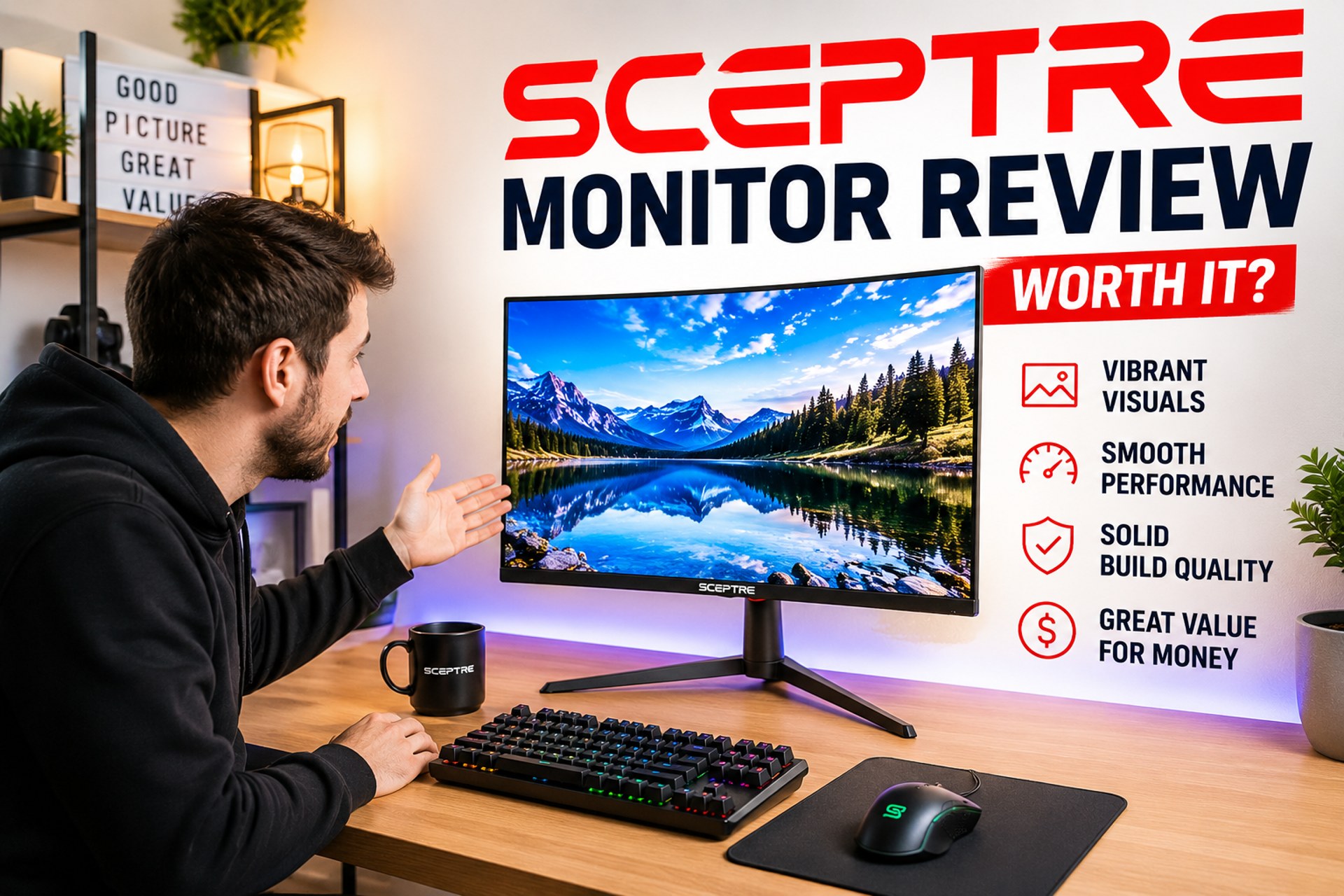
Sceptre Monitor Review: Are They Actually Worth It for Gaming and Everyday Use?
Sceptre monitors occupy a very specific corner of the market—one that’s easy to misunderstand if you’re only looking at specs. On paper, they often seem almost too good to be true: 144Hz and 240Hz refresh rates, curved panels, ultrawide formats, all at prices that undercut most competitors. That naturally creates a tension between expectation and reality. Either Sceptre has cracked the value equation—or it’s cutting corners in places most buyers don’t immediately see.
Part of that confusion comes from how people evaluate monitor brands in the first place. Most buyers are looking for a balance of price, panel quality (IPS or VA), display performance, build reliability, features like ports and ergonomics, and a range of sizes that fit different setups. Higher-end brands tend to excel in consistency, color accuracy, and refinement, while budget brands compete by offering similar features at lower cost.
The reality is more nuanced. Sceptre isn’t trying to lead the industry; it’s trying to make features that are normally expensive feel accessible. It checks many of the same boxes people look for—high refresh rates, modern panel types, large and curved displays—but delivers them in a more cost-efficient, less refined way. That difference shapes everything about how these monitors perform.
Sceptre competes directly with several value-oriented monitor brands. For another popular budget gaming monitor manufacturer, check out our Pixio Monitor Review.
About Sceptre: Who Makes Sceptre Monitors?
Sceptre is one of the most recognizable budget display brands in North America, but it’s also one of the most misunderstood. Because its monitors are often priced significantly lower than competing models from ASUS, LG, Samsung, and Acer, many buyers assume the company is either new to the industry or cutting corners in ways that compromise quality. The reality is more nuanced.
Founded in 1984, Sceptre has been operating in the consumer electronics industry for decades. While the company doesn’t enjoy the same mainstream recognition as larger display manufacturers, it has quietly built a reputation around affordability and accessibility. Rather than competing directly with premium brands on innovation or professional-grade performance, Sceptre focuses on delivering the features most consumers actually want at prices that are easier to justify.
This strategy has become especially effective in the monitor market. Over the last several years, refresh rates that were once considered premium—144Hz, 165Hz, 200Hz, and even 240Hz—have become available on Sceptre monitors at prices that often undercut competing brands by a significant margin. The company has also expanded aggressively into curved monitors, ultrawide displays, and gaming-focused models, making it possible for budget-conscious buyers to access features that previously required a much larger investment.
Unlike companies such as LG or Samsung, Sceptre does not manufacture its own display panels. Instead, it sources panels and components from established suppliers and focuses on assembling products around value-driven specifications. This allows the company to keep costs low while still offering modern features like AMD FreeSync support, high refresh rates, IPS panels, and ultrawide formats.
The trade-off is that Sceptre monitors are generally less refined than premium alternatives. Build quality tends to be simpler, ergonomics are often limited, and quality control can be less consistent. However, these compromises are largely responsible for the aggressive pricing that makes the brand attractive in the first place.
Understanding Sceptre becomes much easier once you stop comparing it to premium display manufacturers. The company’s goal is not to build the best monitor in every category. Its goal is to build monitors that offer the best value for the money. For students, casual gamers, home office users, and budget-conscious buyers, that approach has proven surprisingly successful.
Why Are Sceptre Monitors So Affordable?
One of the most common questions buyers ask is why Sceptre monitors cost so much less than competing displays with similar specifications.
At first glance, the pricing can seem suspicious. It’s not unusual to find a Sceptre monitor offering a 165Hz refresh rate, curved panel, or ultrawide display for significantly less than an equivalent ASUS, LG, or Samsung model. Naturally, buyers wonder where the savings are coming from.
The answer isn’t that Sceptre is using dramatically inferior technology. Instead, the company keeps costs low by making strategic compromises in areas that many mainstream buyers don’t consider essential.
The most obvious difference is build quality. While premium brands invest heavily in materials, aesthetics, and ergonomic stands, Sceptre monitors tend to feature simpler designs with fewer adjustment options. Many models only support tilt adjustments, whereas premium monitors often include height, swivel, and pivot functionality.
The company also spends less on premium features. USB-C connectivity, Thunderbolt support, advanced HDR implementations, local dimming zones, and professional-grade factory calibration are generally absent from the lineup. These features increase manufacturing costs significantly and are often unnecessary for the average user.
Marketing costs are another factor. Sceptre doesn’t sponsor esports teams, launch expensive advertising campaigns, or maintain the same level of global brand visibility as industry leaders. Lower overhead allows more of the budget to be directed toward the display specifications that consumers actually notice.
This cost-saving strategy isn’t without drawbacks. Quality control can vary more than it does with premium manufacturers, and some buyers report issues such as dead pixels, backlight bleed, or inconsistent panel performance. However, many users are willing to accept this additional risk because the value proposition remains so strong.
Ultimately, Sceptre monitors are cheap because the company prioritizes specifications and affordability over refinement. For buyers who understand those trade-offs, that can be a very attractive proposition.
Is Sceptre a Good Monitor Brand?
Sceptre is best understood as a value-driven brand, but that doesn’t mean it’s lacking where it matters. It’s also important to recognize that it’s hard to define the entire brand with a single statement—Sceptre has come a long way over the years, and many of its newer monitors are far more capable than people expect at this price point. Rather than chasing cutting-edge innovation, Sceptre focuses on delivering the features most users actually need, in a way that keeps costs down and accessibility high.

If you’re asking whether Sceptre is a good or reliable monitor brand, the answer comes down to expectations. Most buyers look for a mix of price-to-performance, panel quality, display performance, features, and overall usability—and this is where Sceptre quietly does a lot right.
Across its lineup, you’ll find a solid foundation of modern features. Many models offer Full HD (1920 × 1080) displays that are sharp enough for everyday use, paired with IPS or VA panels for decent color and viewing angles. Gaming-focused monitors often include high refresh rates—ranging from 144Hz up to 200Hz—along with 1ms response times and support for AMD FreeSync, which helps deliver smoother, tear-free gameplay. In real-world use, these monitors have no problem handling high-performance games, especially at 1080p, making them a practical choice for casual to mid-level gamers.
Sceptre also does well when it comes to usability. You’ll typically get a good selection of ports, including HDMI and DisplayPort, making it easy to connect consoles, PCs, and other devices. Many models include built-in speakers that are perfectly adequate for everyday use, along with VESA wall mount support for more flexible setups. These are the kinds of features people actually use day to day, and Sceptre makes sure they’re covered.
Where Sceptre stands out most is how it brings all of this together at a lower price point. You can get high refresh rates, large or curved screens, and gaming-friendly features without paying what you would for more premium brands. That’s the core of its appeal—it delivers a well-rounded experience that covers the essentials and then some.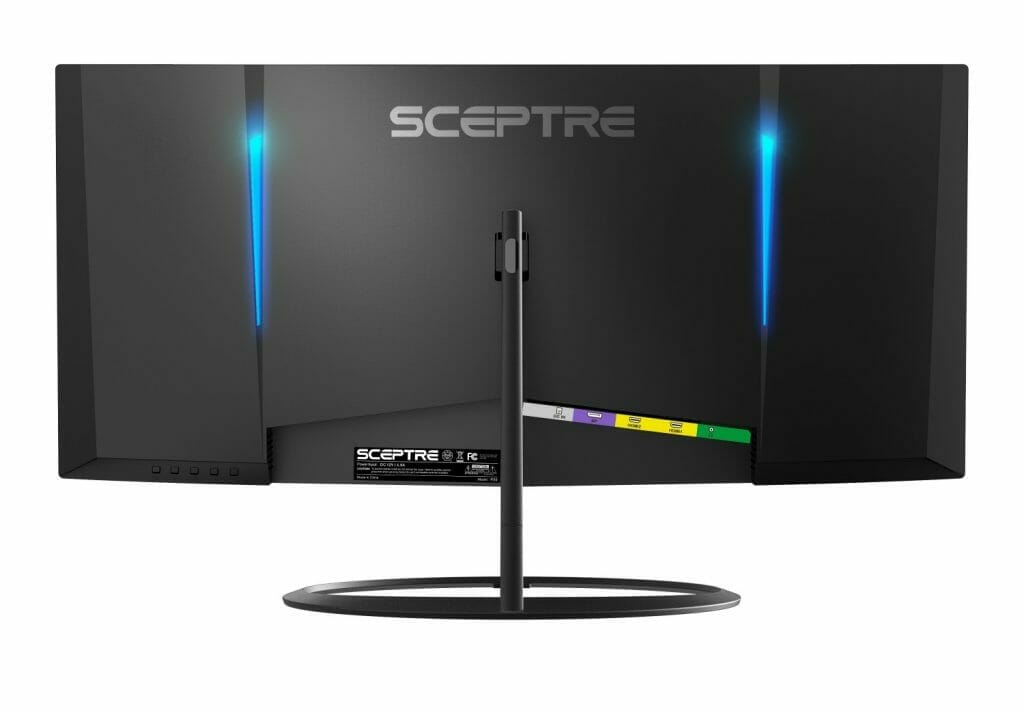 Of course, like any value-focused brand, there are trade-offs. Build quality is generally straightforward, ergonomic adjustments can be limited on some models, and out-of-the-box color tuning may need a bit of adjustment. But these are compromises that many users are willing to accept given the overall value being offered.
In practical terms, Sceptre checks most of the boxes people look for in a monitor: solid performance, useful features, and a wide range of options for both work and gaming. It may not match the refinement of higher-end brands, but it consistently delivers where it counts for the majority of users.
So yes—Sceptre is a good monitor brand, especially for those who want reliable performance and modern features without overspending. It’s not about being the most advanced—it’s about being accessible, capable, and surprisingly well-equipped for the price. It’s good for users who prioritize affordability and want access to modern features without overspending.
Ultimately, Sceptre isn’t trying to be the best monitor brand—it’s trying to be the most accessible. And for the right buyer, that’s exactly what makes it a good one.
How Reliable Are Sceptre Monitors?
Reliability is where opinions about Sceptre become the most divided.
Unlike premium monitor brands that have built reputations around consistency and long-term durability, Sceptre operates in the value segment of the market. As a result, buyers tend to encounter a wider range of experiences.
The good news is that many Sceptre owners report years of trouble-free use. It isn’t uncommon to find users who have owned their monitors for five years or longer without experiencing significant issues. For basic productivity, gaming, and everyday use, the majority of units perform exactly as expected.
However, quality control is also one of the most common criticisms directed at the brand. The most frequently reported issues include dead pixels, backlight bleed, power supply failures, and occasional display flickering. These problems don’t affect every monitor, but they appear more frequently than they do with premium manufacturers.
Dead pixels are perhaps the most discussed concern among buyers. While a few dead pixels may not affect usability, they can be frustrating on a brand-new monitor. This is one reason why understanding Sceptre’s warranty and dead pixel policy is important before purchasing.
Long-term durability is generally better than many people expect. The display panels themselves tend to hold up reasonably well over time, particularly on gaming monitors where refresh rates remain relevant for years. More commonly, failures tend to involve secondary components such as power supplies or internal electronics rather than the panel itself.
Overall, Sceptre occupies a middle ground. The monitors are not as consistently reliable as premium brands, but they are far from disposable products. Most buyers receive years of usable life from their displays, especially when the monitor is treated as a value-focused purchase rather than a premium investment.
Reliability Score: 7.5/10
Value Score: 9/10
Long-Term Ownership Score: 7.5/10
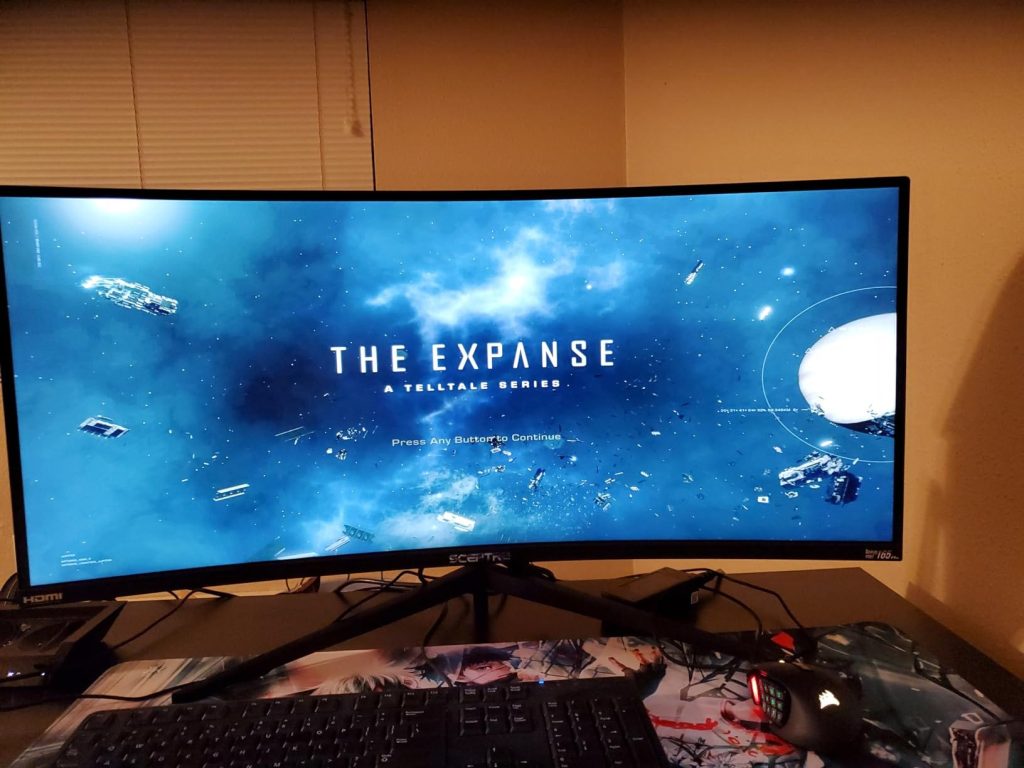
Are Sceptre Monitors Good for Gaming?
Gaming is where Sceptre becomes especially relevant. The brand focuses on delivering the features most gamers actually care about—high refresh rates, fast response times, and larger, more immersive displays—at a price point that makes them accessible to a much wider audience.
Across many of its gaming models, Sceptre offers 144Hz to 200Hz refresh rates, 1ms response times, and support for AMD FreeSync, all of which contribute to smoother, more responsive gameplay. For 1080p gaming in particular, these monitors handle high-performance titles well, making them a solid choice for casual to mid-level gamers. You’ll also typically find practical extras like HDMI and DisplayPort connectivity, built-in speakers for everyday use, and VESA mount support for flexible setups—features that add real convenience in day-to-day use.
For someone upgrading from a standard 60Hz monitor, even a basic 144Hz Sceptre display feels like a major leap forward. Gameplay becomes noticeably smoother, input feels quicker, and the overall experience is far more engaging. This is where Sceptre delivers real value—it makes a better gaming experience accessible without requiring a large investment.
At the same time, it’s important to understand where the differences show up compared to higher-end monitors. While the specifications are strong on paper, performance isn’t always as refined as premium gaming displays. On some models—especially those using VA panels—motion clarity can be less consistent, with occasional smearing in darker scenes or ghosting when response settings are pushed too aggressively.
That said, Sceptre also has clear strengths that work in its favor. Many users appreciate how straightforward and plug-and-play the experience is, especially for console or entry-level PC gaming. The combination of high refresh rates, FreeSync support, and fast response times still delivers a genuinely smooth experience in most scenarios. In slower-paced or visually rich games, these limitations are barely noticeable, and even in competitive titles, the overall responsiveness remains solid for the price.
Some premium features are less common on Sceptre monitors, which reflects the brand’s focus on affordability. While most models include essential connectivity like HDMI and DisplayPort, you’ll rarely find more advanced options such as Thunderbolt or USB-C. Similarly, ergonomic features like fully adjustable stands—height, swivel, and pivot—are often limited or simplified.
On the software and image quality side, Sceptre monitors typically offer basic display settings, but they don’t usually include advanced calibration tools or professional-grade color tuning found in higher-end displays. These features are more common in monitors designed for creative professionals rather than everyday gaming or general use.
That said, for most users, the essentials are well covered. Sceptre focuses on delivering the core features people actually use—solid display performance, gaming-friendly specs, and reliable connectivity—while keeping costs low.
What Real Sceptre Owners Say
One of the best ways to judge any monitor brand is to look beyond specifications and marketing claims and examine what actual owners say after living with the product. This is especially important with Sceptre because the brand occupies a unique position in the market. Buyers are often attracted by the aggressive pricing, but they also want to know whether the monitors hold up in real-world use.
The most common theme among positive reviews is value for money. Many owners describe Sceptre monitors as products that outperform expectations relative to their price. Buyers frequently mention being surprised by how smooth gaming feels on 144Hz, 165Hz, and 240Hz models, particularly when upgrading from older 60Hz displays. For many users, Sceptre serves as an affordable entry point into high-refresh-rate gaming.
Gaming performance is another area where owners tend to be satisfied. Users regularly praise the smooth gameplay, FreeSync support, and overall responsiveness of Sceptre’s gaming monitors. Casual gamers and mainstream PC users often report that the experience feels very close to what they would expect from more expensive displays.
Ease of setup is another recurring compliment. Most Sceptre monitors are simple to install, easy to configure, and work without requiring extensive adjustments. Buyers who want a straightforward plug-and-play experience generally find the monitors easy to live with.
However, the feedback isn’t entirely positive. Dead pixels remain one of the most frequently reported complaints. While many users receive flawless panels, others report discovering one or more dead pixels shortly after purchase. Backlight bleed and minor quality-control inconsistencies also appear more frequently than they do with premium brands.
Another common criticism involves monitor stands. Many Sceptre displays only provide tilt adjustment, which can make ergonomic positioning more difficult compared to competing monitors that offer height, swivel, and pivot adjustments.
Built-in speakers also receive mixed reviews. While they are convenient for basic use, most owners agree that they should be viewed as a backup audio solution rather than a replacement for dedicated speakers or headphones.
Overall, owner feedback paints a fairly consistent picture. Most buyers feel they receive excellent value for the money, but they also recognize that some compromises were necessary to achieve those lower prices. The overwhelming consensus is that Sceptre delivers more performance than its price suggests, provided buyers understand its limitations.
Sceptre Monitors After 2–3 Years
The true test of any monitor isn’t how it performs during the first few weeks of ownership—it’s how it performs years later. This is where many budget electronics struggle, making long-term reliability an important consideration for prospective buyers.
Fortunately, many Sceptre monitors age reasonably well. The display panels themselves are often more durable than buyers expect, particularly on gaming-focused models. Refresh rates remain relevant for years, and users who purchased 144Hz or 165Hz monitors several years ago generally report that the displays still feel smooth and responsive today.
Panel longevity is typically not the primary concern. Instead, most long-term issues tend to involve supporting components. Power supply failures, display flickering, backlight degradation, and occasional connection issues are among the most commonly reported problems after several years of use.
VA-panel models may also exhibit more noticeable black smearing over time as users become more familiar with the limitations of the technology. However, this is generally a characteristic of VA panels rather than a problem unique to Sceptre.
One area where Sceptre performs surprisingly well is feature longevity. Unlike televisions, monitors do not become outdated quickly. A monitor purchased today with a 165Hz refresh rate, FreeSync support, and a decent IPS or VA panel can remain perfectly usable for many years.
Overall, Sceptre monitors tend to age better than their budget pricing might suggest. While they may not match the long-term reliability records of premium brands such as ASUS, LG, or Dell, they are far from disposable products. Most users can reasonably expect several years of productive use provided they receive a quality unit from the outset.
For buyers seeking a monitor that will last three to five years without spending premium money, Sceptre represents a reasonable balance between affordability and durability. It may not be the safest choice in the market, but it is far more reliable than many people assume.
Sceptre Warranty and Customer Support
Warranty coverage often becomes an afterthought until something goes wrong. For budget monitor brands, however, warranty support can play a major role in the overall ownership experience.
Sceptre typically provides a limited manufacturer’s warranty on its monitors, covering defects in materials and workmanship under normal use. This offers buyers a basic level of protection against manufacturing defects and hardware failures during the warranty period.
One topic that frequently comes up among monitor buyers is the company’s dead pixel policy. Like many manufacturers, Sceptre allows a limited number of defective pixels before a panel qualifies for replacement. Because dead pixels are among the most commonly reported monitor issues across the industry, buyers should review the current policy before purchasing.
Customer support experiences are mixed but generally in line with expectations for a budget-focused brand. Some users report smooth warranty claims and timely replacements, while others describe longer response times and more complicated return processes. This inconsistency is one of the trade-offs that helps keep product pricing competitive.
For buyers purchasing through major retailers, extended protection plans can sometimes provide additional peace of mind. While not essential, they may be worth considering if long-term reliability is a major concern.
Overall, Sceptre’s warranty support is adequate rather than exceptional. It provides reasonable protection for the price point, but it does not offer the same level of service infrastructure associated with premium monitor manufacturers.
144Hz vs 240Hz Performance on Sceptre Monitors
Sceptre’s 240Hz monitors are some of the most aggressively priced on the market, which makes them appealing at first glance. They do deliver higher refresh rates, and if your system can push high frame rates consistently, you will feel the difference in responsiveness.
But the improvement isn’t as dramatic as many expect. The jump from 60Hz to 144Hz is transformative; the jump from 144Hz to 240Hz is far more subtle—especially when the panel itself is still budget-oriented. In practice, you’re gaining speed, but not necessarily clarity or refinement.
That’s why a well-balanced 144Hz monitor can sometimes feel like the smarter choice unless you’re specifically targeting competitive play where every frame matters. Sceptre gives you access to 240Hz, but it doesn’t fully replicate the experience you’d get from premium high-refresh displays.
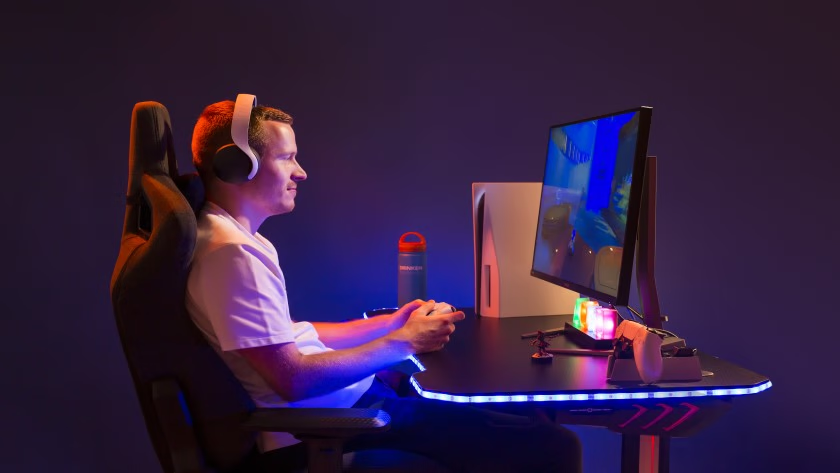
Do Sceptre Monitors Work with PS5?
Sceptre monitors are compatible with consoles like the PS5, but they’re not designed to maximize what those systems can do. Most models handle 1080p and 1440p gaming without issue, making them perfectly usable for standard console play.
Where they fall short is in next-gen features. Many lack HDMI 2.1 support, which means you won’t get 4K at 120Hz, and HDR performance is usually limited or purely nominal. So while they work, they don’t deliver the full console experience—especially compared to higher-end displays built with console gaming in mind.
Sceptre Monitor Settings for Gaming
One of the most overlooked aspects of Sceptre monitors is how much they depend on proper setup. Out of the box, many of them are poorly tuned, with brightness levels that wash out detail and color profiles that lean too cool or unnatural.
Spending a few minutes adjusting settings can significantly improve the experience. Reducing excessive brightness, fine-tuning contrast, and selecting a more balanced color temperature can make the image feel more natural and easier on the eyes. Response time settings also need careful handling—pushing them to the maximum often introduces visual artifacts, so finding a middle ground is usually the better approach.
For competitive games, prioritizing clarity and responsiveness over visual effects makes a noticeable difference. Disabling unnecessary processing features and keeping the image clean helps reduce distractions and input delay. With the right adjustments, a Sceptre monitor can perform far better than it does out of the box—but that improvement depends on user input.
Is Sceptre a Good Upgrade from 1080p?
Whether Sceptre feels like an upgrade depends less on resolution and more on what you’re coming from. If you’re moving from a basic 60Hz display, the jump to a higher refresh rate alone can redefine how your system feels. In that sense, Sceptre delivers one of the most cost-effective upgrades available.
But if your goal is to move into higher-end display quality—better colors, stronger contrast control, or more consistent panel performance—the improvement will feel less convincing. Sceptre tends to prioritize speed and size over refinement, which means the upgrade is more about experience than visual precision.
Pros and Cons of Sceptre Monitors
Sceptre monitors offer a clear advantage in affordability, making features like high refresh rates, curved displays, and ultrawide formats far more accessible than they would otherwise be. For many users, this alone makes the brand stand out—you’re able to get a noticeably better experience without stepping into premium pricing.
Beyond price, Sceptre does a solid job covering the essentials. Most models include modern panel types like IPS and VA, offer reliable 1080p and even 4K options, and come equipped with practical connectivity such as HDMI and DisplayPort. Gaming-focused models often include features like AMD FreeSync, fast response times, and refresh rates ranging from 144Hz up to 200Hz or higher, which translates into smooth, responsive gameplay for everyday use.
There’s also a strong level of versatility across the lineup. Whether you’re looking for a compact office monitor, a high-refresh gaming display, or a large curved ultrawide for immersion, Sceptre provides options that fit a wide range of needs. Features like built-in speakers, VESA mount compatibility, and simple plug-and-play usability make them easy to integrate into most setups without much hassle.
At the same time, the compromises are part of the package. Build quality is generally straightforward, ergonomic adjustments are often limited, and out-of-the-box color calibration can vary from one unit to another. While performance is solid for the price, it doesn’t have the same level of refinement, consistency, or precision you’d find in higher-end monitors. Over time, that difference becomes more noticeable—especially for users who prioritize color accuracy or premium build quality.
In practical terms, Sceptre monitors are functional and capable, but not polished. They focus on delivering the features that matter most while keeping costs low—and for many users, that trade-off makes sense.
Pros
- Affordable pricing across most models
- High refresh rates (144Hz–200Hz+) available at lower cost
- AMD FreeSync support on many gaming monitors
- Wide range of options (standard, curved, ultrawide, 4K)
- IPS and VA panels available depending on use case
- Good port selection (HDMI, DisplayPort, audio out)
- VESA mount compatibility for flexible setups
- Built-in speakers for basic audio needs
- Solid performance for casual and mid-level gaming
- Easy setup and everyday usability
Cons
- Limited ergonomic features (often tilt-only stands)
- Inconsistent color calibration out of the box
- VA panels may show motion smearing in some cases
- Fewer premium features (no USB-C, Thunderbolt, etc.)
- Not ideal for professional color-critical work
What to Avoid When Buying a Sceptre Monitor
The biggest mistake you can make with a Sceptre monitor is taking the spec sheet at face value. On paper, many of these displays look comparable to far more expensive options—high refresh rates, curved panels, large screen sizes—but those specs don’t always translate into the same real-world experience.
One of the most common pitfalls is choosing purely based on refresh rate. A 240Hz label sounds impressive, but on a budget panel, motion clarity can still fall short due to slower pixel transitions and aggressive overdrive tuning. In some cases, pushing for the highest response time setting actually introduces ghosting, which defeats the purpose of chasing smoother gameplay in the first place.
Panel type is another area that’s easy to overlook. Many Sceptre monitors use VA panels, which offer strong contrast but can struggle with motion handling—especially in darker scenes. If you’re playing fast-paced competitive games, this can result in noticeable smearing that isn’t obvious from the product listing alone.
Resolution and screen size also need to be balanced carefully. A larger curved ultrawide might look appealing, but if the resolution doesn’t scale well with the size, you can end up with a softer image than expected. This is particularly important in Sceptre’s budget ultrawide range, where immersion is prioritized over sharpness.
Build quality and ergonomics are often secondary considerations—but they shouldn’t be ignored. Many Sceptre monitors come with minimal adjustability, which can affect long-term comfort. If you’re planning to use the monitor for extended sessions, this becomes more important than it seems at first.
Ultimately, the key is understanding that Sceptre monitors are built around value, not refinement. Avoid expecting premium-level performance simply because the specs look similar. If you evaluate the monitor based on how it will actually be used—rather than how it’s marketed—you’re far more likely to make a choice that holds up over time.
How Sceptre Compares to Other Monitor Brands
Sceptre sits firmly in the value segment of the monitor market. It competes on price, not on refinement or performance leadership. Other brands dominate the high-end and professional tiers, offering better panels, more consistent quality, and stronger feature sets.
That doesn’t make Sceptre irrelevant—it just defines its role. It’s a brand that prioritizes accessibility, making certain features available to a wider audience, even if that means sacrificing some level of polish.
Sceptre vs ASUS
Sceptre and ASUS target very different buyers despite competing in many of the same monitor categories. ASUS has built a reputation for premium gaming monitors, excellent build quality, and advanced features, while Sceptre focuses primarily on affordability and value.
For gaming, ASUS generally has the advantage. Its ROG and TUF Gaming monitors often offer superior motion handling, better factory calibration, improved HDR performance, and more refined ergonomics. Competitive gamers who want every possible advantage will typically find ASUS the stronger choice.
However, Sceptre often wins on price. A Sceptre monitor can deliver similar refresh rates and resolutions at a significantly lower cost, making it an attractive option for gamers who want smooth performance without spending a premium.
Build quality is another area where ASUS typically comes out ahead. ASUS monitors tend to feature sturdier stands, more adjustment options, and a more premium overall feel. Sceptre monitors are functional but often make compromises in materials and ergonomics to keep costs low.
| Category | Winner |
|---|---|
| Value for Money | Sceptre |
| Gaming Features | ASUS |
| Build Quality | ASUS |
| Ergonomics | ASUS |
| Reliability | ASUS |
| Budget Gaming | Sceptre |
If your budget is limited, Sceptre offers exceptional value. If you’re willing to spend more for premium quality and features, ASUS is the better investment.
Sceptre vs LG
LG is one of the most respected display manufacturers in the world and produces many of the panels used by other monitor brands. As a result, LG monitors are often associated with excellent image quality, strong color accuracy, and dependable reliability.
For content creators, photographers, and professionals, LG is usually the better option. The company’s IPS monitors are known for their color performance and viewing angles, making them suitable for productivity and creative work.
Sceptre, on the other hand, focuses on affordability. While LG often provides better overall image quality, Sceptre delivers a more budget-friendly way to access features like high refresh rates, curved screens, and ultrawide displays.
Gamers may find the gap smaller than expected. Many Sceptre gaming monitors provide a smooth and enjoyable gaming experience despite costing considerably less than comparable LG models.
| Category | Winner |
|---|---|
| Value for Money | Sceptre |
| Color Accuracy | LG |
| Build Quality | LG |
| Reliability | LG |
| Professional Work | LG |
| Budget Gaming | Sceptre |
Choose LG if image quality and reliability are your priorities. Choose Sceptre if you’re trying to maximize performance while minimizing cost.
Sceptre vs Samsung
Samsung has long been a leader in display technology and is particularly well known for its curved monitors, VA panels, and premium gaming displays. Compared to Sceptre, Samsung typically offers a more refined ownership experience.
Samsung monitors often feature stronger build quality, better HDR implementation, improved panel consistency, and more polished software features. The company’s premium Odyssey gaming lineup is especially popular among enthusiasts.
Sceptre counters with aggressive pricing. Buyers can often purchase a Sceptre monitor with similar core specifications for significantly less money. For casual gamers and general users, the real-world performance difference may not always justify Samsung’s higher pricing.
Samsung also tends to offer better quality control and stronger brand recognition. Buyers who prioritize long-term peace of mind may feel more comfortable investing in Samsung.
| Category | Winner |
|---|---|
| Value for Money | Sceptre |
| Build Quality | Samsung |
| HDR Performance | Samsung |
| Reliability | Samsung |
| Gaming Value | Sceptre |
| Premium Features | Samsung |
Samsung is the better premium brand, while Sceptre remains one of the strongest value-focused alternatives.
Sceptre vs Acer
Acer and Sceptre compete much more directly than many of the other brands on this list. Both companies offer affordable gaming monitors aimed at mainstream consumers, making this one of the closest comparisons.
Acer has a slight edge in overall refinement. Its Nitro and Predator monitor lines are generally known for better quality control, stronger build quality, and more consistent performance across different models. Buyers are also likely to find more ergonomic features, including height-adjustable stands and improved cable management.
Sceptre’s biggest advantage is value. The company frequently undercuts Acer on price while still offering competitive specifications such as 144Hz, 165Hz, and even 240Hz refresh rates. For gamers on a strict budget, Sceptre often provides more performance per dollar.
| Category | Winner |
|---|---|
| Value for Money | Sceptre |
| Build Quality | Acer |
| Reliability | Acer |
| Gaming Performance | Tie |
| Budget Gaming | Sceptre |
| Ergonomics | Acer |
If you want the safest budget purchase, Acer has the edge. If maximizing value is your goal, Sceptre is hard to beat.
Sceptre vs AOC
Among all the brands compared in this review, AOC is arguably Sceptre’s closest competitor. Both brands have built their reputations on delivering affordable monitors that prioritize performance and value over premium extras.
AOC generally offers slightly better build quality and quality control. The company also has a strong reputation among gamers thanks to its G-Series monitors, which frequently appear on lists of the best budget gaming displays.
Sceptre fights back with aggressive pricing. In many cases, buyers can save money by choosing a Sceptre monitor while still receiving similar refresh rates and gaming-focused features.
The differences between the two brands are often smaller than buyers expect. Both target budget-conscious users, and both provide excellent value within their respective price ranges.
| Category | Winner |
|---|---|
| Value for Money | Sceptre |
| Build Quality | AOC |
| Reliability | AOC |
| Gaming Features | Tie |
| Budget Gaming | Tie |
| Overall Consistency | AOC |
For buyers seeking the absolute lowest price, Sceptre usually wins. For those willing to spend slightly more for improved consistency, AOC is often the safer choice.
Sceptre vs Pixio
When comparing budget gaming monitor brands, Pixio is one of Sceptre’s most direct competitors. Both companies have built loyal followings by offering gaming-focused monitors at prices that are often lower than those of premium brands like ASUS, LG, and Samsung.
The biggest difference between the two brands is their product strategy. Sceptre focuses heavily on affordability, offering a wide range of budget monitors that appeal to first-time buyers, students, and gamers who want the best possible value. Pixio, while still value-oriented, has gradually expanded into the premium gaming space with models like the PX27UM Mini LED and PX27U Prime Neo, giving buyers access to features such as Mini-LED technology, HDMI 2.1 connectivity, and ultra-high refresh rates.
Pixio generally has the advantage when it comes to panel quality and premium gaming features. Many of its newer monitors use Fast IPS panels and offer stronger color performance, better HDR capabilities, and more modern feature sets than comparable Sceptre models. Gamers looking for the latest display technologies will often find more options in Pixio’s lineup.
Sceptre counters with aggressive pricing and excellent entry-level value. The brand frequently offers some of the most affordable high-refresh-rate monitors on the market, making it an attractive choice for buyers who want smooth gaming performance without stretching their budget. For casual gamers and budget-conscious shoppers, Sceptre often delivers everything they need at a lower cost.
Ultimately, both brands offer strong value, but they appeal to slightly different audiences. Sceptre is ideal for buyers who prioritize affordability, while Pixio is often the better choice for gamers willing to spend a little more for improved image quality, modern features, and greater long-term versatility. For a deeper look at Pixio’s strengths and weaknesses, read our complete Pixio Monitor Review.
| Category | Winner |
|---|---|
| Value for Money | Sceptre |
| Build Quality | Pixio |
| Picture Quality | Pixio |
| Gaming Features | Pixio |
| Budget Gaming | Sceptre |
| Premium Gaming | Pixio |
| Overall Reliability | Pixio |
| Overall Winner | Pixio |
For buyers seeking the lowest possible price, Sceptre remains one of the best budget monitor brands available. However, for gamers looking for a more complete package with stronger image quality, better gaming features, and a wider range of premium options, Pixio is generally the better long-term investment.
| Brand | Value | Gaming | Build Quality | Reliability |
|---|---|---|---|---|
| Sceptre | 9/10 | 8.5/10 | 7.5/10 | 7.5/10 |
| ASUS | 8/10 | 9/10 | 9/10 | 9/10 |
| LG | 8/10 | 8.5/10 | 9/10 | 9/10 |
| Samsung | 8/10 | 8.5/10 | 9/10 | 8.5/10 |
| Acer | 8.5/10 | 8.5/10 | 8/10 | 8.5/10 |
| AOC | 8.5/10 | 8.5/10 | 8/10 | 8.5/10 |
Buy a Sceptre Monitor If…
- You want the best value for your money.
- You’re building a gaming setup on a budget.
- You want high refresh rates without premium pricing.
- You don’t need advanced professional features.
- You primarily play at 1080p or 1440p.
Avoid Sceptre If…
- You require professional color accuracy.
- You need premium build quality and ergonomics.
- You want industry-leading warranty support.
- You work in color-critical creative fields.
- You prefer maximum quality-control consistency.
Best Sceptre Gaming Monitors to Consider(At a Glance)
If you’ve decided that Sceptre is the right brand for your needs, the next step is choosing the right model. While the company offers dozens of displays, a few stand out as the strongest options in their respective categories.
| Use Case | Model | Why It Stands Out |
|---|---|---|
| Best Overall | Sceptre E275B-FPT165 | Excellent balance of gaming performance and value |
| Best Ultrawide | Sceptre (C305B-200UN1) | Affordable immersion for racing and RPGs |
| Best Competitive Gaming | Sceptre C255B-FWT240 | 240Hz performance at a budget price |
| Best Premium Ultrawide | Sceptre C345B-QUT168 | High-resolution ultrawide gaming |
| Best 4K Productivity | Sceptre U275W-UPT | Affordable 4K for work and media |
1. Best Overall: Sceptre E275B-FPT165
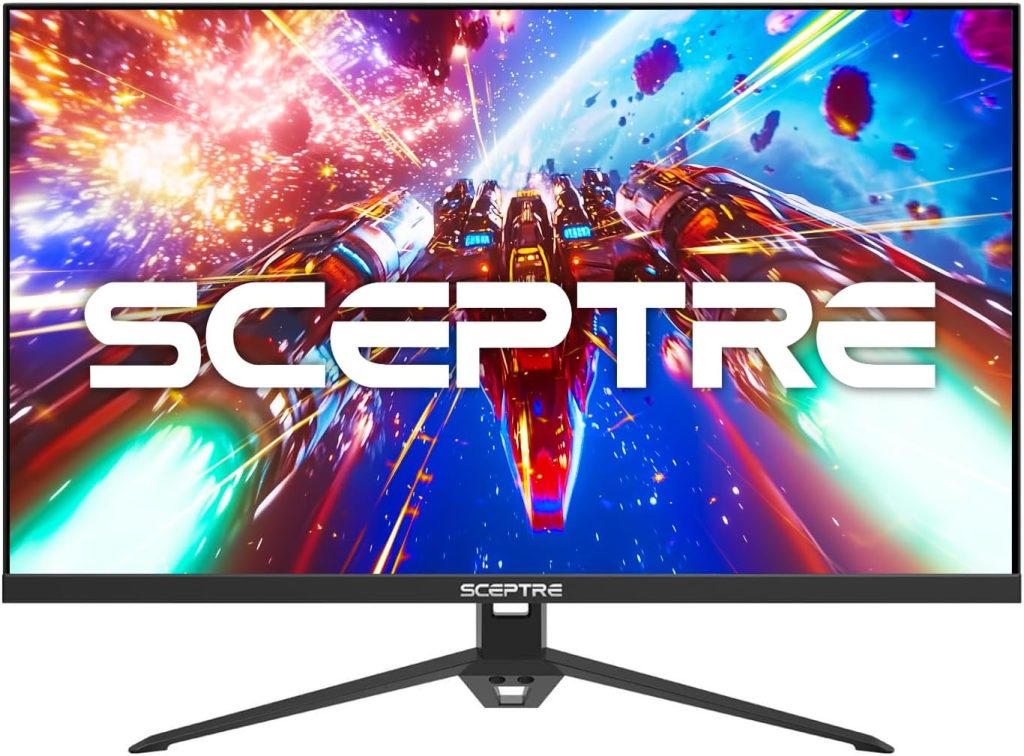
The Sceptre E275B-FPT165 represents the sweet spot of Sceptre’s lineup. Its combination of a fast refresh rate, IPS panel, and affordable pricing makes it suitable for both gaming and everyday use. For most buyers, this is the easiest Sceptre monitor to recommend.
2. Best Ultrawide: Sceptre (C305B-200UN1)
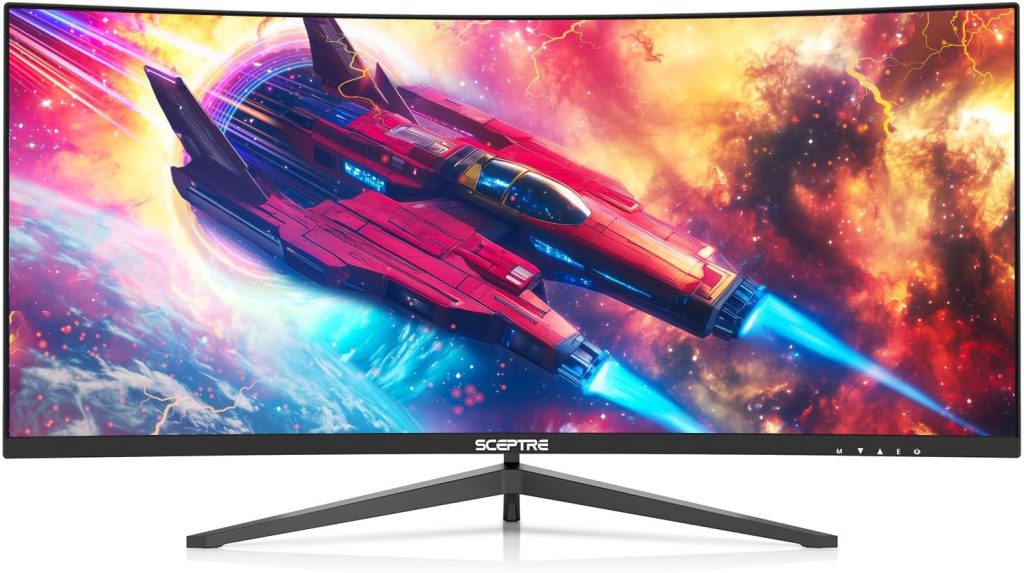 For users seeking a more immersive experience, the Sceptre (C305B-200UN1) delivers impressive value. The 30-inch curved ultrawide panel works particularly well for racing games, simulations, and multitasking.
3. Best Competitive Gaming Monitor: Sceptre C255B-FWT240
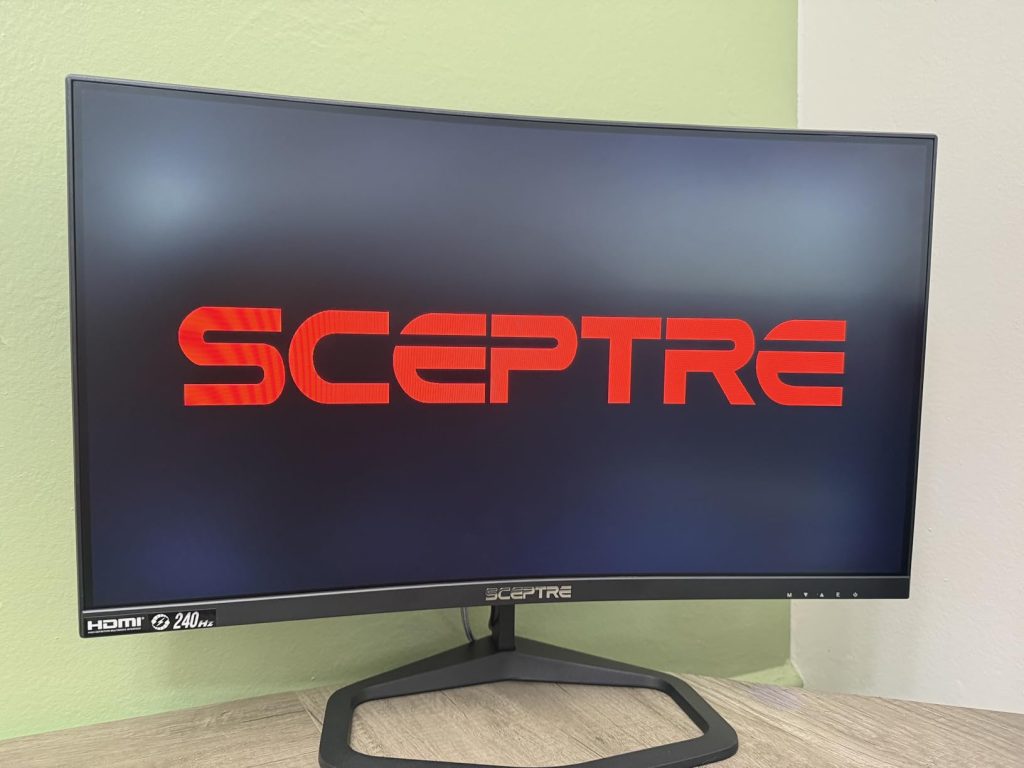 If your priority is responsiveness, the Sceptre C255B-FWT240 is one of the most affordable ways to access 240Hz gaming. It sacrifices some refinement compared to premium esports monitors but offers exceptional speed for the price.
4. Best Premium Ultrawide: Sceptre C345B-QUT168
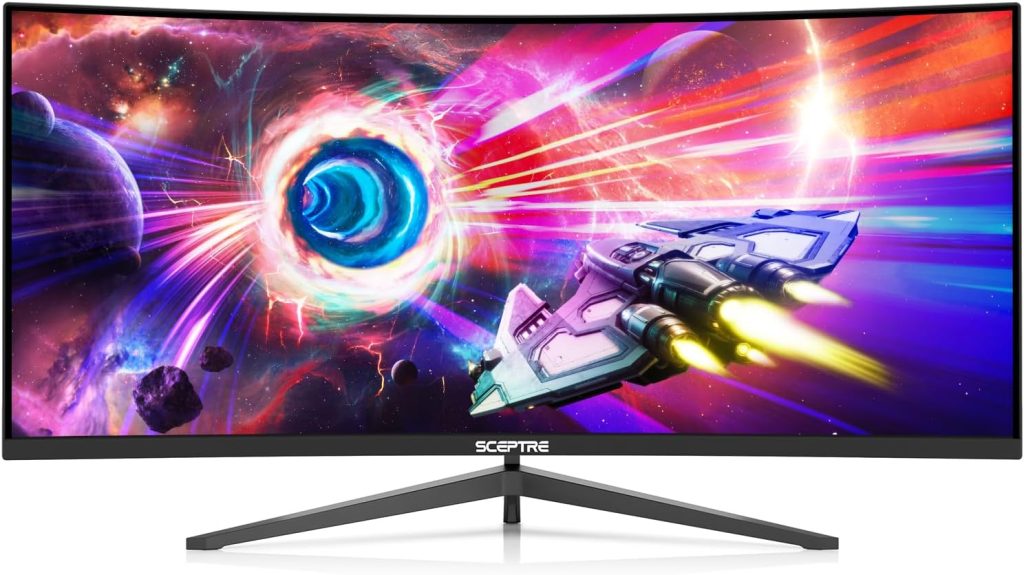
The Sceptre C345B-QUT168 combines a 34-inch 3440×1440 display with a 165Hz refresh rate, creating a strong balance between immersion and performance.
5. Best 4K Productivity Monitor: Sceptre U275W-UPT
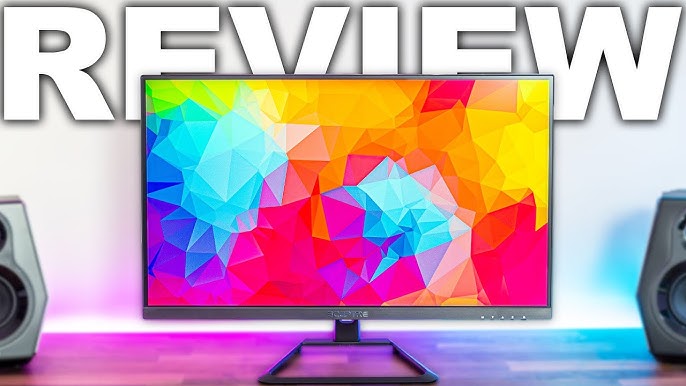
While gaming isn’t its primary focus, the Sceptre U275W-UPT provides a sharp 4K IPS display that works well for productivity, content consumption, and general desktop use.
For a more detailed breakdown of gaming-focused models, see our dedicated Best Sceptre Gaming Monitors guide.
Final Verdict: Are Sceptre Monitors Worth It?
Sceptre monitors make the most sense when you judge them for what they’re designed to do. They’re not premium displays—and they’re not trying to be. What they offer instead is access: higher refresh rates, larger screens, curved and ultrawide formats, and solid everyday performance at a price point that’s far more approachable.
For budget-conscious users, that value is hard to ignore. You’re getting a real upgrade in smoothness, screen size, and overall experience without spending heavily. For gaming, everyday use, and general productivity, Sceptre delivers where it matters most.
Of course, there are trade-offs. You won’t get the same level of refinement, build quality, or advanced features found in higher-end monitors. But for most users, those differences are secondary to the core experience—and that’s where Sceptre consistently performs well.
In the end, Sceptre monitors are worth it for the right buyer. Not because they outperform the competition, but because they make a better experience more accessible.
If your goal is smoother gameplay, a larger or more immersive display, or simply better value for your money, Sceptre delivers exactly that. Choose the right model for your needs, and you’ll get a monitor that punches well above its price.
Frequently Asked Questions(FAQs)
Are Sceptre Monitors Good?
Yes, Sceptre monitors are good for buyers who prioritize value over premium refinement. The brand offers features such as high refresh rates, curved displays, ultrawide formats, and AMD FreeSync support at prices that are often lower than competing brands.
While Sceptre monitors may not match the build quality, color accuracy, or quality-control consistency of premium manufacturers, they generally provide solid performance for gaming, productivity, and everyday use. For budget-conscious users, they remain one of the strongest value-oriented monitor brands available.
Is Sceptre a Reliable Monitor Brand?
Sceptre is reasonably reliable, though it does not have the same consistency as premium monitor manufacturers. Many owners report several years of trouble-free use, particularly with gaming and office monitors. However, issues such as dead pixels, backlight bleed, and occasional power supply failures appear more frequently than they do with higher-end brands. Overall, Sceptre is a reliable brand when viewed within its budget category and price range.
How Long Do Sceptre Monitors Last?
Most Sceptre monitors can last between three and seven years with normal use. The display panels themselves tend to age well, especially on gaming models where high refresh rates remain useful for years. When failures occur, they are more likely to involve supporting components such as power supplies or internal electronics rather than the panel itself. Proper care and ventilation can help extend the lifespan even further.
Are Sceptre Monitors Good for Gaming?
Yes, Sceptre monitors are particularly popular among budget gamers. Many models offer 144Hz, 165Hz, 200Hz, and even 240Hz refresh rates, along with AMD FreeSync support and fast response times. These features help deliver smoother and more responsive gameplay compared to standard 60Hz displays.
While premium gaming monitors may offer better motion clarity, HDR performance, and color calibration, Sceptre provides an excellent balance between gaming performance and affordability.
Are Sceptre Monitors Good for PS5?
Sceptre monitors work well with the PS5 for standard gaming at 1080p and 1440p resolutions. Many models support high refresh rates and low input lag, making them suitable for fast-paced games.
However, most Sceptre monitors do not include HDMI 2.1 connectivity, which means they typically cannot take full advantage of the PS5’s 4K 120Hz capabilities. They are a good budget option, but not the ideal choice for gamers seeking the complete next-generation console experience.
Does Sceptre Have a Dead Pixel Warranty?
Yes, Sceptre has a dead pixel policy, but it does not automatically replace monitors with a single defective pixel. According to the company’s published warranty information, a display generally qualifies for replacement when it has three dead pixels clustered together or five dead pixels in a combination of color and brightness defects. Pixels below those thresholds are considered within normal manufacturing tolerances. Buyers who discover dead pixels shortly after purchase often have better luck using the retailer’s return or exchange policy.
Is Sceptre Better Than ASUS?
Not overall. ASUS is generally superior in build quality, color accuracy, quality control, ergonomics, and premium gaming features. However, Sceptre often delivers similar refresh rates and gaming-focused specifications at a much lower price.
If you’re looking for the best value and have a limited budget, Sceptre may be the better choice. If you’re willing to spend more for a more refined experience, ASUS is the stronger brand.
Is Sceptre Better Than LG?
For image quality and reliability, LG is the better brand. LG’s monitors are known for excellent IPS panels, color accuracy, and long-term consistency.
Sceptre’s advantage is affordability. Buyers can often get larger screens, higher refresh rates, or ultrawide displays for significantly less money. For budget gaming and everyday use, Sceptre offers strong value, while LG remains the better option for professional work and premium display quality.
Are Sceptre Monitors VESA Compatible?
Many Sceptre monitors are VESA compatible, allowing them to be mounted on monitor arms or wall mounts. However, compatibility varies by model, so it is important to check the specifications before purchasing. VESA support is particularly common on Sceptre’s gaming monitors and larger displays, making it easier to improve ergonomics beyond the limitations of the included stand.
Which Is the Best Sceptre Monitor?
For most users, the Sceptre E275B-FPT165 is the best overall Sceptre monitor. It offers an excellent balance of refresh rate, image quality, gaming performance, and affordability. Buyers looking for ultrawide immersion may prefer the C305B-200UN1, while competitive gamers may find the C255B-FWT240 more appealing thanks to its 240Hz refresh rate. The best choice ultimately depends on your budget and intended use.
What Do Pro Gamers Use for Monitors?
Professional players tend to use monitors built specifically for consistency and competitive performance. These displays are tuned for motion clarity, minimal latency, and reliable behavior under demanding conditions.
Sceptre doesn’t compete in that space. Its monitors are not designed for esports environments, and they’re rarely seen at that level. Instead, they serve a different audience—players who want better performance than entry-level displays without paying premium prices.
That distinction is important. Sceptre isn’t trying to match pro-level gear; it’s trying to make a portion of that experience more accessible.


