



CyberPowerPC Gamer Xtreme GXiVR8080A41 Review: Best Value 1080P Gaming PC In The Market Right Now (2026)
The CyberPower PC Gamer Xtreme offers strong 1080p performance at a reasonable price. The loud CPU cooler is the only thing holding the Gamer Xtreme back from true greatness.
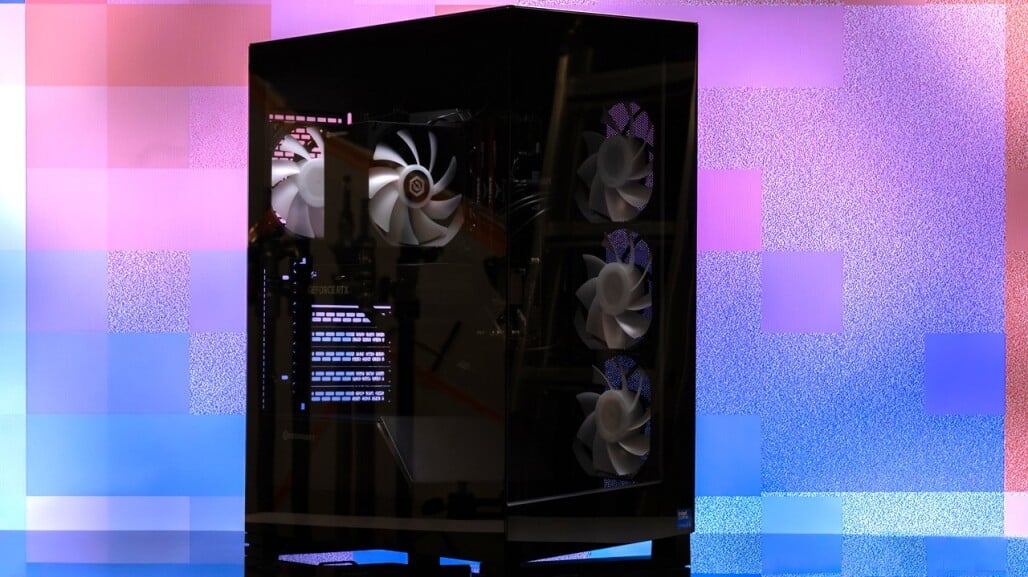
CyberPowerPC takes a more modern, showcase approach with the latest Gamer Xtreme by housing it inside the Phanteks NV5 mid-tower chassis. The case combines a sturdy black steel frame with tempered glass panels on both the front and side, giving you a clear, uninterrupted view of the internal components. It’s not just about looks, though—ventilation is well thought out, with a side-mounted intake area supporting three vertically aligned 120mm RGB fans, while the top panel is designed to accommodate either additional fans or a 360mm radiator, complete with a removable dust filter for easier maintenance. A rear-mounted 120mm RGB fan handles exhaust duties to keep airflow balanced.
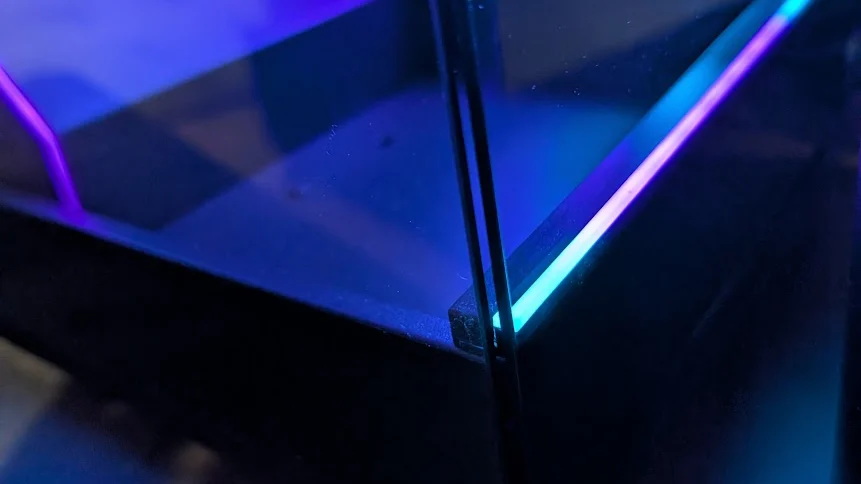
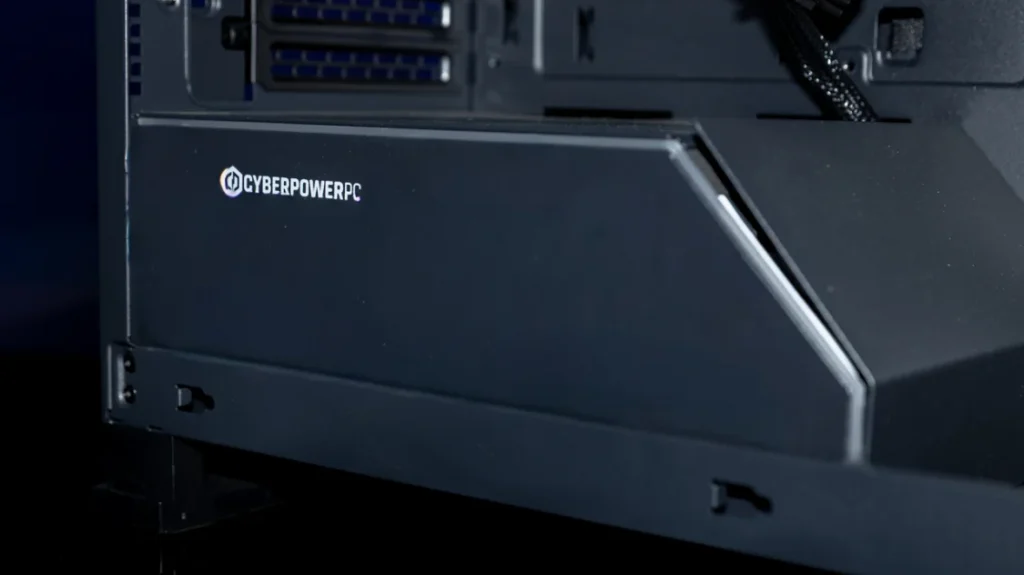
Lighting plays a big role in the overall presentation. Beyond the RGB fans, subtle LED accents run along the base of the front panel and across the PSU shroud, adding depth without feeling overdone. Even the CPU air cooler contributes to the aesthetic with its own 120mm RGB fan, tying the entire lighting setup together into a cohesive look that feels polished rather than flashy.
Internally, the layout is clean and functional, with smart cable routing tucked behind the motherboard tray to reduce clutter and keep airflow unobstructed. This design choice helps maintain consistent cooling performance, especially under load, while also giving the interior a more polished, organized look.
In terms of size, the CyberPowerPC Gamer Xtreme GXiVR8080A41 fits comfortably within the mid-tower category. Measuring 9.4 x 18.8 x 20.8 inches, it’s slightly larger overall than the Skytech Gaming Azure 3, which comes in at 17.2 x 9.1 x 17.8 inches. Despite the difference, the Gamer Xtreme still strikes a good balance—offering enough internal room for strong airflow and upgrade flexibility without becoming overly bulky.
CyberPowerPC also includes a magnetic dust filter for the top ventilation area, making it easy to remove and clean when needed. This simple addition helps reduce dust buildup inside the system, which is especially useful for maintaining long-term cooling efficiency and component longevity.
Ports
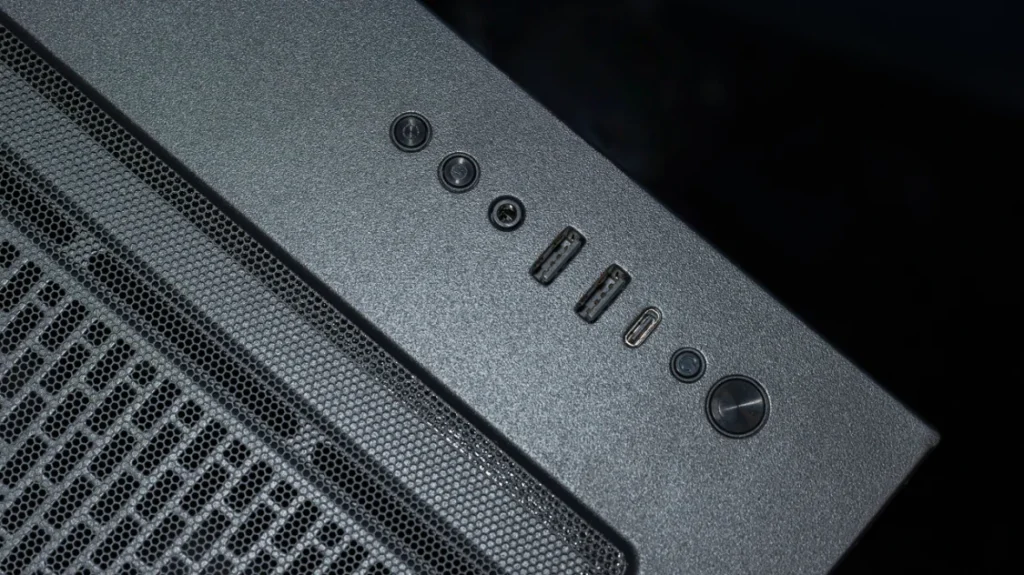
The I/O layout on the CyberPowerPC Gamer Xtreme is well thought out for everyday convenience. On the top panel, you’ll find two USB-A 3.1 ports, a USB-C 3.2 Gen 2 port, and a 3.5mm headphone jack, giving you quick access for peripherals, external drives, and charging devices without reaching around the back. Alongside these are the essential power controls, including the main power button and three additional switches—two dedicated to RGB lighting control and one for a hard reset, which can be useful during troubleshooting or system hangs.
Around the rear, the system expands connectivity with five additional USB-A ports (a mix of USB 2.0 and 3.1), an RJ-45 Ethernet port, and a standard triple audio jack setup. This makes it easy to connect legacy peripherals, though users relying heavily on newer USB-C devices may still need a hub or adapter. The graphics card also provides solid display support with three DisplayPort 2.1 outputs and one HDMI 2.1 port, allowing for multi-monitor setups and high-refresh gaming displays. For wireless connectivity, the system includes Wi-Fi 6 and Bluetooth 5.3, which, while not the newest standards available, remain reliable and more than sufficient for stable gaming, streaming, and peripheral connections.
Internally, access for upgrades and maintenance is straightforward. The tempered glass side panel is secured with thumb screws, making it easy to open for upgrades or cleaning. Once inside, there’s enough room to work comfortably, whether you’re swapping components or managing cables, even if reattaching the side panel can take a bit of care to align properly.
Cooling is handled by a combination of four case fans and a CPU air cooler, which keeps temperatures under control but can become noticeable under heavier loads. Fan behavior is generally effective, though not perfectly smooth—speeds can ramp up and down somewhat abruptly between workloads, which may be audible in quieter environments. It’s not unusual for a system in this category, but users sensitive to noise may notice it during non-gaming tasks unless they’re using headphones.
Keyboard and Mouse
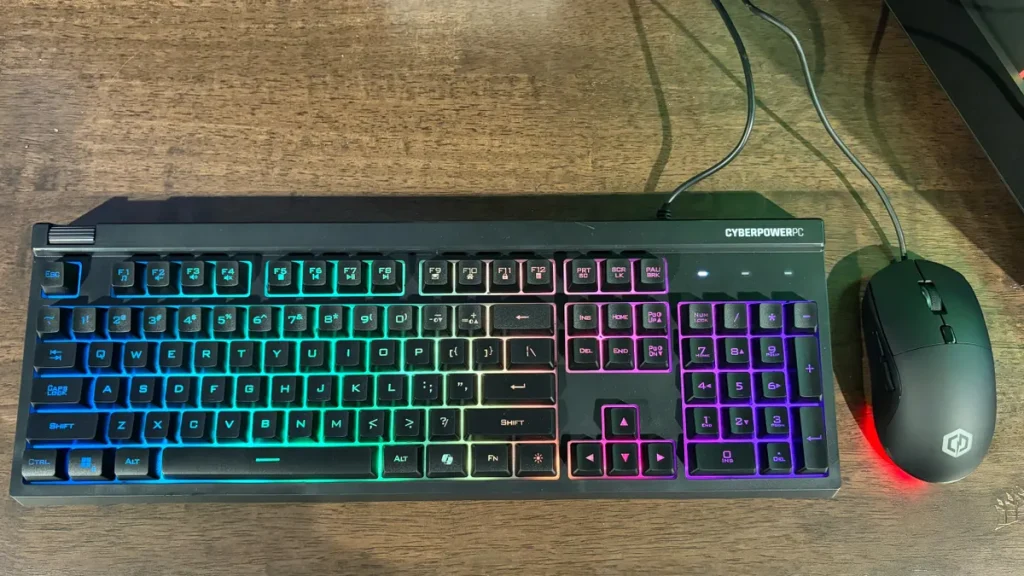
The included NOHI 2 keyboard comes with RGB backlighting and several lighting effects that can be adjusted using simple FN key shortcuts. It also has fold-out stands on the underside, allowing you to change the typing angle for a more comfortable setup. In everyday use, it delivers a fairly solid typing feel for a bundled keyboard, and it performs better than expected for casual gaming and general productivity tasks.
The Elite M2 RGB mouse that comes with the system is a simple, right-handed design with six programmable-style buttons, including side buttons and a DPI switch. It’s compact and lightweight, which may not suit all hand sizes or preferences, but it functions reliably for basic gaming. While it doesn’t offer advanced customization or premium build quality, it does its job without issues as a starter mouse.
Software and Warranty
On the software side, the Gamer Xtreme keeps things refreshingly clean. CyberPowerPC avoids loading the system with unnecessary third-party apps, trials, or background utilities that often slow down new PCs. Instead, you get a straightforward installation of Windows 11 Home, which allows you to set up and start using the system without having to remove unwanted software first.
Warranty coverage depends on where the PC is purchased. Buying directly from CyberPowerPC typically includes extended protection, with labor coverage lasting up to three years and parts covered for two. However, retail versions—such as those sold through certain stores—may come with a shorter warranty period, often around two years total, which is still decent but worth keeping in mind when comparing purchase options.
Performance
In terms of positioning, the CyberPowerPC Gamer Xtreme sits at the more affordable end of the gaming desktop spectrum when compared to systems like the Alienware Aurora, the Lenovo Legion Tower 5 Gen 10, and the Asus TUF Gaming T500 being the closest in price on the lower end. Despite being the least expensive among these comparison systems, it still delivers a level of performance that comfortably covers both gaming and everyday productivity workloads.
Powered by the AMD Ryzen 9 9900X, the system handles general use with ease. Everyday tasks like web browsing, multitasking, and working with multiple Chrome tabs run smoothly without slowdowns or stuttering. The CPU’s strong multi-core design also helps keep performance consistent when switching between applications or running background tasks while gaming, making the system feel responsive even under heavier workloads.
However, one area that stands out during regular use is acoustics. The 120mm air cooler used for the CPU tends to be noticeably audible even when the system is idling, producing more sound than you’d typically expect from quieter AIO-cooled setups. That noise level increases further once gaming begins and the RTX 5070 ramps up its fans under load. While performance itself remains solid, the cooling solution prioritizes function over silence, and the resulting fan noise can become distracting in quieter environments.
Gaming Performance: Ready for the Average PC Gamer
Gaming in 4K is not entirely out of the question, but the CyberPowerPC Gamer Xtreme works best as a 1080p or 1440p gaming rig, especially if you want to run your favorite games at high detail settings.
Conclusion
The CyberPowerPC Gamer Xtreme GXiVR8080A41 ultimately delivers exactly what it sets out to do—provide strong, modern gaming performance in a ready-to-use package without pushing into extreme pricing territory. With its AMD Ryzen 9 9900X and RTX 5070 12GB combination, the system is more than capable of handling today’s demanding games, especially at 1080p and 1440p, where it consistently produces smooth frame rates and high-quality visuals. It also carries enough CPU and GPU headroom to remain relevant for productivity workloads, making it a well-rounded machine rather than a gaming-only build.
That said, it’s not without its compromises. The most noticeable drawback is acoustics, with the air cooling solution and case fans becoming clearly audible under load—and sometimes even during lighter use. While performance is never in question, the noise profile may bother users who prefer a quieter setup. There’s also some consideration around future upgrades depending on the power supply configuration, which could limit more demanding GPU upgrades down the line.
Even with those trade-offs, the overall package remains compelling. You get a clean, well-built system with no software clutter, modern connectivity, and a design that balances airflow and aesthetics effectively. For gamers who want a straightforward, powerful desktop that’s ready to go out of the box, the Gamer Xtreme GXiVR8080A41 stands out as a practical and performance-focused choice—especially at its price point.


