



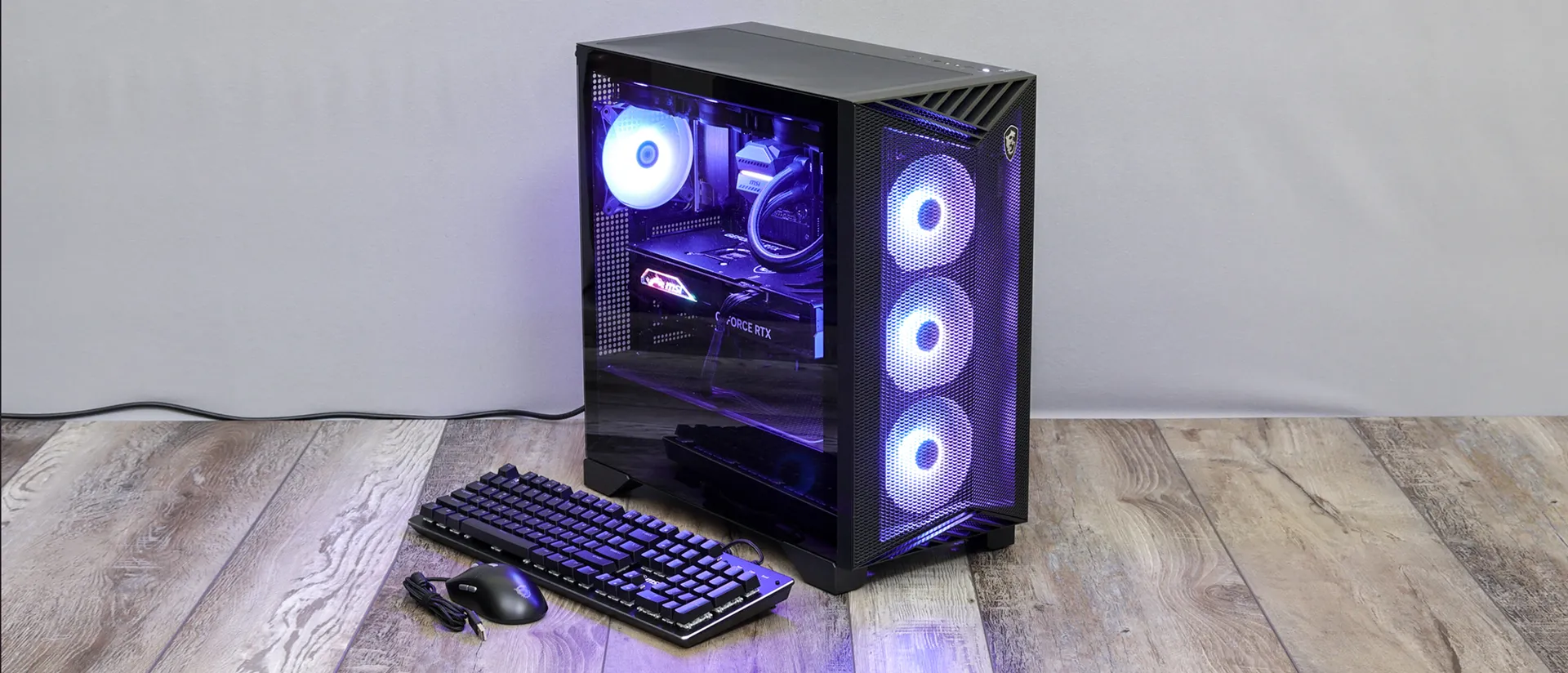
MSI Aegis R2 AI C2NVR9-1452US Desktop Review
The MSI Aegis R2 AI C2NVR9-1452US hits a sweet spot in the prebuilt gaming space, delivering near high-end performance at a price that feels far more accessible than most premium systems. It’s built for gamers and creators who want strong, reliable performance straight out of the box—no custom building required
Pros
- Great build quality
- Powerful components
- Great gaming performance
- Wi-Fi 7 support
Cons
- No secondary storage offered
- Lackluster USB ports
What makes the Aegis R2 especially compelling is how well it balances performance, build quality, and cost. It confidently competes with boutique-built PCs while maintaining the convenience of an off-the-shelf system. You’re getting hardware capable of handling modern AAA titles and demanding workloads, all packaged in a machine that feels thoughtfully put together.
Of course, it’s not perfect. The limited storage setup may require an early upgrade for larger game libraries, and the USB selection could be more generous for power users. Even so, these drawbacks don’t significantly detract from the overall experience. For its price, the Aegis R2 remains a strong contender in the prebuilt market.
In the sections that follow, we’ll take a closer look at its design, components, and real-world performance to see how it stacks up against the best gaming desktops available today. The MSI Aegis ZS2 is the reviewed unit for users looking for the revised ,pre advanced version
MSI Aegis R2 AI C2NVR9-1452US Specs
| Processor | Intel Core Ultra 9 285 |
| RAM | 32GB DDR5 |
| Storage | 2TB M.2 NVMe SSD |
| Graphics Card | Nvidia Geforce RTX 5070Ti |
| Size | 19.4 x 9.1 x 19 inches |
| Weight | 26.9 pounds |
Design
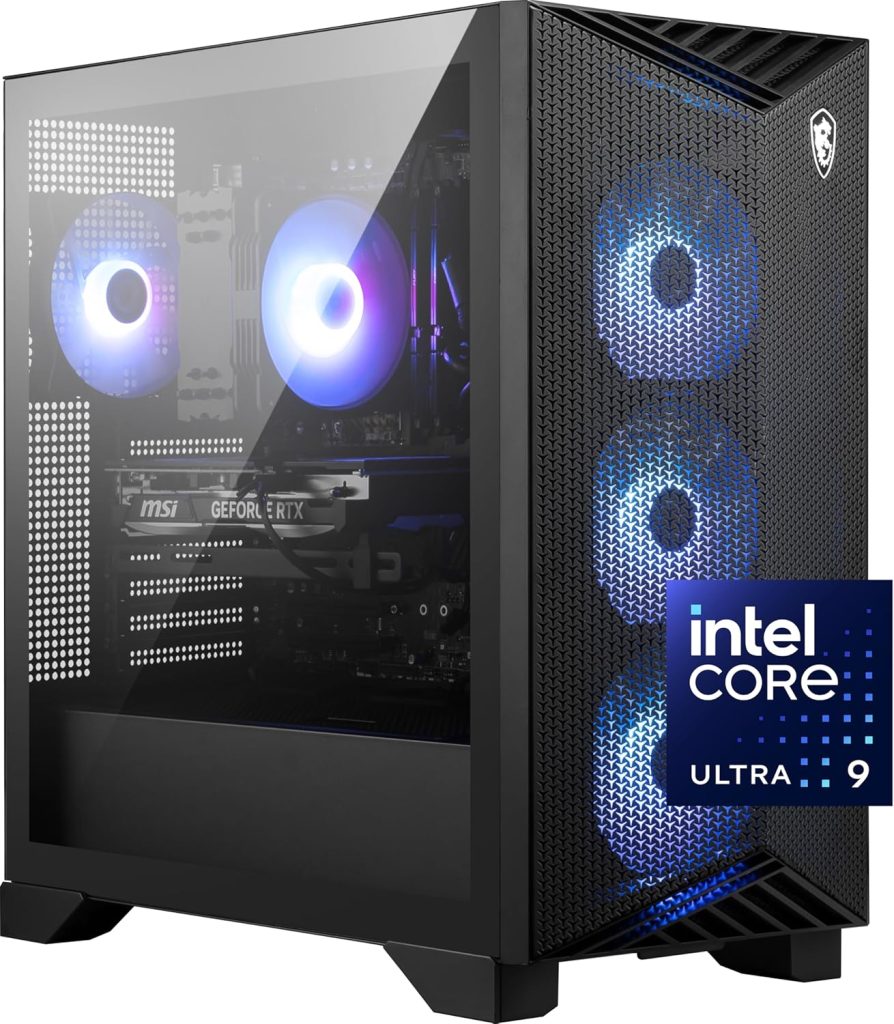
The MSI Aegis R2 AI C2NVR9-1452US makes a strong first impression with a chassis that blends aggressive styling with practical airflow. Its most distinctive element is the sharply contoured front panel, featuring angular protrusions and a single MSI dragon logo for a clean but unmistakably gaming-focused look. The standard configuration includes a tempered glass side panel to showcase the internals, paired with mesh ventilation along the top, right side, and bottom. It’s available in both black and white finishes, while some black variants swap the glass for a fully meshed side panel with a slightly different design.
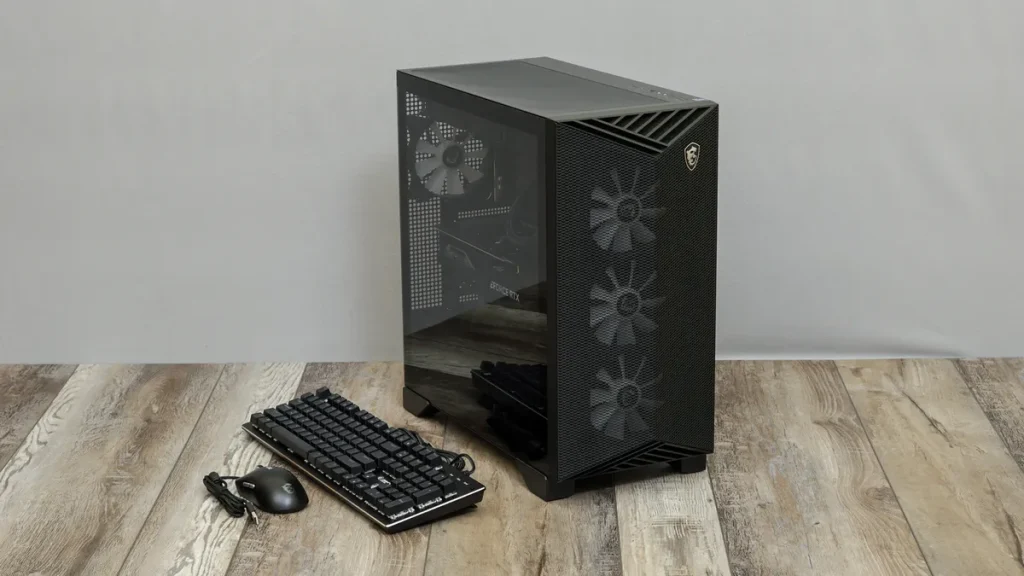
Cooling and airflow are clearly a priority here. Three RGB intake fans line the front, pulling air directly into the system, while the top panel supports additional fans or radiators and comes with a magnetic dust filter for easy maintenance. The bottom-mounted power supply is hidden beneath a shroud, helping keep the interior tidy, and extra dust filters are placed underneath to protect airflow into the PSU. Around the back, the panel is ventilated to further assist with heat dissipation, and both side panels use captive thumb screws for quick and tool-free access.
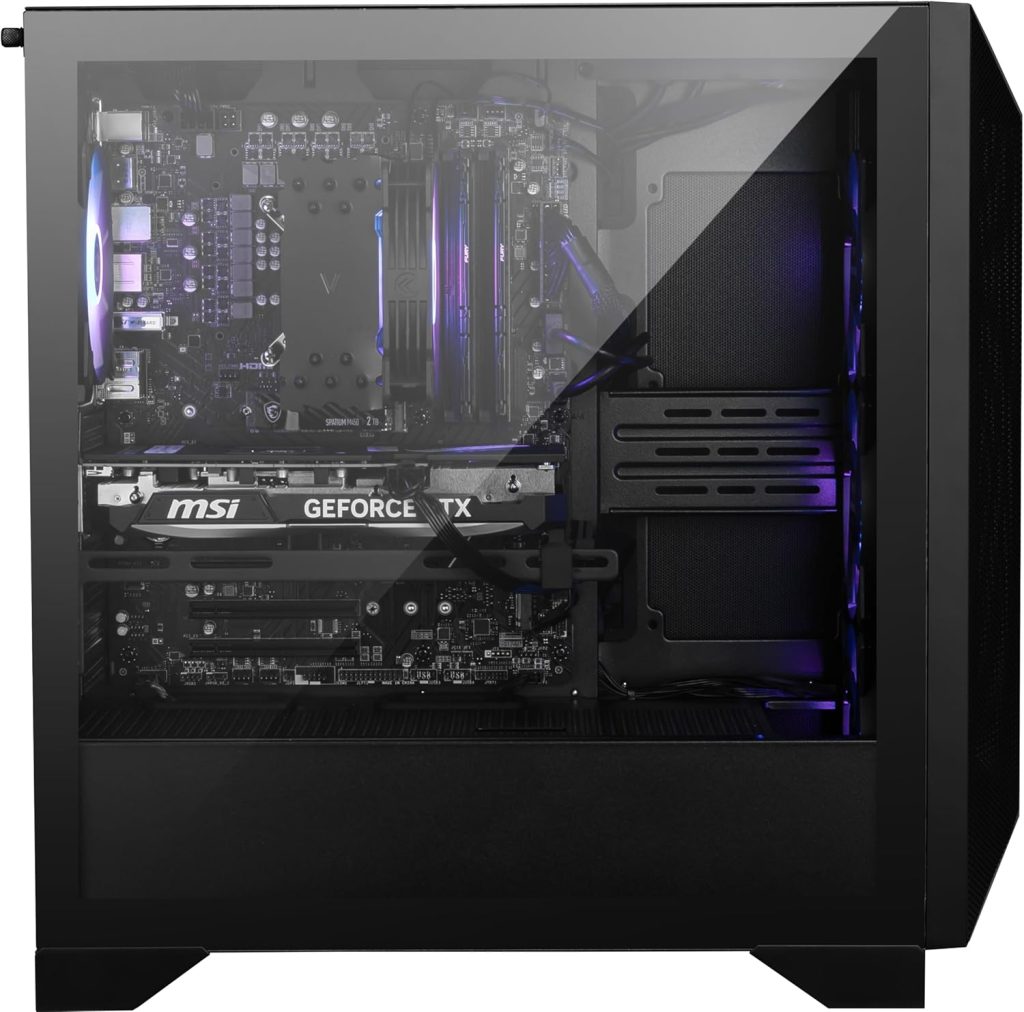
Inside, the layout is clean and well-organized. This configuration features the MSI PRO Z790-VC WIFI motherboard, paired with an Intel Core i9-14900KF cooled by a 360mm radiator mounted at the top of the case. Memory comes in the form of 32GB of DDR5-5600 (via two 16GB sticks), while storage is handled by a 2TB NVMe SSD tucked neatly under its own heatsink. The centerpiece, however, is the triple-slot NVIDIA RTX 4080 SUPER GPU, which is secured with a support bracket to prevent sagging and includes subtle RGB lighting along the MSI logo.
Cable management is handled neatly behind the scenes. Removing the rear panel reveals well-routed cables alongside a central fan and RGB controller, keeping everything organized and out of sight. The overall build feels thoughtful and functional, with enough space and accessibility for future upgrades.
MSI also includes a keyboard and mouse in the box—something many competitors skip or charge extra for. The keyboard uses membrane switches designed to mimic the feel of mechanical keys, offering a better-than-average typing experience for a bundled accessory. It features row-based backlighting with preset lighting modes, though it lacks per-key RGB customization or dedicated media controls. The mouse follows suit in quality, offering a full-sized, ergonomic design with five buttons, including side navigation controls and a DPI switch. While its lighting effects aren’t customizable, it’s still a noticeable step up from the typical bundled peripherals.
Ports
Up top, the MSI Aegis R2 AI C2NVR9-1452US keeps things simple and accessible. Along the right edge, you’ll find the power and reset buttons, along with an LED control that cycles through various RGB lighting effects for the system fans and CPU cooler (the GPU lighting operates separately). For quick access, there are two front USB ports—one Type-A and one Type-C—both running at 5Gbps, plus dedicated 3.5mm jacks for headphones and a microphone.
At the rear, the system expands its connectivity, though it’s not quite as robust as you might expect at this price point. There are seven USB ports in total: two USB 2.0, four USB 3.0 (5Gbps), and one faster 20Gbps Type-C port. You’ll also find a PS/2 port for legacy devices, along with six 3.5mm audio jacks for surround sound setups—though there’s no optical audio output. Wireless connectivity is handled via dual antenna connectors for the onboard Wi-Fi module, which supports Wi-Fi 7 (802.11be).
Even with a decent number of ports, the selection feels somewhat limited in terms of speed and convenience. Only one port exceeds 5Gbps bandwidth, and having just two front-facing USB ports can be restrictive for users who regularly connect external drives or peripherals.
The display outputs on the motherboard are covered, indicating they aren’t active in this configuration. It’s also worth noting that port selection may vary slightly depending on the specific motherboard used in different Aegis R2 variants.
When it comes to upgrades, the Aegis R2 keeps things user-friendly. It uses standard components within a conventional case layout, making it easy to swap or add hardware over time. While this setup includes a single NVMe SSD, there’s additional space for both 2.5-inch and 3.5-inch drives, giving users plenty of room to expand their storage later on.
Performance
With so many recent systems featuring high-end CPUs and GPUs, we already have a solid benchmark for what a machine in this class should deliver. The MSI Aegis R2 comes equipped with powerful, modern hardware—including an Intel Core Ultra 9 processor, an NVIDIA GeForce RTX 5070 Ti, 32GB of DDR5 memory, and a fast 2TB NVMe SSD—putting it firmly in the upper tier of prebuilt gaming desktops.
To put its performance into perspective, it helps to compare it with similarly positioned systems. The Origin Chronos V3 and msi Codex Z2 is a close match, though it relies on slightly older components, including a previous-gen Core i9 processor and an RTX 4080. On the higher end, the Corsair Vengeance i7500 pairs a comparable CPU with a more powerful RTX 4090, making it a good reference point for top-tier performance.
Game Benchmarks (4K FPS)
| System | Borderlands 3 | Cyberpunk 2077 | GTA V |
|---|---|---|---|
| MSI Aegis R2 | 90.9 | 29.1 | 60.7 |
| Origin Chronos V3 | 88.1 | — | 56.2 |
| Corsair Vengeance i7500 | 129.8 | 42.7 | 86.8 |
In real-world gaming, the Aegis R2 performs right where you’d expect—slightly ahead of last-generation equivalents, but not dramatically so. Against the Chronos V3, gains are modest, often within just a few frames per second across demanding titles at 4K. In games like Borderlands 3 and other graphically intensive titles, the difference is minimal and unlikely to be noticeable in everyday play.
There are a few exceptions. Titles like Grand Theft Auto V benefit more clearly, where the Aegis R2 manages to push performance past the 60 FPS threshold at 4K—a meaningful improvement for smoother gameplay without relying heavily on adaptive sync technologies. In less demanding or well-optimized games, the uplift is present but not transformative.
Performance scaling becomes more interesting in newer and more demanding titles. In some cases, the RTX 5070 Ti shows only incremental gains over previous GPUs, especially at 1440p, where improvements can be relatively small compared to cards like the RTX 4070 Ti Super. That said, it still holds a respectable position in the stack, offering solid generational gains without fully bridging the gap to higher-end GPUs like the RTX 5080.
In other titles, particularly competitive or well-optimized games, the GPU performs closer to an RTX 4080-class experience, delivering smooth and consistent frame rates. While it doesn’t quite reach the heights of RTX 4090-powered systems, the overall performance remains strong and well-balanced for both 1440p and 4K gaming.
Overall, the Aegis R2 delivers dependable high-end gaming performance. It may not redefine expectations, but it offers a well-rounded experience that aligns closely with its hardware—making it a solid choice for gamers who want reliable power without stepping into ultra-premium pricing.
Thermals and Noise Levels
The MSI Aegis R2 manages to strike a strong balance between cooling performance and acoustic comfort. Its setup combines a 360mm liquid cooler for the CPU with multiple case fans, creating consistent airflow throughout the chassis. This approach doesn’t just improve thermals—it also keeps noise in check. With more fans sharing the workload, each can run at lower speeds, resulting in quieter overall operation while still moving plenty of air. Even during demanding 4K gaming sessions, noise levels remain impressively low, staying under 36 dBA from about a meter away, while power draw during typical gaming hovers around 415W.
On the software side, MSI keeps things relatively clean. The MSI Center app provides useful tools for monitoring system performance, adjusting fan curves, tweaking RGB lighting, and switching between performance profiles without overwhelming the user with unnecessary extras. There’s also a preinstalled trial of Norton Antivirus. Rounding things out, MSI includes a basic wired keyboard and mouse in the box. While they’re fairly standard in quality, they’re perfectly usable and save you from needing immediate replacements—especially helpful for first-time buyers or anyone setting up a system from scratch.
Conclusion: MSI Aegis R2 AI C2NVR9-1452US Review
The MSI Aegis R2 AI C2NVR9-1452US delivers where it matters most: strong gaming performance, efficient cooling, and solid overall value. It doesn’t try to reinvent the prebuilt formula, but instead refines it—offering a well-built, capable system that handles modern titles with ease while staying relatively quiet under load.
There are a few compromises, such as limited front I/O and the lack of additional storage out of the box, but they don’t significantly detract from the overall experience. For gamers looking for a powerful, ready-to-use desktop that competes with more expensive boutique systems, the Aegis R2 stands out as a smart and dependable choice.


