



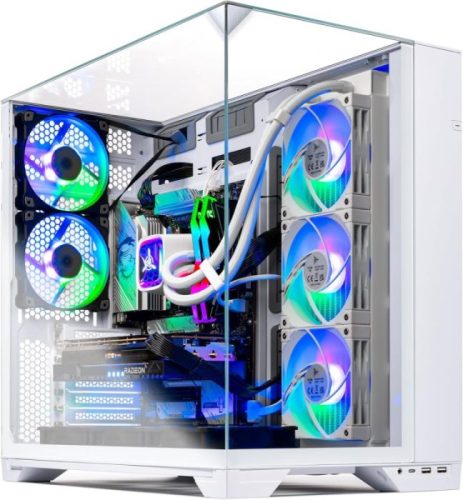
Skytech O11 Vision Review: A Stunning New Benchmark for Premium Skytech Gaming PCs
About the Skytech O11 Vision Desktop
While many hardcore gamers prefer building their own custom PCs, a large number of users choose prebuilt systems for convenience, reliability, and included warranty support. Skytech built its reputation around offering ready-to-use gaming desktops that balance performance and ease of setup. If you want to explore more options, you can check out the best Skytech gaming desktops here.
The brand provides a wide range of systems across different price points, making it accessible to both entry-level and high-end gamers. Its lineup is designed to cater to different needs, from casual gaming to demanding 4K performance and content creation workloads. Check out the Skytech Gaming PC review for a comprehensive breakdown of the brand.
In terms of pricing, Skytech is generally competitive within the prebuilt market. Our review unit, priced around $1,999, sits close to the iBuyPower RDY Element Pro R07, while still being more affordable than premium alternatives like the $2,199 Alienware Aurora, which comes with an Intel Core Ultra 7 265KF and comparable specifications.
Skytech Gaming O11 Vision Specs
| Specification | Skytech Gaming O11 Vision |
|---|---|
| Processor | AMD Ryzen 7 7700X, 8-Core, 4.5GHz (up to 5.4GHz Boost) |
| Motherboard | X670 Chipset Motherboard |
| Graphics Card | NVIDIA GeForce RTX 5070 12GB GDDR7 |
| Memory (RAM) | 32GB DDR5 5600MHz |
| Storage | 1TB Gen4 NVMe SSD |
| Cooling | 360mm ARGB All-in-One Liquid Cooler |
| Power Supply | 850W 80+ Gold ATX 3.0 PSU |
| Wireless Connectivity | Wi-Fi Enabled |
| Operating System | Windows 11 Home |
| Case | Lian Li O11 Vision |
| Dimensions | 18.7 × 11.8 × 17.4 inches |
| Weight | 33.89 lbs (15.37 kg) |
Design: A Glass Marvel Showcase Build
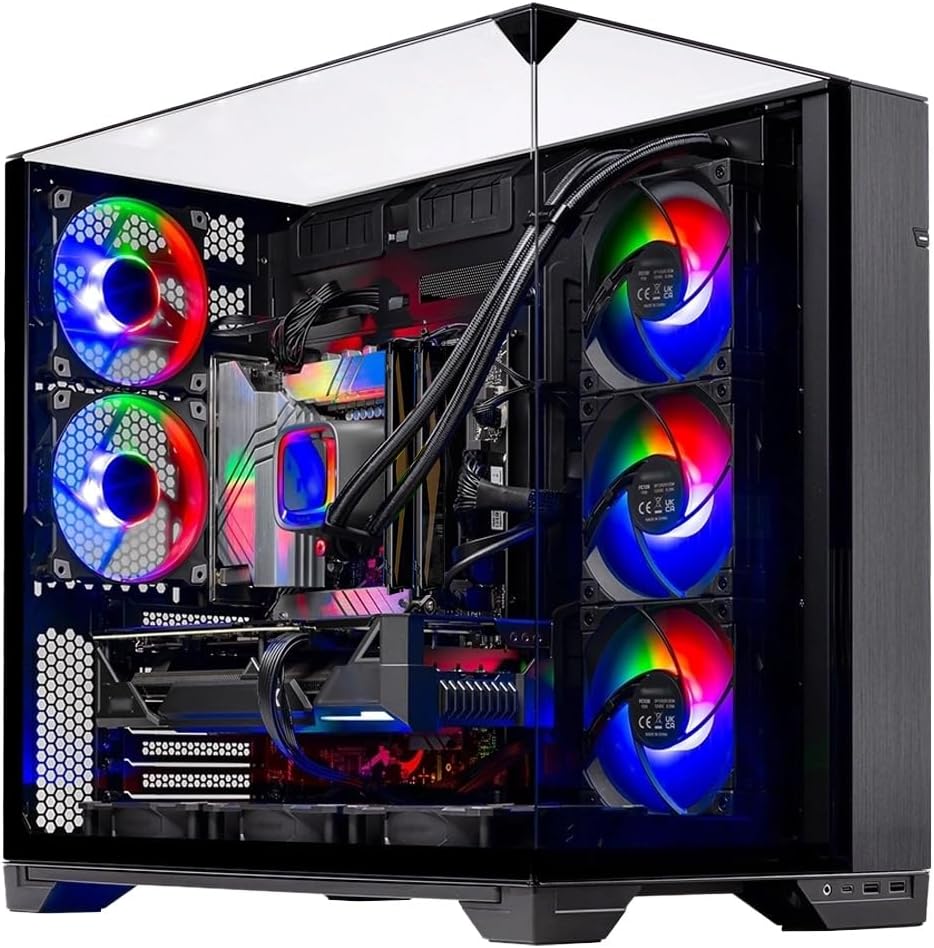
The Skytech O11 Vision is built to impress, featuring a panoramic “aquarium-style” design that puts its internal components on full display. With edge-to-edge glass panels on the front and side, the system delivers a clean, uninterrupted view of the hardware inside. The mostly glass top panel, paired with a removable ventilation section, helps balance aesthetics with practical airflow. Solid steel framing around the structure adds durability and reinforces its premium, modern feel.
This build uses the Lian Li O11 Vision-style mid-tower chassis**, known for its focus on clean presentation and component visibility. It’s a case designed for builders who want their RGB lighting, liquid cooling, and high-end hardware to be part of the overall visual experience rather than hidden away.
In terms of size, it measures 18.7 x 11.8 x 17.4 inches, making it slightly more compact in some dimensions compared to similar aquarium-style cases like the iBuyPower Element Pro. Despite this, it still sits comfortably in the mid-tower category, offering plenty of internal space for airflow, upgrades, and high-performance cooling setups.
There are no screws securing it—just a swinging magnetic door that opens with ease. In theory, this makes access simple for users who frequently tinker or prefer a tool-less design. However, given the limited upgrade and expansion options in this build, the benefit feels somewhat unnecessary in practice. Still, the interior is easy to access, and basic maintenance or hardware changes can be done without much hassle.
Power and Cooling
The Skytech O11 Vision is equipped with an 850W 80+ Gold ATX 3.0 power supply, giving it a strong and efficient foundation for high-performance gaming. This PSU is designed to handle modern power spikes from demanding GPUs while maintaining stable, efficient power delivery. The ATX 3.0 standard also ensures better compatibility with next-gen graphics cards, making the system more future-ready and reliable under heavy loads.
For cooling, the system uses a 360mm ARGB all-in-one liquid cooler, which plays a key role in maintaining low temperatures during intense gaming or productivity sessions. The large radiator provides excellent heat dissipation for the high-performance CPU, while the ARGB lighting adds a stylish visual touch that matches the overall aesthetic of the build. Together, the PSU and cooling solution ensure the system runs both efficiently and quietly, even under sustained stress.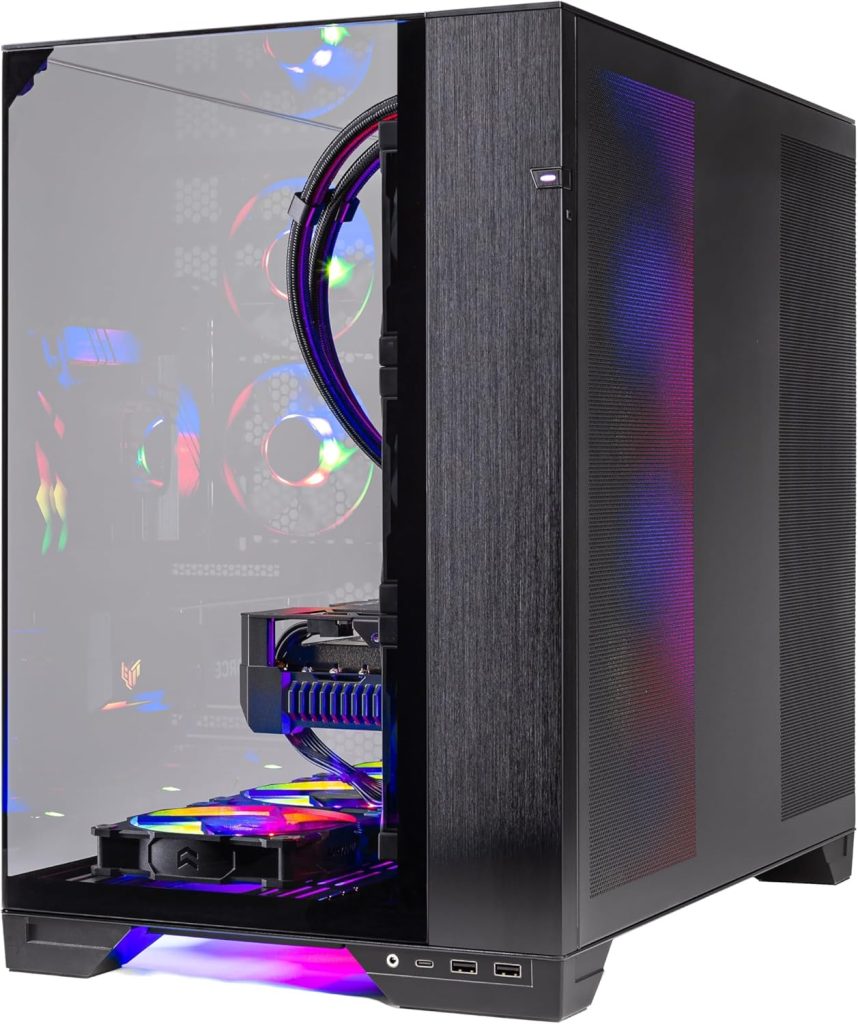
Connectivity and Ports
The front I/O of the Skytech O11 Vision is all about convenience. Sitting right at the top or front edge of the case, you get easy-access USB ports for quick plug-ins — perfect for a flash drive, headset dongle, or charging a device without reaching around the back of the PC.
Alongside them are the familiar 3.5mm audio and microphone jacks, so your headset connects instantly when you sit down to game or jump into a call. It’s a simple layout, but in daily use it feels practical and within arm’s reach, especially when the tower is placed on the floor or beside your desk.
Depending on the motherboard configuration, you may also find a mix of USB 2.0, USB 3.0, and USB 3.2 Gen1 ports, giving you enough flexibility for keyboards, controllers, and external drives without any hassle. It’s not flashy — just clean, functional, and exactly where you expect it to be when you need it.
Compared to what you typically get in similarly priced systems like the iBuyPower Element Pro, the Skytech O11 Vision feels a little more restrained on pure connectivity and next-gen features — and this is one area where Skytech arguably dropped the ball.
On the iBuypower Element Pro side, you’re looking at a very future-ready platform: four M.2 SSD slots for serious storage expansion, four DIMM slots for higher memory capacity upgrades, and PCIe 5.0 support that gives it more headroom for next-generation GPUs and storage devices. It also steps ahead on wireless tech with Wi-Fi 7 and Bluetooth 5.4, which are newer and faster than what most prebuilts in this range currently offer.
The rear I/O is where it really flexes. You get two USB4 ports, which are not only fast for external storage but also support DisplayPort output, making them useful for advanced monitor setups. Alongside that are eight USB Type-A ports, split across high-speed 10Gbps, 5Gbps, and USB 2.0 lanes, plus a dedicated port for BIOS updates. Add in a 2.5Gbps Ethernet jack and full audio connectivity, and it’s clearly built with heavy multitasking and future expansion in mind.
When you put them side by side, the Skytech O11 Vision still feels like a strong, polished gaming system with excellent core performance and aesthetics. However, in terms of connectivity and long-term upgrade flexibility, it doesn’t quite match the more forward-looking feature set offered by competitors like the Element Pro — and that’s a noticeable gap at this price tier.
Keyboard and Mouse
The bundled keyboard and mouse from Skytech are very much entry-level additions — the kind of basic combo commonly included with prebuilt systems. They don’t offer software customization or advanced features, and overall feel more functional than refined.
That said, they get the job done for initial setup and casual use. The mouse fits comfortably in medium-sized hands and works reasonably well with a palm-grip style, making it usable for everyday navigation and light gaming.
However, both devices are quite loud in use and lack the build quality or responsiveness you’d expect from dedicated gaming peripherals. While they’re fine as a starting point, most users will likely want to upgrade to a higher-quality keyboard and mouse to match the performance of the PC itself.
Performance
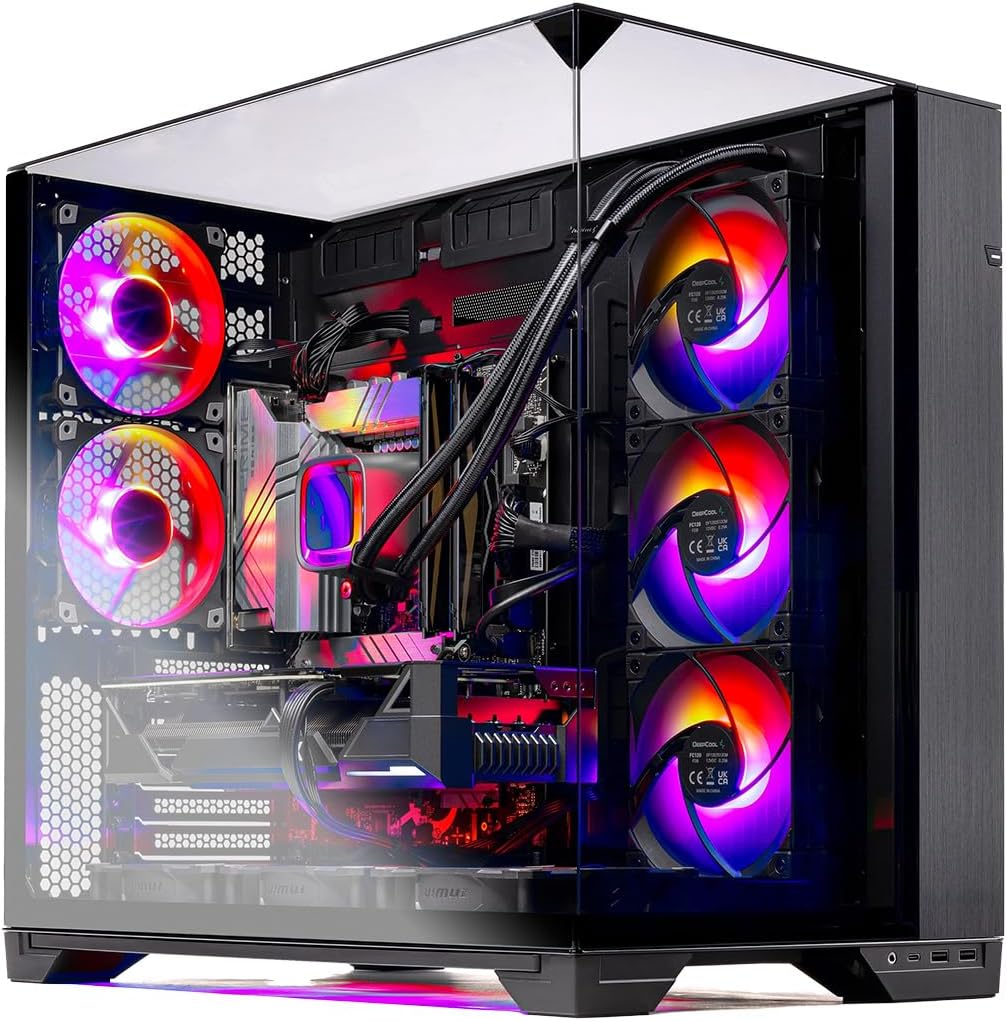
At 1440p, performance remains solid and generally smooth on high settings, though heavier AAA games will require some settings adjustments to maintain consistently high frame rates. This is the resolution where the system feels most balanced — offering a good mix of visual quality and responsiveness without pushing the hardware too far.
At 4K, the O11 Vision is capable of running less demanding titles or older games comfortably, but modern AAA games will typically require reduced settings and the use of upscaling technologies like DLSS to stay playable. It’s not a true ultra-settings 4K machine, but it can dip into 4K gaming when optimized properly.
Overall, the system is best positioned as a 1080p high-refresh and strong 1440p gaming PC, with limited but usable 4K capability depending on the game. The Ryzen 7 7700X helps maintain stable frame delivery, while the RTX 5070 provides enough GPU power for modern titles with good efficiency when settings are tuned appropriately.
The X670 motherboard platform also provides a stable foundation for performance and upgrades, helping the system stay responsive under load.
One drawback is airflow and internal layout — while cable management is decent and clean, the interior can feel a bit “tight,” which may slightly limit optimal airflow under sustained heavy gaming sessions.
Conclusion: So, Is Skytech 011 Vision good?
The Skytech O11 Vision is a premium gaming desktop that combines strong real-world performance with a standout panoramic design. Powered by the Ryzen 7 7700X and GeForce RTX 5070, it delivers smooth 1080p high-refresh gaming and capable 1440p performance, with the ability to handle lighter 4K gaming when settings are adjusted. The 360mm AIO cooling and 850W Gold ATX 3.0 PSU help keep performance stable and efficient, even under sustained load.
So, is it actually good? Yes — in real-world use, the O11 Vision is a very capable gaming PC that feels fast, responsive, and well-built. It handles modern games comfortably at 1080p and 1440p, which is exactly where most gamers will spend their time. The experience is smooth, consistent, and backed by solid cooling, so you don’t feel like the system is struggling under pressure.
While it doesn’t match the Element Pro in raw future-proofing or connectivity, the O11 Vision focuses more on delivering a refined, out-of-the-box gaming experience with a clean, showcase-style build. Overall, it stands as a strong premium option in Skytech’s lineup and earns its place as our Editor’s Choice for Best Premium Skytech Gaming Desktops.
FAQs
Which Skytech gaming PC is the best?
The best Skytech gaming PC depends on your needs, but the Skytech O11 Vision sits at the top end of the lineup for premium performance and design. It’s ideal for gamers who want strong 1080p and 1440p gaming performance combined with a high-end showcase build. More budget-friendly Skytech models are better suited for casual or entry-level gaming.
Can a Skytech gaming PC run Fortnite?
Yes — Skytech gaming PCs can run Fortnite easily. Even mid-range models handle it smoothly at 1080p, while higher-end systems like the O11 Vision can push very high frame rates for competitive play, especially on performance or high settings.
Is Skytech Gaming trusted?
Yes, Skytech is generally considered a trusted prebuilt PC brand. It’s known for offering reliable gaming desktops with solid performance and warranty support. While it may not have the same advanced feature sets as some competitors, it’s widely regarded as a dependable option for gamers who want a ready-to-use system.


