KOORUI E2412F Review – Budget Consious Monitor For Most Users
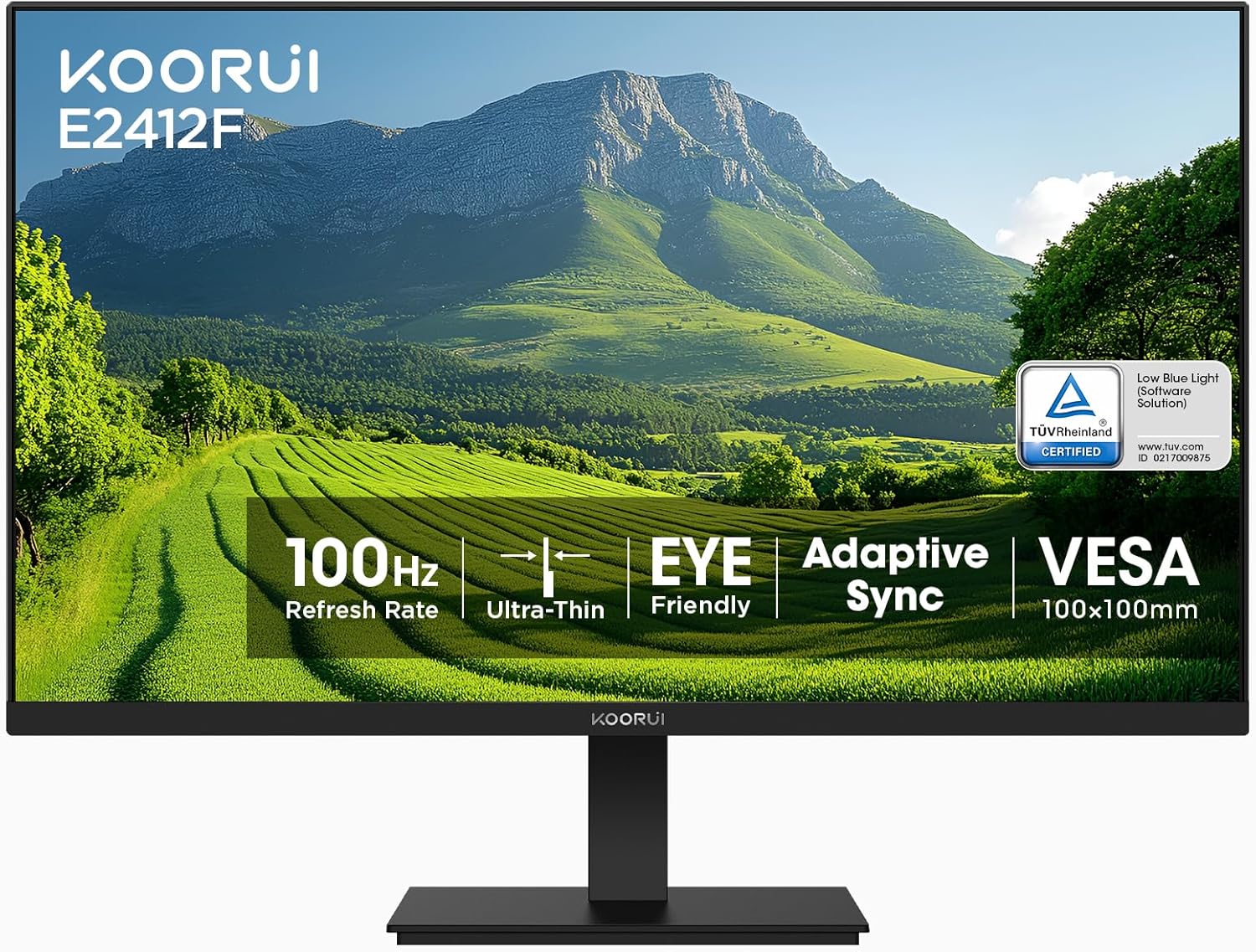
The KOORUI E2412F is a budget-friendly 24-inch monitor built for everyday users who want solid picture quality without spending much. It features a quality VA panel, a simple but clean design, and a basic feature set that works well for office work, streaming, browsing, and casual gaming.
Pros
* Affordable price for a 24-inch monitor
* VA panel delivers deep blacks and strong contrast
* Smooth 100Hz refresh rate for everyday use and casual gaming
* Slim bezels look modern and work well for dual-monitor setups
* Decent color coverage for media consumption and basic content work
* VESA mount support adds flexibility
* Lightweight and compact design fits small desks easily
Cons
* VA panel can show ghosting in fast-paced games
* Brightness is fairly limited for very bright rooms
* Basic stand with limited ergonomic adjustments
KOORUI E2412F Specs
| Specification | KOORUI E2412F |
|---|---|
| Screen Size | 24-inch (23.8-inch viewable) |
| Resolution | 1920 × 1080 (Full HD) |
| Panel Type | VA |
| Refresh Rate | 100Hz |
| Response Time | 5ms |
| Contrast Ratio | 3000:1 |
| Brightness | 250 nits |
| Color Coverage | 99% sRGB |
| Ports | HDMI, VGA |
| Adaptive Sync | FreeSync support |
| VESA Mount | Yes |
| Bezels | Slim 3-sided bezels |
About the KOORUI E2412F Monitor
KOORUI has quickly become one of the more interesting budget monitor brands on the market, offering affordable displays with specs that often compete with more established names. Backed by HKC, one of the world’s largest display panel manufacturers, the brand focuses on monitors that balance performance, simplicity, and value without pushing buyers into premium price territory.
The company is best known for delivering features that matter most to everyday users, including higher refresh rates, VA panels with strong contrast, and modern thin-bezel designs. While KOORUI still lacks the brand recognition of companies like ASUS or LG, monitors like the KOORUI E2412F show why the brand has become increasingly popular among students, casual gamers, and home office users who want solid performance at a lower price.
One of my favorite things about the KOORUI E2412F is the slim bezel design, which gives the monitor a cleaner and more modern look than you’d expect at this price point. But beyond the design, what really stands out is how smooth the monitor feels during everyday use. The 100Hz refresh rate makes scrolling, multitasking, and general desktop work feel noticeably more fluid compared to a standard 60Hz display.
The monitor also keeps things simple with practical connectivity options, including HDMI and VGA ports, along with a straightforward on-screen menu system that makes adjusting display settings easy. Perhaps the biggest surprise, though, is the price. Despite offering features commonly found on more expensive entry-level monitors, the KOORUI E2412F remains one of the more affordable options in its category.
For comparison, we’ll also see how it stacks up against other budget-friendly favorites, including the BenQ GW2790, Amazon Basics Full HD IPS Monitor, Acer Nitro KG241Y, and Sceptre E275B-FPT165. Check out the full KOORUI Monitor review for an in-depth breakdown of the brand
| Rank | Monitor | Display | Refresh Rate | Best For | Verdict |
|---|---|---|---|---|---|
| #1 | Sceptre E275B-FPT165 | 27″ FHD IPS | 144–180Hz | Mixed gaming + work | Best overall value — big IPS screen, smooth, and affordable |
| #2 | Acer Nitro KG241Y | 23.8″ VA | 165Hz | Competitive gaming | Best for fast gaming — smoother motion + HDR support |
| #3 | BenQ GW2790 | 27″ IPS | 100Hz | Work + casual use | Best for productivity — eye comfort + solid colors |
| #4 | KOORUI E2412F | 24″ VA | 100Hz | Budget gaming | Best ultra-budget pick — strong contrast, basic features |
| #5 | Amazon Basics Full HD IPS Monitor | 24″ IPS | 75Hz | Office use | Best for work — simple, reliable, not for gaming |
Design
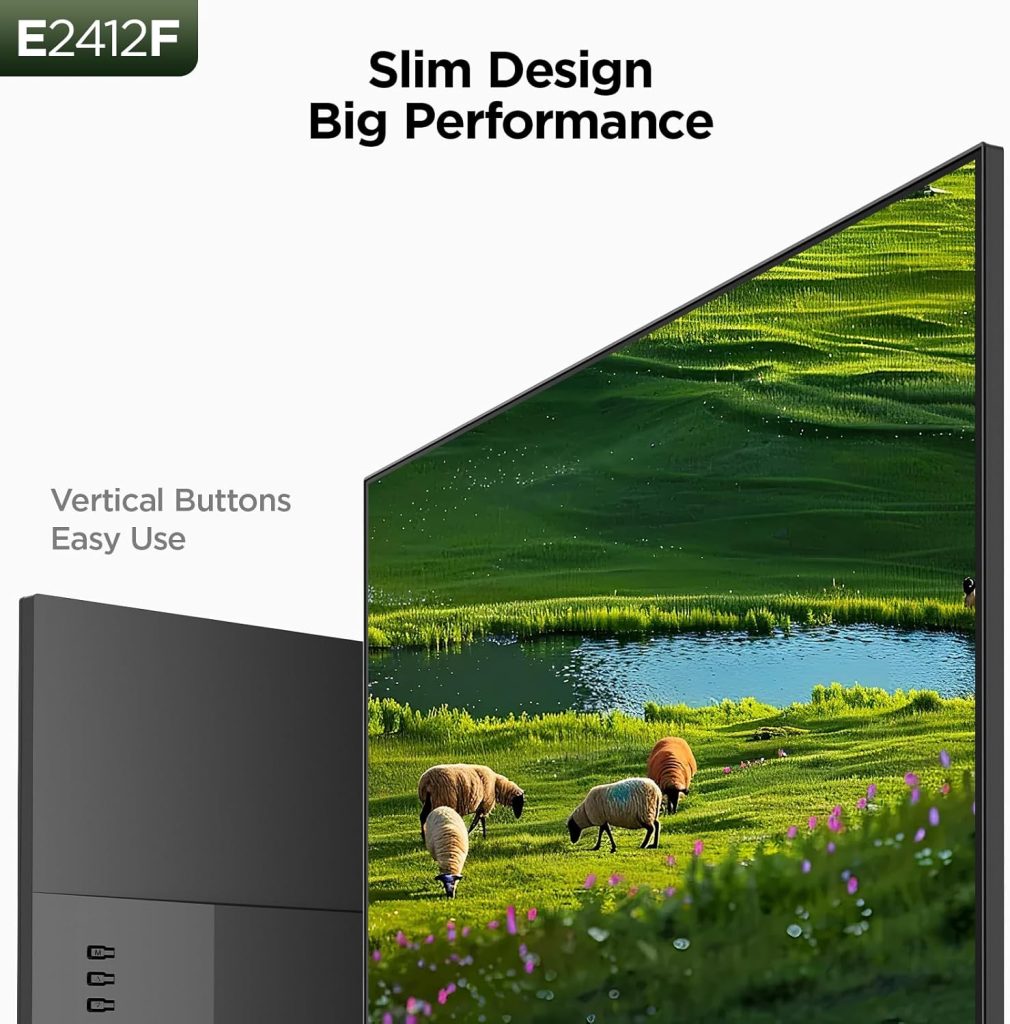
Most people assume that when a monitor is cheap, it will automatically feel flimsy or poorly built. Thankfully, that’s not really the case with the KOORUI E2412F. While it’s clearly designed as a budget monitor, it feels surprisingly sturdy for the price and avoids the “shoddy” feeling that many low-cost displays tend to have. The stand holds the monitor reasonably well without excessive wobbling, and overall, the monitor feels more solid than you might expect in this price range.
The KOORUI E2412F is a compact 24-inch display designed for general-purpose use. Measuring 7.29 x 21.34 x 16.72 inches and weighing just 6.1 pounds, it’s lightweight enough to move around easily while still fitting comfortably on smaller desks or office setups. Although the lower portion of the monitor cabinet is slightly thicker, the upper section stays fairly slim, helping the display maintain a cleaner and more modern appearance.
One of the better design choices here is the narrow bezels along the top and sides. They help the monitor look less bulky and make it feel more immersive during everyday use, especially if you plan to run a dual-monitor setup. The slimmer borders also help keep the overall footprint relatively compact despite the 24-inch screen size.
I actually like the overall design. The KOORUI E2412F uses an all-black plastic build that looks simple but surprisingly decent in person. It doesn’t try to look overly flashy or “gamer” themed, which works in its favor. Overall, it’s a fairly standard budget monitor design, but one that feels clean, practical, and well put together for the price.
The stand on the KOORUI E2412F is simple and functional, featuring a rectangular base with a vertical shaft that connects to the bottom of the monitor. Ergonomics are fairly basic, as it only supports tilt adjustment—allowing the screen to tilt about 5 degrees forward and up to 15 degrees backward. This is typical for budget monitors, where advanced adjustments are often sacrificed to keep costs low. While it doesn’t offer height, swivel, or pivot options, the stand is stable enough for everyday use. For users who need more flexibility, the monitor does support VESA mounting, making it easy to attach to a monitor arm. One recently tested exception is the HP 24mh (1D0J9AA#ABA), which supports height, tilt, and pivot movements
Display and Ports
The KOORUI E2412F uses a 24-inch VA panel with a Full HD resolution of 1,920 × 1,080 pixels in a standard 16:9 widescreen format. For a budget monitor, the panel quality is actually one of its strongest features. Compared to some similarly priced displays, the VA panel gives the KOORUI noticeably decent blacks, nothing compared to an IPS panel but it works. Against monitors like the BenQ GW2790, the KOORUI doesn’t look quite as refined overall, but it still delivers surprisingly rich image quality for the money.
Pixel density isn’t especially high at this screen size and resolution, but it’s perfectly adequate for everyday use. Text remains reasonably sharp, images look clean, and the monitor feels comfortable for browsing, office work, streaming, and casual gaming. In general, smaller Full HD displays tend to appear sharper because the pixels are packed more tightly together, and the KOORUI benefits from that. While it won’t match the crispness of a 1440p display, it still looks detailed enough for most mainstream users.
Another pleasant surprise is the viewing-angle performance. The display is rated for 178-degree horizontal and vertical viewing angles, and in real-world use, colors hold up surprisingly well even when viewing the screen from off-center positions. Many budget monitors show noticeable color shifting, washed-out tones, or posterization at extreme angles, but the KOORUI E2412F handles this much better than expected for its price category.
In everyday use—whether writing, browsing, editing documents, watching videos, or casually gaming at night—the display consistently looked clean, vibrant, and easy on the eyes. Text clarity is good enough for long productivity sessions. Blacks also look decently deeper, which helps movies and darker game scenes appear more immersive instead of gray or washed out. It’s not a professional color-accurate display by any means, but for a budget monitor, the overall viewing experience feels surprisingly enjoyable.
As for connectivity, the KOORUI keeps things simple with HDMI and VGA ports. That’s fairly standard for a monitor in this price range and should be enough for most PCs, laptops, and older devices. The inclusion of VGA is actually useful for users connecting legacy hardware, while HDMI handles modern systems without issue.
Performance
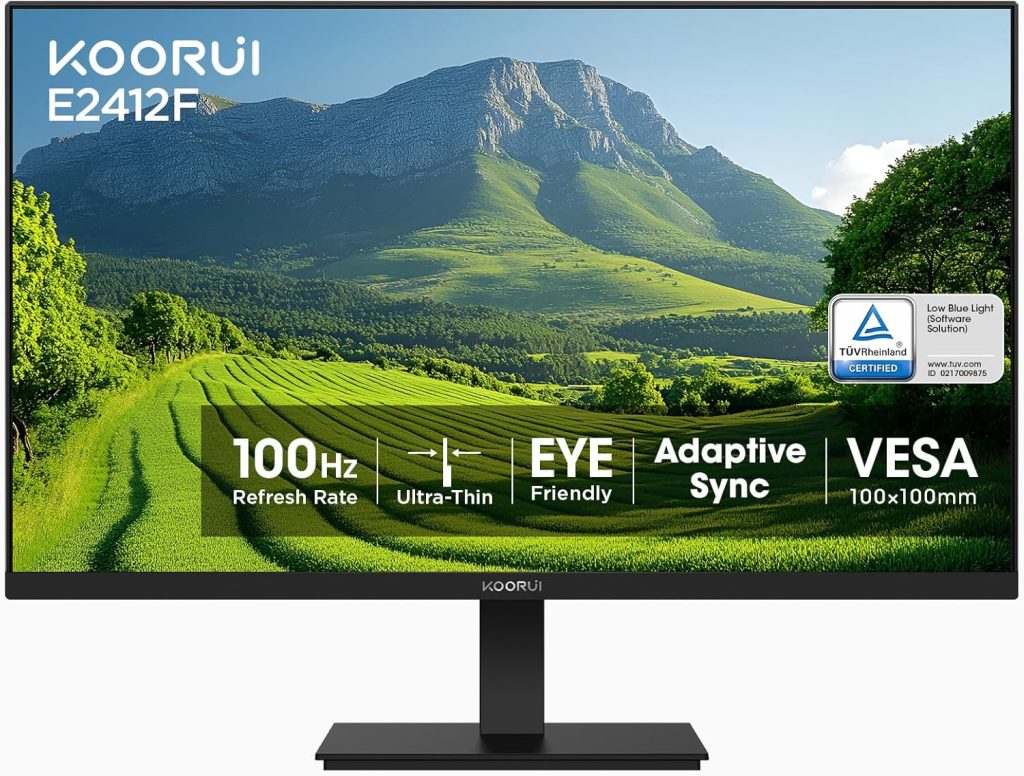
The KOORUI E2412F delivers a smooth and reliable everyday performance, especially for a budget 24-inch monitor. With its 100Hz refresh rate and FreeSync support, it handles casual gaming and general use noticeably better than standard 60Hz displays, helping reduce screen tearing and making motion feel more fluid. It’s not a high-end gaming monitor, so you won’t get ultra-fast competitive responsiveness, but for console gaming, light PC gaming, and everyday multitasking, it performs comfortably within its class.
In day-to-day use—whether viewing photos, watching videos, or working through office tasks—the display looks clean and consistent. Images appear sharp enough for productivity, and the VA panel delivers solid contrast with deeper blacks and pleasing color output for media consumption. Like most budget panels, it’s best appreciated in balanced lighting conditions, where its strengths are more noticeable without pushing it into demanding professional workloads.
However, brightness is limited to around 250 nits, which means HDR performance is more theoretical than practical. HDR content simply doesn’t have the intensity or depth you’d expect from higher-end displays, and the overall impact can feel muted. For users who prioritize true HDR experiences, a higher-tier monitor would be necessary, though for standard SDR content, the E2412F remains perfectly serviceable.
Overall, performance is best described as smooth, consistent, and well-suited for everyday users rather than enthusiasts or competitive gamers.
Conclusion
The KOORUI E2412F is a straightforward budget monitor that focuses on delivering solid everyday performance without unnecessary extras. It combines a 100Hz refresh rate, VA panel contrast, and a compact 24-inch form factor to create a smooth and comfortable experience for general use, casual gaming, and productivity tasks.
While it does have the usual limitations of its price range—such as basic ergonomics, limited brightness, and no true HDR performance—it still offers excellent value for money. If you’re looking for an affordable, no-frills monitor that feels modern, looks clean with its slim bezels, and performs reliably for daily use, the E2412F is an easy recommendation in the budget category.
Are there Alternatives?
If you have a bit of extra budget (around the $130–$150 range), the BenQ GW2486TC is worth considering as a step up from the KOORUI E2412F. It offers a more premium IPS panel, stronger ergonomics, and a more versatile feature set overall—making it better suited for users who want a slightly more refined everyday or productivity experience.
Compared to the KOORUI, the BenQ feels more “complete” in terms of usability. It includes better stand adjustability (height, tilt, swivel, and pivot), a more productivity-focused design, and a wider range of connectivity options including HDMI, DisplayPort, and USB-C with power delivery. While it does cost roughly $100 more, that extra investment goes into improved build flexibility, better ergonomics, and a more office-oriented feature set rather than raw gaming performance.